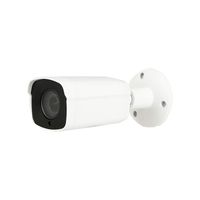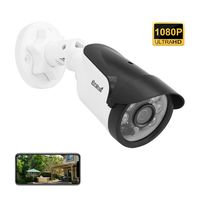
Description
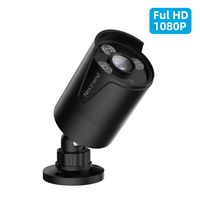
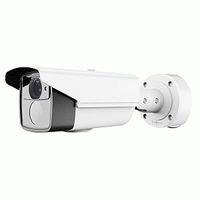
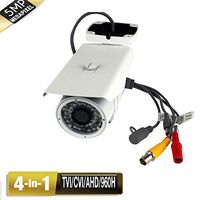
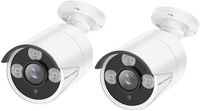
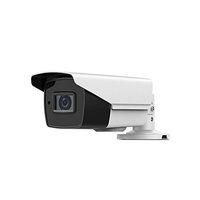
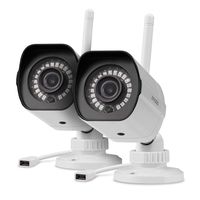
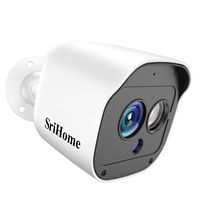
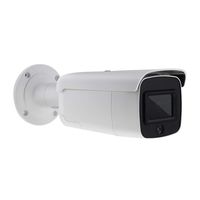
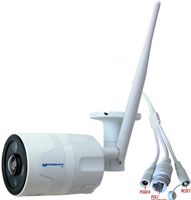
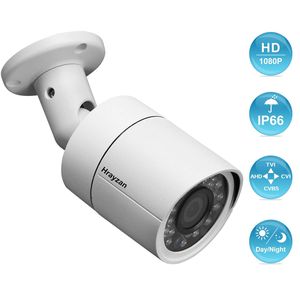
1080P 4-in-1 HD home Security Camera, 4 different video output TVI/AHD/ CVI/CVBS(960H), compatible with most HD DVRs
Please first confirm your DVR type and then adjust the camera to corresponding video output.
Outdoor Security Camera Specification
Image Sensor:1/2.7″Color CMOS with IR-Cut
Effective Pixels:1920x1080 (2.0 Megapixels)
Resolution: 1080P
Signal mode: TVI/AHD/CVI/CVBS 960H (with Multi-language OSD, and select from DIP switch)
Wide View:87°
Lens: 3.6mm,24pcs IR LEDs
IR Distance: up to 65ft (20m)
Noise Reduction:3D DNR
Material: Metal construction
Package Contents
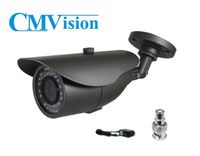
1x 4 in 1 Bullet Camera
1x User Manual
1x Mounting screw bag
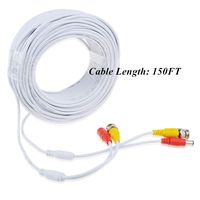
*Noted:This camera did not come with power supply &video power cable!
Troubleshooting
Q: Video Loss appears where the image from my camera should be displaying on my DVR?
A: 1.Check the extension cable (power and video) is securely connected to the camera.
2.Check the video output from the camera is securely connected to a video input channel on the DVR.
3.Check the power from the camera is securely connected to a power supply.
4. The camera mode do not match your DVR.there is 2 ways to setup .
(1) Select mode from DIP Switch, till the signal matching your DVR.
(2) Make sure the signal of your DVR, Use OSD to change the mode of the camera according to your DVRs video Mode.
Please first confirm your DVR type and then adjust the camera to corresponding video output.
Outdoor Security Camera Specification
Image Sensor:1/2.7″Color CMOS with IR-Cut
Effective Pixels:1920x1080 (2.0 Megapixels)
Resolution: 1080P
Signal mode: TVI/AHD/CVI/CVBS 960H (with Multi-language OSD, and select from DIP switch)
Wide View:87°
Lens: 3.6mm,24pcs IR LEDs
IR Distance: up to 65ft (20m)
Noise Reduction:3D DNR
Material: Metal construction
Package Contents
1x 4 in 1 Bullet Camera
1x User Manual
1x Mounting screw bag
*Noted:This camera did not come with power supply &video power cable!
Troubleshooting
Q: Video Loss appears where the image from my camera should be displaying on my DVR?
A: 1.Check the extension cable (power and video) is securely connected to the camera.
2.Check the video output from the camera is securely connected to a video input channel on the DVR.
3.Check the power from the camera is securely connected to a power supply.
4. The camera mode do not match your DVR.there is 2 ways to setup .
(1) Select mode from DIP Switch, till the signal matching your DVR.
(2) Make sure the signal of your DVR, Use OSD to change the mode of the camera according to your DVRs video Mode.
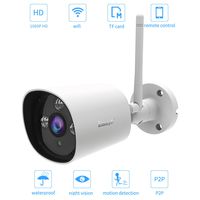
1080P HD Home CCTV Security Camera,Outdoor Weatherproof Bullet Surveillance Camera, 2MP 1920TVL Hybrid 4-in-1 TVI/CVI/AHD/960H CVBS 24PCS IR LEDs 65ft Night Vision Wired Security Cameras (White)
Price is below average
Current Price
$15.99
Average
$19.82
Min Price
$12.99
Max Price
$39.99
Price dynamics
19%
Description
1080P 4-in-1 HD home Security Camera, 4 different video output TVI/AHD/ CVI/CVBS(960H), compatible with most HD DVRs
Please first confirm your DVR type and then adjust the camera to corresponding video output.
Outdoor Security Camera Specification
Image Sensor:1/2.7″Color CMOS with IR-Cut
Effective Pixels:1920x1080 (2.0 Megapixels)
Resolution: 1080P
Signal mode: TVI/AHD/CVI/CVBS 960H (with Multi-language OSD, and select from DIP switch)
Wide View:87°
Lens: 3.6mm,24pcs IR LEDs
IR Distance: up to 65ft (20m)
Noise Reduction:3D DNR
Material: Metal construction
Package Contents
1x 4 in 1 Bullet Camera
1x User Manual
1x Mounting screw bag
*Noted:This camera did not come with power supply &video power cable!
Troubleshooting
Q: Video Loss appears where the image from my camera should be displaying on my DVR?
A: 1.Check the extension cable (power and video) is securely connected to the camera.
2.Check the video output from the camera is securely connected to a video input channel on the DVR.
3.Check the power from the camera is securely connected to a power supply.
4. The camera mode do not match your DVR.there is 2 ways to setup .
(1) Select mode from DIP Switch, till the signal matching your DVR.
(2) Make sure the signal of your DVR, Use OSD to change the mode of the camera according to your DVRs video Mode.
Please first confirm your DVR type and then adjust the camera to corresponding video output.
Outdoor Security Camera Specification
Image Sensor:1/2.7″Color CMOS with IR-Cut
Effective Pixels:1920x1080 (2.0 Megapixels)
Resolution: 1080P
Signal mode: TVI/AHD/CVI/CVBS 960H (with Multi-language OSD, and select from DIP switch)
Wide View:87°
Lens: 3.6mm,24pcs IR LEDs
IR Distance: up to 65ft (20m)
Noise Reduction:3D DNR
Material: Metal construction
Package Contents
1x 4 in 1 Bullet Camera
1x User Manual
1x Mounting screw bag
*Noted:This camera did not come with power supply &video power cable!
Troubleshooting
Q: Video Loss appears where the image from my camera should be displaying on my DVR?
A: 1.Check the extension cable (power and video) is securely connected to the camera.
2.Check the video output from the camera is securely connected to a video input channel on the DVR.
3.Check the power from the camera is securely connected to a power supply.
4. The camera mode do not match your DVR.there is 2 ways to setup .
(1) Select mode from DIP Switch, till the signal matching your DVR.
(2) Make sure the signal of your DVR, Use OSD to change the mode of the camera according to your DVRs video Mode.
Price will be lower
in next 2 weeks
in next 2 weeks
According to the data, price will be lower in next two weeks, so not waste your money and track better price!
Similar products