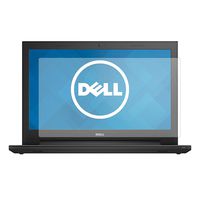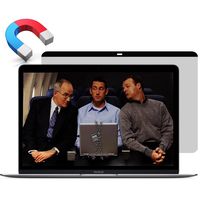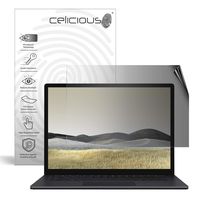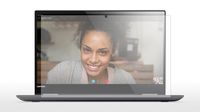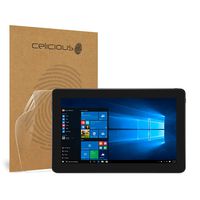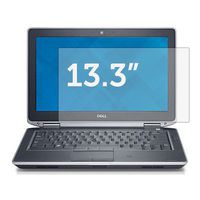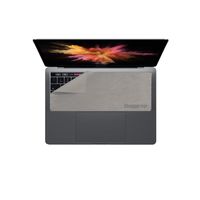
Description
What is Blu-light?
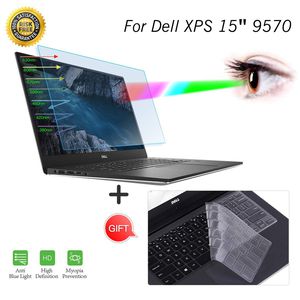
Blue light refers to light with a wavelength of 380-495 nm and it's a kind of visible light. Blue light is short and has high energy. It can penetrate the lens directly to the retina of the fundus. Bluelight is widely used in LED light sourced products such as PCs, Cell Phones, Tablets, Game machines and TVs. However, mobile phone screens, LEDs, and computer screen lights all generate a lot of blue light. This can cause harm to people's eyes and skins, and cause eye fatigue and may even cause age-related macular degeneration which not only resulting in visual fatigue, but also not conducive to normal sleep.
Why You need to buy the Anti Blue Light Screen Protector?
Anti-Blue Light Filter Features:
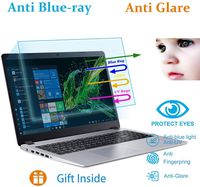
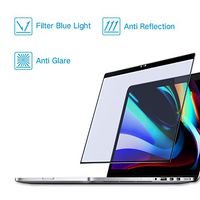
1.Filter out Blue Light
2.UV400 protection
3.Relieve the fatigue of eyes
4.Radiation Protection: Through the absorption and conversion of ultraviolet rays, it prevents the dry skin caused by UV reflections from causing skin pigmentation, chloasma and other problems
5.Anti-fingerprint, Scratch Resistant(9H), HD Retina Clarity
6.Anti-static screen protector
Package Included:
- 1 x Anti-Blue Light Screen Protector for Dell XPS 15 9570 15.6" Laptop
- 1 x Keyboard Cover for Dell XPS 15 9570 15.6" Laptop
- 1 x Microfiber Cloth
- 1 x Wet Cleaner
- 1 x Dust Remover sticker
How To Apply:
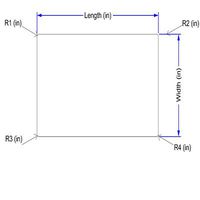
1.Check the filter dimension is suitable for your screen
2.Clean your laptop screen with the microfiber cloth
3.Remove the fine dust with dust removal sticker
4.Peel off a little of the backside of Tab 1 gently before applying to the screen
5.Align the filter starting at the top, slowly peel off Tab 1 and squeeze the bubbles out with card
6.Peel off Tab 2 when finished
Blue light refers to light with a wavelength of 380-495 nm and it's a kind of visible light. Blue light is short and has high energy. It can penetrate the lens directly to the retina of the fundus. Bluelight is widely used in LED light sourced products such as PCs, Cell Phones, Tablets, Game machines and TVs. However, mobile phone screens, LEDs, and computer screen lights all generate a lot of blue light. This can cause harm to people's eyes and skins, and cause eye fatigue and may even cause age-related macular degeneration which not only resulting in visual fatigue, but also not conducive to normal sleep.
Why You need to buy the Anti Blue Light Screen Protector?
Anti-Blue Light Filter Features:
1.Filter out Blue Light
2.UV400 protection
3.Relieve the fatigue of eyes
4.Radiation Protection: Through the absorption and conversion of ultraviolet rays, it prevents the dry skin caused by UV reflections from causing skin pigmentation, chloasma and other problems
5.Anti-fingerprint, Scratch Resistant(9H), HD Retina Clarity
6.Anti-static screen protector
Package Included:
- 1 x Anti-Blue Light Screen Protector for Dell XPS 15 9570 15.6" Laptop
- 1 x Keyboard Cover for Dell XPS 15 9570 15.6" Laptop
- 1 x Microfiber Cloth
- 1 x Wet Cleaner
- 1 x Dust Remover sticker
How To Apply:
1.Check the filter dimension is suitable for your screen
2.Clean your laptop screen with the microfiber cloth
3.Remove the fine dust with dust removal sticker
4.Peel off a little of the backside of Tab 1 gently before applying to the screen
5.Align the filter starting at the top, slowly peel off Tab 1 and squeeze the bubbles out with card
6.Peel off Tab 2 when finished
15.6 Inch Anti Blue Light Screen Protector for Dell XPS 15 9570 15.6 Inch with Keyboard Cover for 2019 2018 Dell XPS 15 9570 Laptop Screen Filter Eye Protection Anti Glare Screen Protector Cover
Current Price
$16.99
Average
$16.99
Min Price
$16.99
Max Price
$16.99
Description
What is Blu-light?
Blue light refers to light with a wavelength of 380-495 nm and it's a kind of visible light. Blue light is short and has high energy. It can penetrate the lens directly to the retina of the fundus. Bluelight is widely used in LED light sourced products such as PCs, Cell Phones, Tablets, Game machines and TVs. However, mobile phone screens, LEDs, and computer screen lights all generate a lot of blue light. This can cause harm to people's eyes and skins, and cause eye fatigue and may even cause age-related macular degeneration which not only resulting in visual fatigue, but also not conducive to normal sleep.
Why You need to buy the Anti Blue Light Screen Protector?
Anti-Blue Light Filter Features:
1.Filter out Blue Light
2.UV400 protection
3.Relieve the fatigue of eyes
4.Radiation Protection: Through the absorption and conversion of ultraviolet rays, it prevents the dry skin caused by UV reflections from causing skin pigmentation, chloasma and other problems
5.Anti-fingerprint, Scratch Resistant(9H), HD Retina Clarity
6.Anti-static screen protector
Package Included:
- 1 x Anti-Blue Light Screen Protector for Dell XPS 15 9570 15.6" Laptop
- 1 x Keyboard Cover for Dell XPS 15 9570 15.6" Laptop
- 1 x Microfiber Cloth
- 1 x Wet Cleaner
- 1 x Dust Remover sticker
How To Apply:
1.Check the filter dimension is suitable for your screen
2.Clean your laptop screen with the microfiber cloth
3.Remove the fine dust with dust removal sticker
4.Peel off a little of the backside of Tab 1 gently before applying to the screen
5.Align the filter starting at the top, slowly peel off Tab 1 and squeeze the bubbles out with card
6.Peel off Tab 2 when finished
Blue light refers to light with a wavelength of 380-495 nm and it's a kind of visible light. Blue light is short and has high energy. It can penetrate the lens directly to the retina of the fundus. Bluelight is widely used in LED light sourced products such as PCs, Cell Phones, Tablets, Game machines and TVs. However, mobile phone screens, LEDs, and computer screen lights all generate a lot of blue light. This can cause harm to people's eyes and skins, and cause eye fatigue and may even cause age-related macular degeneration which not only resulting in visual fatigue, but also not conducive to normal sleep.
Why You need to buy the Anti Blue Light Screen Protector?
Anti-Blue Light Filter Features:
1.Filter out Blue Light
2.UV400 protection
3.Relieve the fatigue of eyes
4.Radiation Protection: Through the absorption and conversion of ultraviolet rays, it prevents the dry skin caused by UV reflections from causing skin pigmentation, chloasma and other problems
5.Anti-fingerprint, Scratch Resistant(9H), HD Retina Clarity
6.Anti-static screen protector
Package Included:
- 1 x Anti-Blue Light Screen Protector for Dell XPS 15 9570 15.6" Laptop
- 1 x Keyboard Cover for Dell XPS 15 9570 15.6" Laptop
- 1 x Microfiber Cloth
- 1 x Wet Cleaner
- 1 x Dust Remover sticker
How To Apply:
1.Check the filter dimension is suitable for your screen
2.Clean your laptop screen with the microfiber cloth
3.Remove the fine dust with dust removal sticker
4.Peel off a little of the backside of Tab 1 gently before applying to the screen
5.Align the filter starting at the top, slowly peel off Tab 1 and squeeze the bubbles out with card
6.Peel off Tab 2 when finished
Price will be lower
in next 2 weeks
in next 2 weeks
According to the data, price will be lower in next two weeks, so not waste your money and track better price!
Product review & video
Hello everyone and Welcome to HowFixit. In this
video I gonna show you how to remove the top screen cover on Dell XPS 15 9570 laptop
To disassemble Dell XPS 15 9570 you will need next tools:
Phillips 1 (2) screwdriver Torx T5 screwdriver
Plastic tool Tweezers Also I recommend using a magnetic mat in repair
process and laying out each screw step-by-step during disassembly, which is especially useful
in the case of the Dell XPS 15 9570. This laptop has a lot of screws of different sizes
and it is very important not to confuse them during assembly. In the description, I’ll leave
links where to buy all the necessary tools. Turn the laptop over and remove
all the screws on the bottom cover. Disconnect the battery cable from the motherboard. Remove the screws on the laptop hinges. Now you can remove and
replace the top screen cover. Well, that's all, you were on
HowF