Description
Specification:
1. Change the sport mode:
After setting the sport mode change mode on the app, click the sync watch and the watch side sport mode can be replaced.
2. Music control:
Open the music app to support start, pause, previous/next songs
3. UI: Concise and easy to understand (based on display data), with dynamic effects
4. Message reminder/hang-up phone:
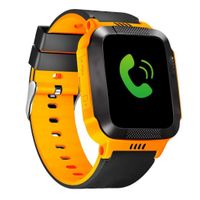
When you call, the watch will sound a vibration reminder and will display a hanging icon, tap and hang up. Delete message notifications on the watch side
5. Women's health care:
The app side sets health care, and the watch end will pop up the window to prompt the user to cycle.
6. Brightness:
3 brightness adjustment, ambient light-dark, screen brightness is dimmed; ambient light, screen brightness is bright, you can also change the brightness adjustment in the watch settings interface
7. The physical button on the right:
Bright screen/lock screen Return to the previous menu button, press and hold the physical button for 1 second in the sport mode to exit the sport mode.
8. The left physical button:
Press and hold for 1 second to enter the sport mode quickly. The default motion is the first motion of the motion in the watch interface (can be changed)
1. Change the sport mode:
After setting the sport mode change mode on the app, click the sync watch and the watch side sport mode can be replaced.
2. Music control:
Open the music app to support start, pause, previous/next songs
3. UI: Concise and easy to understand (based on display data), with dynamic effects
4. Message reminder/hang-up phone:
When you call, the watch will sound a vibration reminder and will display a hanging icon, tap and hang up. Delete message notifications on the watch side
5. Women's health care:
The app side sets health care, and the watch end will pop up the window to prompt the user to cycle.
6. Brightness:
3 brightness adjustment, ambient light-dark, screen brightness is dimmed; ambient light, screen brightness is bright, you can also change the brightness adjustment in the watch settings interface
7. The physical button on the right:
Bright screen/lock screen Return to the previous menu button, press and hold the physical button for 1 second in the sport mode to exit the sport mode.
8. The left physical button:
Press and hold for 1 second to enter the sport mode quickly. The default motion is the first motion of the motion in the watch interface (can be changed)
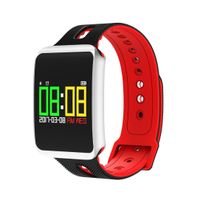
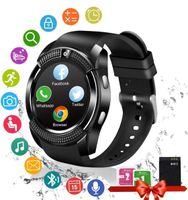
2019 New Smart Watch for Android iOS Phones, Activity Fitness Tracker Health Exercise Smartwatch Pedometer Heart Rate Sleep Monitor IP68 Waterproof Compatible with Samsung Apple iPhone for Men Women
Current Price
$44.99
Average
$41.51
Min Price
$20
Max Price
$48.99
Price dynamics
8%
Description
Specification:
1. Change the sport mode:
After setting the sport mode change mode on the app, click the sync watch and the watch side sport mode can be replaced.
2. Music control:
Open the music app to support start, pause, previous/next songs
3. UI: Concise and easy to understand (based on display data), with dynamic effects
4. Message reminder/hang-up phone:
When you call, the watch will sound a vibration reminder and will display a hanging icon, tap and hang up. Delete message notifications on the watch side
5. Women's health care:
The app side sets health care, and the watch end will pop up the window to prompt the user to cycle.
6. Brightness:
3 brightness adjustment, ambient light-dark, screen brightness is dimmed; ambient light, screen brightness is bright, you can also change the brightness adjustment in the watch settings interface
7. The physical button on the right:
Bright screen/lock screen Return to the previous menu button, press and hold the physical button for 1 second in the sport mode to exit the sport mode.
8. The left physical button:
Press and hold for 1 second to enter the sport mode quickly. The default motion is the first motion of the motion in the watch interface (can be changed)
1. Change the sport mode:
After setting the sport mode change mode on the app, click the sync watch and the watch side sport mode can be replaced.
2. Music control:
Open the music app to support start, pause, previous/next songs
3. UI: Concise and easy to understand (based on display data), with dynamic effects
4. Message reminder/hang-up phone:
When you call, the watch will sound a vibration reminder and will display a hanging icon, tap and hang up. Delete message notifications on the watch side
5. Women's health care:
The app side sets health care, and the watch end will pop up the window to prompt the user to cycle.
6. Brightness:
3 brightness adjustment, ambient light-dark, screen brightness is dimmed; ambient light, screen brightness is bright, you can also change the brightness adjustment in the watch settings interface
7. The physical button on the right:
Bright screen/lock screen Return to the previous menu button, press and hold the physical button for 1 second in the sport mode to exit the sport mode.
8. The left physical button:
Press and hold for 1 second to enter the sport mode quickly. The default motion is the first motion of the motion in the watch interface (can be changed)
Price will be lower
in next 2 weeks
in next 2 weeks
According to the data, price will be lower in next two weeks, so not waste your money and track better price!
Similar products