Description
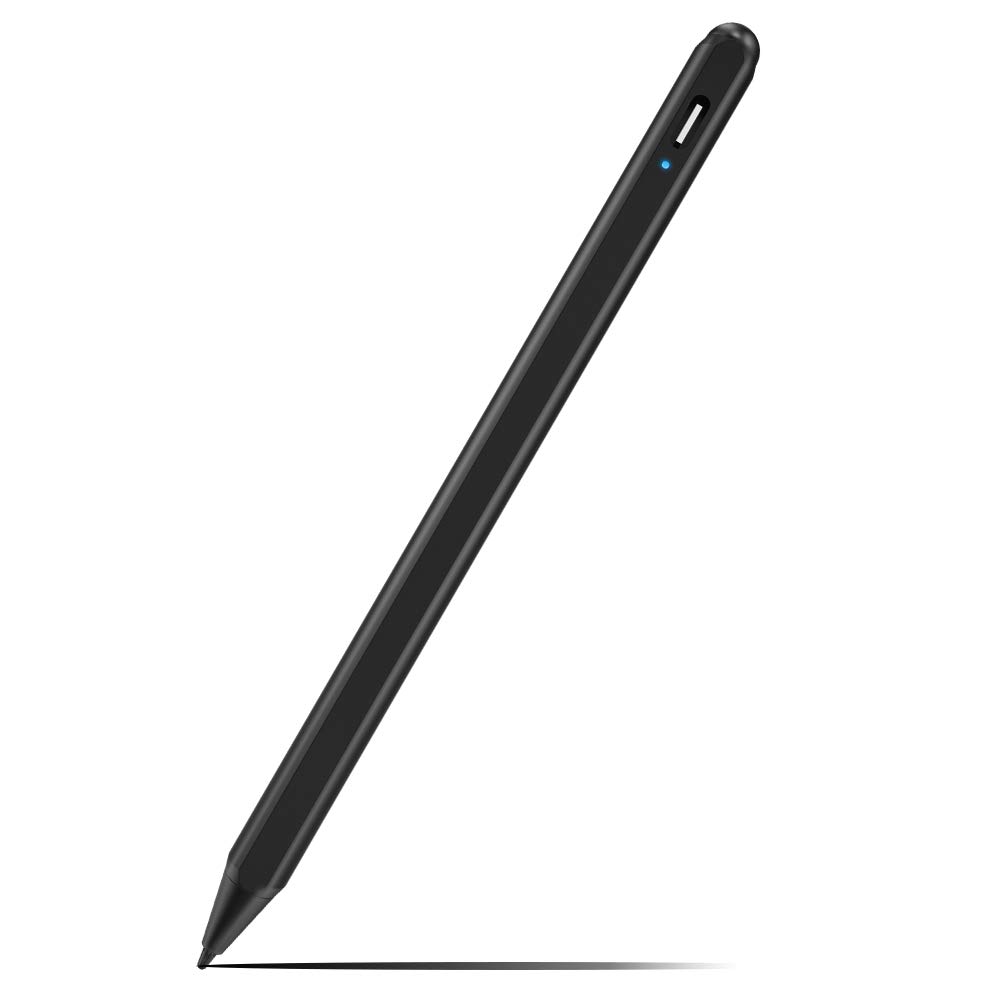
SOCLL 2nd GEN STYLUS PEN ( For iPad 2018-2019 versions)
SOCLL 2nd Gen Stylus Pen is taking upgraded Carbon fiber tip (1.4mm) which makes the pen almost 100% precise to the point and smooth when writing on ipad,no lagging, no skips,no scratches .With palm rejection function,you can rest your hand on the screen just like with Pencil and paper.
It's great for drawing,taking notes,handwriting,palying games , sketching on ipad( one level of pressure ).Just like paper and pen. Without bluetooth connection, you can just turn on and ready to go.
NOTE:
1. If your ipad ever connect apple pencil bluetooth,pls: go to Setings>Apple Pencil>Turn off the Apple pencil / or Settings>Notes>Turn off"Only draw with Apple Pencil.
2.Please notice that there is no different press sensitivity, all lines are at the same thickness.(Only supports one level of pressure). Not for real artist who need different press sensitivity.
3.To make the pen work you need to gently touch the end of the pen to turn on.
SPECIAL FOR IPAD 2018-2019 VERSIONS
The 2nd Gen Stylus Pen is special for iPad 2018 models or above:
iPad 2018(6th gen) A1893 / A1954;
iPad Air ( 3rd gen) A2152 A2153 A2154 A2123
iPad mini (5rd gen) A2124 A2125 A2126 A2133
iPad Pro 11 inches A1980/A2013/A1934/A1979
iPad Pro 12.9 inches A1876/A2014/A1895/A1983
NOTICE:Not work for ealier versions of ipad,iphone,android,microsoft devices
Not work for iPad pro1st&2nd , ipad pro 10.5", ipad pro9.7"
Wor for Apps:
Writing: GoodNotes, UPAD3, Noteshelf, Notes Plus, Notability, etc.
Drawing: ArtRage, Procreate, Sketches, Paper, SketchBook, ArtStudio, Zen Brush, etc.
SOCLL 2nd Gen Stylus Pen is taking upgraded Carbon fiber tip (1.4mm) which makes the pen almost 100% precise to the point and smooth when writing on ipad,no lagging, no skips,no scratches .With palm rejection function,you can rest your hand on the screen just like with Pencil and paper.
It's great for drawing,taking notes,handwriting,palying games , sketching on ipad( one level of pressure ).Just like paper and pen. Without bluetooth connection, you can just turn on and ready to go.
NOTE:
1. If your ipad ever connect apple pencil bluetooth,pls: go to Setings>Apple Pencil>Turn off the Apple pencil / or Settings>Notes>Turn off"Only draw with Apple Pencil.
2.Please notice that there is no different press sensitivity, all lines are at the same thickness.(Only supports one level of pressure). Not for real artist who need different press sensitivity.
3.To make the pen work you need to gently touch the end of the pen to turn on.
SPECIAL FOR IPAD 2018-2019 VERSIONS
The 2nd Gen Stylus Pen is special for iPad 2018 models or above:
iPad 2018(6th gen) A1893 / A1954;
iPad Air ( 3rd gen) A2152 A2153 A2154 A2123
iPad mini (5rd gen) A2124 A2125 A2126 A2133
iPad Pro 11 inches A1980/A2013/A1934/A1979
iPad Pro 12.9 inches A1876/A2014/A1895/A1983
NOTICE:Not work for ealier versions of ipad,iphone,android,microsoft devices
Not work for iPad pro1st&2nd , ipad pro 10.5", ipad pro9.7"
Wor for Apps:
Writing: GoodNotes, UPAD3, Noteshelf, Notes Plus, Notability, etc.
Drawing: ArtRage, Procreate, Sketches, Paper, SketchBook, ArtStudio, Zen Brush, etc.
2nd Gen Active Stylus Digital Pen Special for iPad 2018(6th Gen), iPad Air (3rd), iPad Mini (5th),iPad Pro (11"&12.9"),with Palm-Rejection.Precise Drawing and Writing, IPad Pencil with Type-C (Black)
Current Price
$39.99
Average
$39.99
Min Price
$39.99
Max Price
$39.99
Description
SOCLL 2nd GEN STYLUS PEN ( For iPad 2018-2019 versions)
SOCLL 2nd Gen Stylus Pen is taking upgraded Carbon fiber tip (1.4mm) which makes the pen almost 100% precise to the point and smooth when writing on ipad,no lagging, no skips,no scratches .With palm rejection function,you can rest your hand on the screen just like with Pencil and paper.
It's great for drawing,taking notes,handwriting,palying games , sketching on ipad( one level of pressure ).Just like paper and pen. Without bluetooth connection, you can just turn on and ready to go.
NOTE:
1. If your ipad ever connect apple pencil bluetooth,pls: go to Setings>Apple Pencil>Turn off the Apple pencil / or Settings>Notes>Turn off"Only draw with Apple Pencil.
2.Please notice that there is no different press sensitivity, all lines are at the same thickness.(Only supports one level of pressure). Not for real artist who need different press sensitivity.
3.To make the pen work you need to gently touch the end of the pen to turn on.
SPECIAL FOR IPAD 2018-2019 VERSIONS
The 2nd Gen Stylus Pen is special for iPad 2018 models or above:
iPad 2018(6th gen) A1893 / A1954;
iPad Air ( 3rd gen) A2152 A2153 A2154 A2123
iPad mini (5rd gen) A2124 A2125 A2126 A2133
iPad Pro 11 inches A1980/A2013/A1934/A1979
iPad Pro 12.9 inches A1876/A2014/A1895/A1983
NOTICE:Not work for ealier versions of ipad,iphone,android,microsoft devices
Not work for iPad pro1st&2nd , ipad pro 10.5", ipad pro9.7"
Wor for Apps:
Writing: GoodNotes, UPAD3, Noteshelf, Notes Plus, Notability, etc.
Drawing: ArtRage, Procreate, Sketches, Paper, SketchBook, ArtStudio, Zen Brush, etc.
SOCLL 2nd Gen Stylus Pen is taking upgraded Carbon fiber tip (1.4mm) which makes the pen almost 100% precise to the point and smooth when writing on ipad,no lagging, no skips,no scratches .With palm rejection function,you can rest your hand on the screen just like with Pencil and paper.
It's great for drawing,taking notes,handwriting,palying games , sketching on ipad( one level of pressure ).Just like paper and pen. Without bluetooth connection, you can just turn on and ready to go.
NOTE:
1. If your ipad ever connect apple pencil bluetooth,pls: go to Setings>Apple Pencil>Turn off the Apple pencil / or Settings>Notes>Turn off"Only draw with Apple Pencil.
2.Please notice that there is no different press sensitivity, all lines are at the same thickness.(Only supports one level of pressure). Not for real artist who need different press sensitivity.
3.To make the pen work you need to gently touch the end of the pen to turn on.
SPECIAL FOR IPAD 2018-2019 VERSIONS
The 2nd Gen Stylus Pen is special for iPad 2018 models or above:
iPad 2018(6th gen) A1893 / A1954;
iPad Air ( 3rd gen) A2152 A2153 A2154 A2123
iPad mini (5rd gen) A2124 A2125 A2126 A2133
iPad Pro 11 inches A1980/A2013/A1934/A1979
iPad Pro 12.9 inches A1876/A2014/A1895/A1983
NOTICE:Not work for ealier versions of ipad,iphone,android,microsoft devices
Not work for iPad pro1st&2nd , ipad pro 10.5", ipad pro9.7"
Wor for Apps:
Writing: GoodNotes, UPAD3, Noteshelf, Notes Plus, Notability, etc.
Drawing: ArtRage, Procreate, Sketches, Paper, SketchBook, ArtStudio, Zen Brush, etc.
Price will be lower
in next 2 weeks
in next 2 weeks
According to the data, price will be lower in next two weeks, so not waste your money and track better price!

Similar products