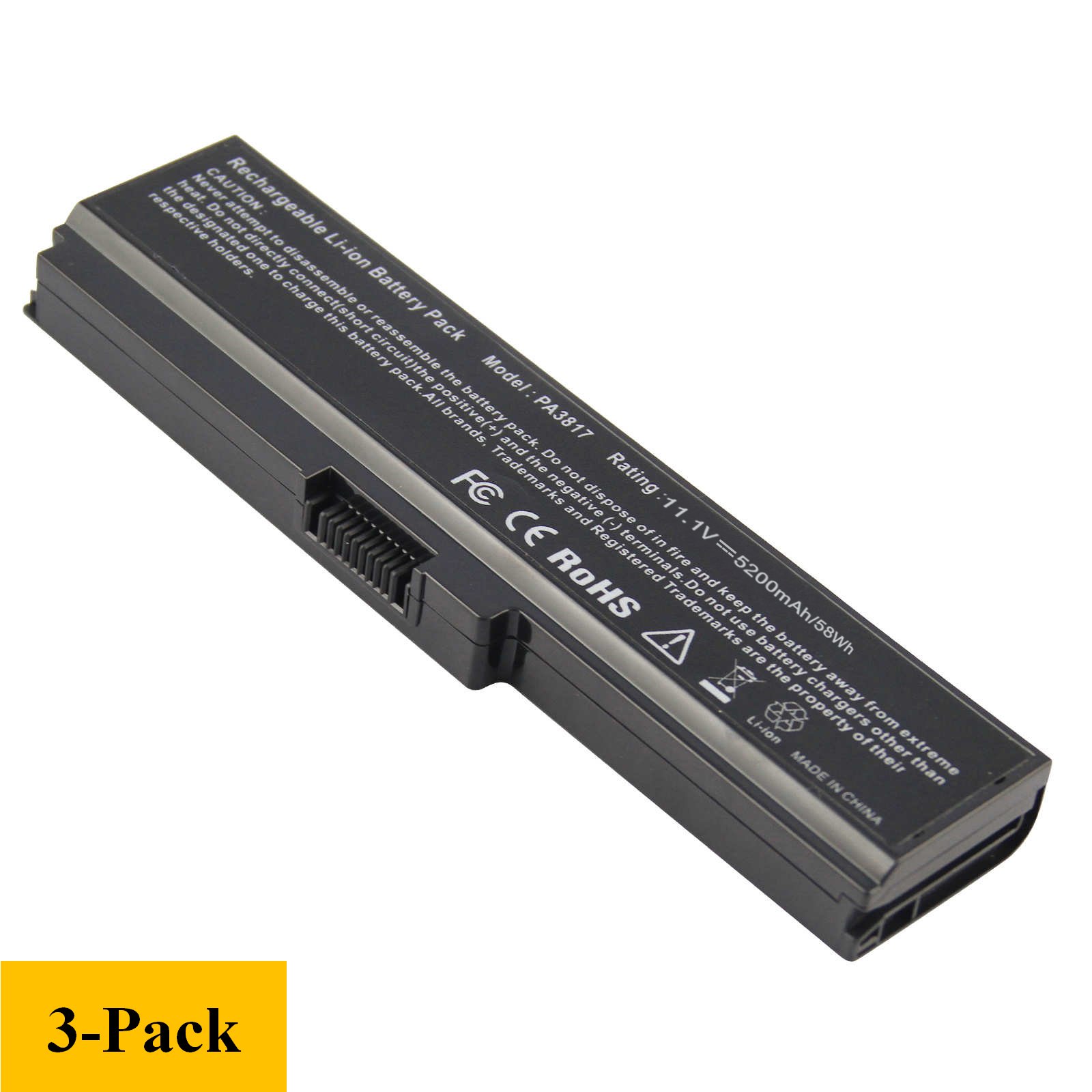
Description
Ctrl + F to search the model
Fit Battery Part Number:
PA3817U-1BAS
PA3817U-1BRS
PA3818U
PA3819U, PA3817U-1BRS can be used to replace PA3819U-1BRS 12 cell battery
PA3816U-1BRS
PA3816U-1BAS
For Toshiba laptop battery PA3817U-1brs OEM
Compatible Laptop Computer Model:
Satellite C600D
Satellite L750 L755 L755D
Satellite L700
Satellite A600
Toshiba Satellite A655 (Toshiba Satellite A655 Battery Charger shall be used to charge battery)
Satellite A660 A660D A665 A665-S6050 A665D C675 C675D L630
Satellite L635
Satellite L640
Satellite L645
Satellite L645D
Satellite L650
Toshiba Satellite L655 (Toshiba Satellite L655 battery and charger can be bought as a pair
Satellite L655D L655-S5150 Battery
Satellite L670
Satellite L670D
Satellite L675
Satellite L675D
Satellite L730
Satellite L735
Satellite L735D
Satellite L740
Satellite L745
Satellite L745D
Satellite L750
Satellite L750D
Satellite L770
Satellite L770D
Toshiba Satellite L775 Battery
Toshiba Satellite L775-s7215 Battery
Satellite L775D
Satellite M640
Satellite M645
Satellite P740
Satellite P740D
Satellite P745
Satellite P745D
Satellite P750
Satellite P750D
Satellite P755 Battery
Satellite P755D
Satellite P770
Satellite P770D
Satellite P775 and P775D series
Satellite Pro L630
L640
L670
L740
L770
Safety and Excellence Features:
* No memory effect, fast charge
* Low power consumption IC design
* Tested with strict quality control standards
* Over-charge protection
* Over-discharge protection
* Over-heat protection
* Over-current protection
* Short-circuit protection
* High capacity circulatory function
[3 Pack] PA3817U-1BRS PA3818U-1BRS Battery for Toshiba L755 L675 L750 L700 P755 P750 C655 C675 A655 A665 C655D L755D L755-s5167 L755-s5170 L755-s5175 L755-s5213 C675-s7103 C675-s7106 Satellite
Current Price
$44
Average
$43.66
Min Price
$42.99
Max Price
$44
Price dynamics
1%
Description
Ctrl + F to search the model
Fit Battery Part Number:
PA3817U-1BAS
PA3817U-1BRS
PA3818U
PA3819U, PA3817U-1BRS can be used to replace PA3819U-1BRS 12 cell battery
PA3816U-1BRS
PA3816U-1BAS
For Toshiba laptop battery PA3817U-1brs OEM
Compatible Laptop Computer Model:
Satellite C600D
Satellite L750 L755 L755D
Satellite L700
Satellite A600
Toshiba Satellite A655 (Toshiba Satellite A655 Battery Charger shall be used to charge battery)
Satellite A660 A660D A665 A665-S6050 A665D C675 C675D L630
Satellite L635
Satellite L640
Satellite L645
Satellite L645D
Satellite L650
Toshiba Satellite L655 (Toshiba Satellite L655 battery and charger can be bought as a pair
Satellite L655D L655-S5150 Battery
Satellite L670
Satellite L670D
Satellite L675
Satellite L675D
Satellite L730
Satellite L735
Satellite L735D
Satellite L740
Satellite L745
Satellite L745D
Satellite L750
Satellite L750D
Satellite L770
Satellite L770D
Toshiba Satellite L775 Battery
Toshiba Satellite L775-s7215 Battery
Satellite L775D
Satellite M640
Satellite M645
Satellite P740
Satellite P740D
Satellite P745
Satellite P745D
Satellite P750
Satellite P750D
Satellite P755 Battery
Satellite P755D
Satellite P770
Satellite P770D
Satellite P775 and P775D series
Satellite Pro L630
L640
L670
L740
L770
Safety and Excellence Features:
* No memory effect, fast charge
* Low power consumption IC design
* Tested with strict quality control standards
* Over-charge protection
* Over-discharge protection
* Over-heat protection
* Over-current protection
* Short-circuit protection
* High capacity circulatory function
Price will be lower
in next 2 weeks
in next 2 weeks
According to the data, price will be lower in next two weeks, so not waste your money and track better price!
Product review & video
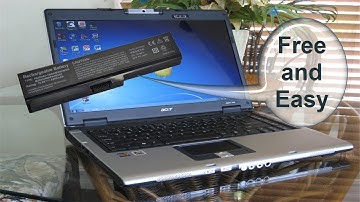
hello this is Nick with Nick's computer fix comm and here's a quick video on how to do a laptop battery calibration are you getting a plugged in not charging message from your laptop battery for free fix try this easy battery calibration and see if it works for you okay to start with let's go ahead and do a shutdown on Windows come over here and click shutdown and also make sure that your laptop is powered off and we're going to go ahead and flip this over so that I can disconnect my AC plug for my laptop and then I'm going to turn it around so I have access to my laptop battery and I'm going to remove my battery from my laptop and let's go ahead and flip it back over and reinsert the AC plug back into the laptop alright and let's go ahead and power up the laptop here and load windows up and once windows is finished loading you have your desktop click on the Start menu and go over to yo


Similar products