Description
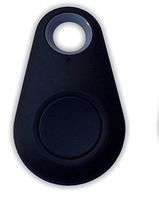
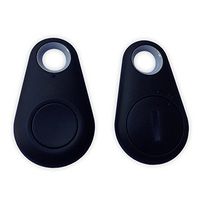
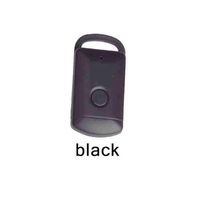
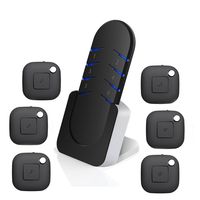
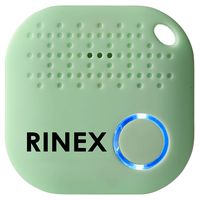
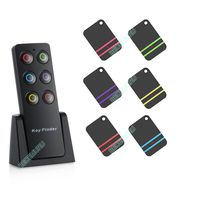
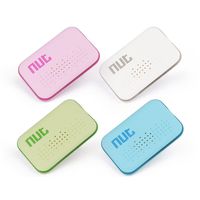
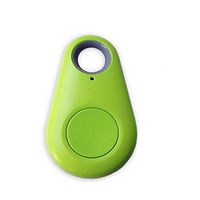
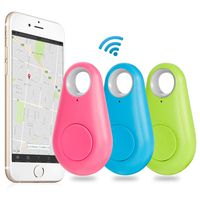
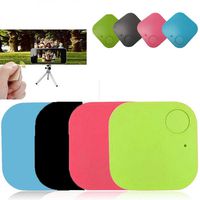
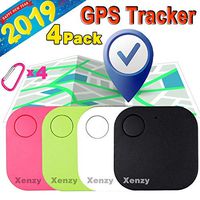
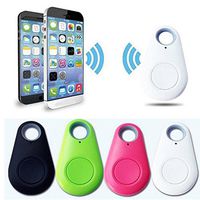
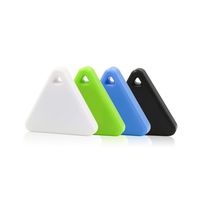
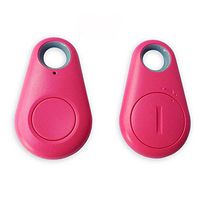
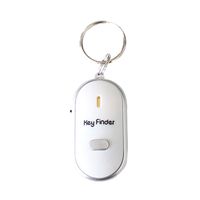
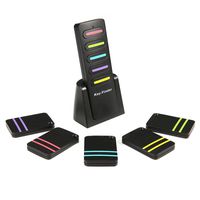
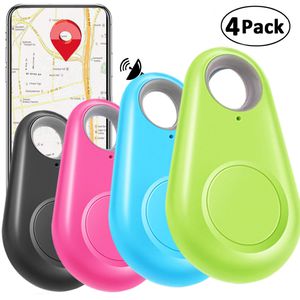
4 GPS tracker key finder color are black, green, blue, pink.
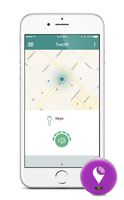
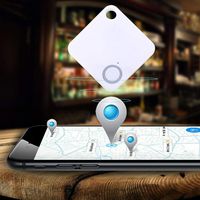
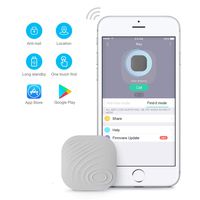
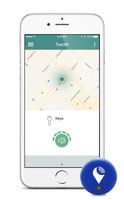
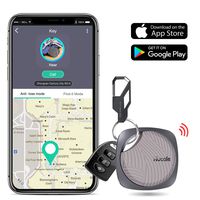
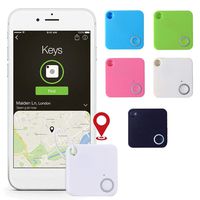
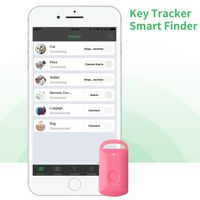
APP will shows where the item loss connection, this help you remind where you lost it, and find it easily.
Specification:
Finder distance: 0- 100 Feet
BT version: BT 4.0
Color: 1 x black, 1 x green, 1 x blue, 1 x pink.
Battery: Contains CR2032 Lithium Coin Battery (replaceable).
Compatible Device:
iOS: 7.0 version or later
Android: 4.3 version or later
iPad: iPad 1/2/3/4 or later, iPad Mini 2/3/4 or later, iTouch 5, iPad Pro 3/4 or later, iPad Air or later.
Connect APP
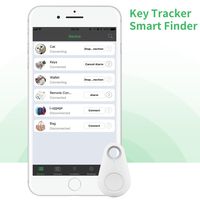
A- In the Google Play Store or Apple App Store search for "cTracing" or get the download link by scanning the QR code on the box, and download the APP;
B- Long press the button on the smart locator, hear the "drop, drop" twice, the LED light is on;
C- Search for the smart locator and connect to the app, slide left to delete the tracker, touch the ">" icon to rename the smart locator or disconnect;
D- Long press to shut down.
Photograph function
The smart locator and app are connected:
-In the app's Camera interface, press the button once to take pictures.
Package:
4 X Key finder (black, green, blue, pink)
APP will shows where the item loss connection, this help you remind where you lost it, and find it easily.
Specification:
Finder distance: 0- 100 Feet
BT version: BT 4.0
Color: 1 x black, 1 x green, 1 x blue, 1 x pink.
Battery: Contains CR2032 Lithium Coin Battery (replaceable).
Compatible Device:
iOS: 7.0 version or later
Android: 4.3 version or later
iPad: iPad 1/2/3/4 or later, iPad Mini 2/3/4 or later, iTouch 5, iPad Pro 3/4 or later, iPad Air or later.
Connect APP
A- In the Google Play Store or Apple App Store search for "cTracing" or get the download link by scanning the QR code on the box, and download the APP;
B- Long press the button on the smart locator, hear the "drop, drop" twice, the LED light is on;
C- Search for the smart locator and connect to the app, slide left to delete the tracker, touch the ">" icon to rename the smart locator or disconnect;
D- Long press to shut down.
Photograph function
The smart locator and app are connected:
-In the app's Camera interface, press the button once to take pictures.
Package:
4 X Key finder (black, green, blue, pink)
4 Pack Smart GPS Tracker Key Finder Locator Wireless Anti Lost Alarm Sensor Device for Kids Dogs Car Wallet Pets Cats Motorcycles Luggage Smart Phone Selfie Shutter APP Control Compatible iOS Android
Current Price
$17.99
Average
$16.5
Min Price
$6.48
Max Price
$24.5
Price dynamics
8%
Description
4 GPS tracker key finder color are black, green, blue, pink.
APP will shows where the item loss connection, this help you remind where you lost it, and find it easily.
Specification:
Finder distance: 0- 100 Feet
BT version: BT 4.0
Color: 1 x black, 1 x green, 1 x blue, 1 x pink.
Battery: Contains CR2032 Lithium Coin Battery (replaceable).
Compatible Device:
iOS: 7.0 version or later
Android: 4.3 version or later
iPad: iPad 1/2/3/4 or later, iPad Mini 2/3/4 or later, iTouch 5, iPad Pro 3/4 or later, iPad Air or later.
Connect APP
A- In the Google Play Store or Apple App Store search for "cTracing" or get the download link by scanning the QR code on the box, and download the APP;
B- Long press the button on the smart locator, hear the "drop, drop" twice, the LED light is on;
C- Search for the smart locator and connect to the app, slide left to delete the tracker, touch the ">" icon to rename the smart locator or disconnect;
D- Long press to shut down.
Photograph function
The smart locator and app are connected:
-In the app's Camera interface, press the button once to take pictures.
Package:
4 X Key finder (black, green, blue, pink)
APP will shows where the item loss connection, this help you remind where you lost it, and find it easily.
Specification:
Finder distance: 0- 100 Feet
BT version: BT 4.0
Color: 1 x black, 1 x green, 1 x blue, 1 x pink.
Battery: Contains CR2032 Lithium Coin Battery (replaceable).
Compatible Device:
iOS: 7.0 version or later
Android: 4.3 version or later
iPad: iPad 1/2/3/4 or later, iPad Mini 2/3/4 or later, iTouch 5, iPad Pro 3/4 or later, iPad Air or later.
Connect APP
A- In the Google Play Store or Apple App Store search for "cTracing" or get the download link by scanning the QR code on the box, and download the APP;
B- Long press the button on the smart locator, hear the "drop, drop" twice, the LED light is on;
C- Search for the smart locator and connect to the app, slide left to delete the tracker, touch the ">" icon to rename the smart locator or disconnect;
D- Long press to shut down.
Photograph function
The smart locator and app are connected:
-In the app's Camera interface, press the button once to take pictures.
Package:
4 X Key finder (black, green, blue, pink)
Price will be lower
in next 2 weeks
in next 2 weeks
According to the data, price will be lower in next two weeks, so not waste your money and track better price!
Similar products