Description
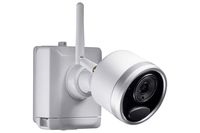
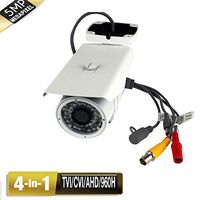
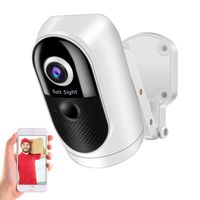
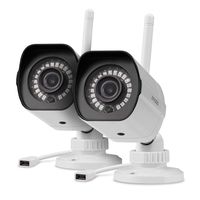
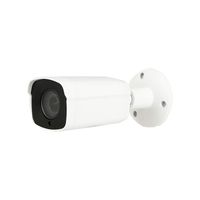
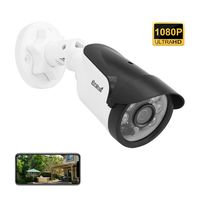
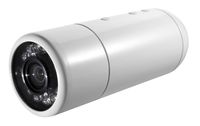
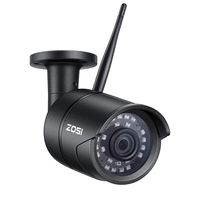
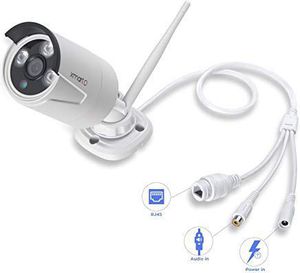
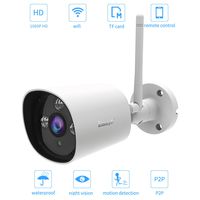
This Camera is an add-on camera for smart 720P/ 960P security camera systems wireless. specification: * 1/3" Progressive scan sensor, 960P (1280 x 960) high definition, equals a 720P IP camera + A 700TVL cameras. * 4mm lens allows you to see wider viewing angled>. * 3 infrared LED arrays allow the camera to see up to 80ft in the dark * minimum illumination: color: 0. 1 lux; B/W: 0. 01 lux>. * camera is solidly well made with IP66 weatherproof, metal housing allows you to install the cameras anywhere indoors or out. * cable pass-through mounting bracket, further protects the cameras from being tampered with* white balance: auto * day & night: Auto switch color/ B/w* S/N: >39. 1 dB * Wi-Fi: 802. 11B/g/n * anti-thunder level: standard iec61000-4-5 * working temperature/Humidity: -4°f-140°f/ 20% to 90% RH * power input: DC 12v-1a. * power consumption: ≤6w* size: 8. 07"(L)×2. 76(W)×2. 17"(H) * Weight: 1. 1lbs Package includes>* 1x 960P (1280x960) weatherproof night vision Wireless IP cameras * 1x 12V 1A DC power adapter for camera Compatible list * smart NVR: Wno14, Wno18, Wnv14, Wnv18, Wnp24, Wnp28, Wnq24, wnq28frequently asked Questions (FAQs): q: how to Pair add-on Cam to Your existing system? a: 1. Plug the camera to power and connect it to your NVR’s Ethernet port with a network cable. 2. Right click your mouse to pop out NVR main menu, then click Add by Wi-Fi. Wait for the NVR to search and add camera. 3. Once successfully added, you'll see the camera's video on screen. You can then disconnect the camera from NVR and mount it anywhere you want (within NVR's Wi-Fi range). q: how to get audio work? a: after the microphone well attached, go to NVR, right click your NVR mouse to pop out main menu - System setting – CH setting – Encode setting, Choose right channel, and change Encode Mode from “video ONLY "to “AV Stream”, Save the settings. View cameras from App, turn on the audio by tap the speaker icon, you shall hear the voice. q: how to Zoom in pictures? a: 1. On
[960p 4mm & Audio Compatible] xmartO WB1324N Add-on 960p HD 1.3 Megapixel IP Network Wireless Security Camera Weatherproof Outdoor with 80ft IR Night Vision (with Ethernet Port)
Price is below average
Current Price
$42.99
Average
$48.37
Min Price
$38.99
Max Price
$64.35
Price dynamics
11%
Description
This Camera is an add-on camera for smart 720P/ 960P security camera systems wireless. specification: * 1/3" Progressive scan sensor, 960P (1280 x 960) high definition, equals a 720P IP camera + A 700TVL cameras. * 4mm lens allows you to see wider viewing angled>. * 3 infrared LED arrays allow the camera to see up to 80ft in the dark * minimum illumination: color: 0. 1 lux; B/W: 0. 01 lux>. * camera is solidly well made with IP66 weatherproof, metal housing allows you to install the cameras anywhere indoors or out. * cable pass-through mounting bracket, further protects the cameras from being tampered with* white balance: auto * day & night: Auto switch color/ B/w* S/N: >39. 1 dB * Wi-Fi: 802. 11B/g/n * anti-thunder level: standard iec61000-4-5 * working temperature/Humidity: -4°f-140°f/ 20% to 90% RH * power input: DC 12v-1a. * power consumption: ≤6w* size: 8. 07"(L)×2. 76(W)×2. 17"(H) * Weight: 1. 1lbs Package includes>* 1x 960P (1280x960) weatherproof night vision Wireless IP cameras * 1x 12V 1A DC power adapter for camera Compatible list * smart NVR: Wno14, Wno18, Wnv14, Wnv18, Wnp24, Wnp28, Wnq24, wnq28frequently asked Questions (FAQs): q: how to Pair add-on Cam to Your existing system? a: 1. Plug the camera to power and connect it to your NVR’s Ethernet port with a network cable. 2. Right click your mouse to pop out NVR main menu, then click Add by Wi-Fi. Wait for the NVR to search and add camera. 3. Once successfully added, you'll see the camera's video on screen. You can then disconnect the camera from NVR and mount it anywhere you want (within NVR's Wi-Fi range). q: how to get audio work? a: after the microphone well attached, go to NVR, right click your NVR mouse to pop out main menu - System setting – CH setting – Encode setting, Choose right channel, and change Encode Mode from “video ONLY "to “AV Stream”, Save the settings. View cameras from App, turn on the audio by tap the speaker icon, you shall hear the voice. q: how to Zoom in pictures? a: 1. On
Price will be lower
in next 2 weeks
in next 2 weeks
According to the data, price will be lower in next two weeks, so not waste your money and track better price!
Product review & video
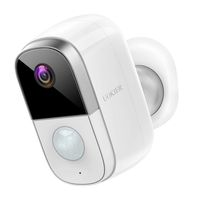
[Music] [Applause] [Music] hell guys life hacks tur here today you'll be checking out the u fika - this is the second version of the UPS flagship battery-powered camera then you began they also have other battery-powered cameras that have reviewed the epitomy II and the UV cam to see I will eventually compare these cameras and see what their differences are whether you fit camp - on another video but today the youth attempt to deserves its own review video I will link down below my individual review so that you become e and they if it comes to see and also the comparison video that I made which I show there the differences between the battery powered cameras that usually has been selling including the see if he can - so we will do the unboxing check out its features and settings in the app do the install and test the camera as to its video and audio quality motion alert notification spe


Similar products