Description
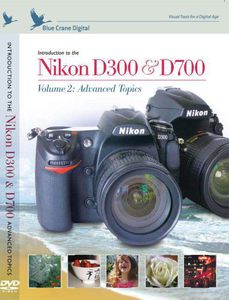
Take great pictures with your Nikon D300 or D700 Push your creativity to the limits; create photographic images that up until now have existed only in your imagination This guide takes you through Nikon’s advanced features, and explains what they are, how they work, and how they can perform in real-world situations. Along the way, follow a professional photographer shooting at a fast-moving sporting event. Then go behind the scenes with a color expert for a preview of color management and color workflow. Custom Settings: The D300 and D700 are almost infinitely configurable. We go into detail about the settings that can have the most impact on your shooting. We also address the topics of Live View and the camera’s video capabilities. Nikon Speedlights and Commander Mode: We discuss the many choices and settings you can use to configure the pop-up Speedlight and external flash units. We include a section on remote flash shooting in Commander Mode. Color Management: We address the issue of maintaining authentic color throughout the workflow, from choosing a color space, through post processing on the monitor, all the way to the printed output. The Nikon D300 and D700 are known for their limitless flexibility. We take these marvelous cameras into the real world and tie their settings and configurations to the subject, the physical environment, and the equipment you are carrying. By the time you finish watching this presentation, you will have the know-how that allows you to concentrate on the most important task of all: capturing the image you want, the way you see it.Format: NTSC video, All Regions. Running time: 122 minutes
Introduction to the Nikon D300/D700, Vol. 2: Advanced Topics
Current Price
$24.99
Average
$8.49
Min Price
$1.07
Max Price
$24.99
Price dynamics
66%
Description
Take great pictures with your Nikon D300 or D700 Push your creativity to the limits; create photographic images that up until now have existed only in your imagination This guide takes you through Nikon’s advanced features, and explains what they are, how they work, and how they can perform in real-world situations. Along the way, follow a professional photographer shooting at a fast-moving sporting event. Then go behind the scenes with a color expert for a preview of color management and color workflow. Custom Settings: The D300 and D700 are almost infinitely configurable. We go into detail about the settings that can have the most impact on your shooting. We also address the topics of Live View and the camera’s video capabilities. Nikon Speedlights and Commander Mode: We discuss the many choices and settings you can use to configure the pop-up Speedlight and external flash units. We include a section on remote flash shooting in Commander Mode. Color Management: We address the issue of maintaining authentic color throughout the workflow, from choosing a color space, through post processing on the monitor, all the way to the printed output. The Nikon D300 and D700 are known for their limitless flexibility. We take these marvelous cameras into the real world and tie their settings and configurations to the subject, the physical environment, and the equipment you are carrying. By the time you finish watching this presentation, you will have the know-how that allows you to concentrate on the most important task of all: capturing the image you want, the way you see it.Format: NTSC video, All Regions. Running time: 122 minutes
Price will be lower
in next 2 weeks
in next 2 weeks
According to the data, price will be lower in next two weeks, so not waste your money and track better price!
Product review & video
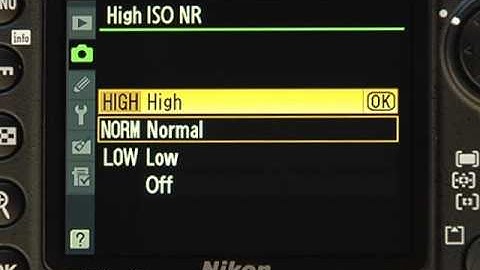
now let's take a closer look at some of the options on the shooting menu we have already covered image quality and white balance so let's scroll down to set picture control here we can select and customize a picture look for this example i'll choose the predefined vivid setting ok let's explore this a little bit by pressing the right arrow key i can fine tune the tonal properties such as contrast and color saturation the advantage of doing this in the camera is your image will be altered before it's compressed and stored on the memory card you may find this useful if you shoot in jpeg and want to minimize adjustments on the computer later you can save customized picture controls by selecting manage picture controls from the shooting menu choose save edit and then pick an existing picture control to work from make the changes you want and then press ok you will then be able to save the s

Similar products