Description
Features:
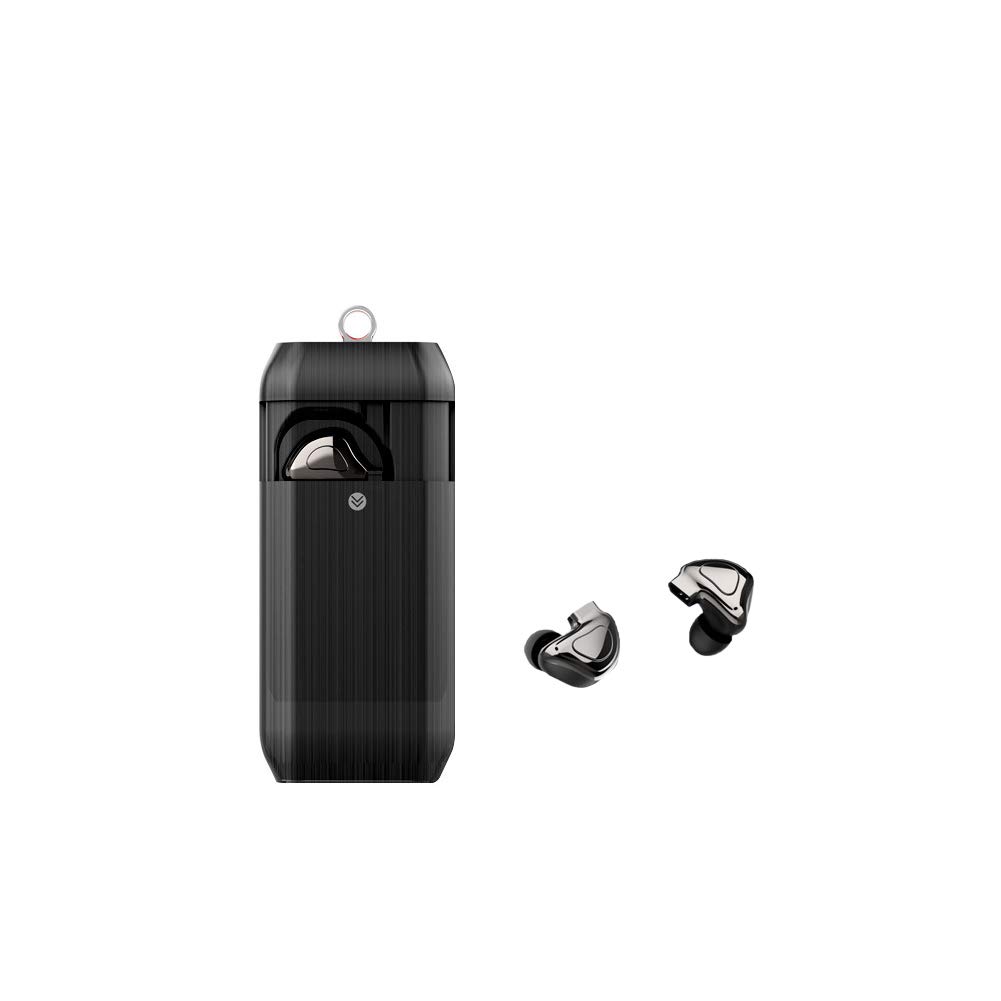
✔ Binaural independent design>
It can be used alone, equivalent to two separate headphones.
✔ ear canal bionic design
According to the bionic design of the human ear canal, the ear canal is not squeezed when worn,
and the soft rubber ear can be detached, which is closely fitted with the ear, and is comfortable to wear.
✔The headset provides two charging modes: power compartment power and ear direct charge.
1. Power compartment to charge the ear
Put the headset into the charging compartment and press the power button to start charging.
In the state of charge, the headset lights up red, and the headset is full of blue lights. 2. Headphones are directly charged
Charge the headset with a charging cable to the power source. [Please use 1A and below to charge the charger]
Quick pairing mode:
✔ single ear pairing
1. Turn on the headset (press and hold the function button for about 6 seconds),
and the headset voice prompts "Power On... Can be paired".
2. Turn on the phone Bluetooth and search for a new Bluetooth device.
3. After searching for the Q9-TWS device, click on the connection.
✔ binaural pairing
1. Press and hold the two headset multi-function keys for 3 seconds at the same time,
then select one of the crisis and double-click the multi-function button to enter the binaural pairing state.
At this time, the headset voice prompts: "Look for the same machine, pairing is successful".
2. After the binaural interconnection is successful, the red and blue lights of the main earphone flash,
and the blue light of the auxiliary earphone flashes. Now open your phone's Bluetooth device and search for a Bluetooth device.
3. After searching for the Q9-TWS device, click on the connection.
* If you switch from the monaural mode to the binaural mode, you need to remove the Q9-TWS device in the phone and then re-pair.
✔ Binaural independent design>
It can be used alone, equivalent to two separate headphones.
✔ ear canal bionic design
According to the bionic design of the human ear canal, the ear canal is not squeezed when worn,
and the soft rubber ear can be detached, which is closely fitted with the ear, and is comfortable to wear.
✔The headset provides two charging modes: power compartment power and ear direct charge.
1. Power compartment to charge the ear
Put the headset into the charging compartment and press the power button to start charging.
In the state of charge, the headset lights up red, and the headset is full of blue lights. 2. Headphones are directly charged
Charge the headset with a charging cable to the power source. [Please use 1A and below to charge the charger]
Quick pairing mode:
✔ single ear pairing
1. Turn on the headset (press and hold the function button for about 6 seconds),
and the headset voice prompts "Power On... Can be paired".
2. Turn on the phone Bluetooth and search for a new Bluetooth device.
3. After searching for the Q9-TWS device, click on the connection.
✔ binaural pairing
1. Press and hold the two headset multi-function keys for 3 seconds at the same time,
then select one of the crisis and double-click the multi-function button to enter the binaural pairing state.
At this time, the headset voice prompts: "Look for the same machine, pairing is successful".
2. After the binaural interconnection is successful, the red and blue lights of the main earphone flash,
and the blue light of the auxiliary earphone flashes. Now open your phone's Bluetooth device and search for a Bluetooth device.
3. After searching for the Q9-TWS device, click on the connection.
* If you switch from the monaural mode to the binaural mode, you need to remove the Q9-TWS device in the phone and then re-pair.
BLGoods Wireless Earbuds, 4.2 True Wireless Bluetooth Headphones 3D Stereo Sound Wireless Headphones, Sports Mini in Ear Headphones,Built-in Microphone & Dual Speakers for Phone Calls
Price is below average
Current Price
$22.99
Average
$38.6
Min Price
$22.99
Max Price
$52.99
Price dynamics
40%
Description
Features:
✔ Binaural independent design>
It can be used alone, equivalent to two separate headphones.
✔ ear canal bionic design
According to the bionic design of the human ear canal, the ear canal is not squeezed when worn,
and the soft rubber ear can be detached, which is closely fitted with the ear, and is comfortable to wear.
✔The headset provides two charging modes: power compartment power and ear direct charge.
1. Power compartment to charge the ear
Put the headset into the charging compartment and press the power button to start charging.
In the state of charge, the headset lights up red, and the headset is full of blue lights. 2. Headphones are directly charged
Charge the headset with a charging cable to the power source. [Please use 1A and below to charge the charger]
Quick pairing mode:
✔ single ear pairing
1. Turn on the headset (press and hold the function button for about 6 seconds),
and the headset voice prompts "Power On... Can be paired".
2. Turn on the phone Bluetooth and search for a new Bluetooth device.
3. After searching for the Q9-TWS device, click on the connection.
✔ binaural pairing
1. Press and hold the two headset multi-function keys for 3 seconds at the same time,
then select one of the crisis and double-click the multi-function button to enter the binaural pairing state.
At this time, the headset voice prompts: "Look for the same machine, pairing is successful".
2. After the binaural interconnection is successful, the red and blue lights of the main earphone flash,
and the blue light of the auxiliary earphone flashes. Now open your phone's Bluetooth device and search for a Bluetooth device.
3. After searching for the Q9-TWS device, click on the connection.
* If you switch from the monaural mode to the binaural mode, you need to remove the Q9-TWS device in the phone and then re-pair.
✔ Binaural independent design>
It can be used alone, equivalent to two separate headphones.
✔ ear canal bionic design
According to the bionic design of the human ear canal, the ear canal is not squeezed when worn,
and the soft rubber ear can be detached, which is closely fitted with the ear, and is comfortable to wear.
✔The headset provides two charging modes: power compartment power and ear direct charge.
1. Power compartment to charge the ear
Put the headset into the charging compartment and press the power button to start charging.
In the state of charge, the headset lights up red, and the headset is full of blue lights. 2. Headphones are directly charged
Charge the headset with a charging cable to the power source. [Please use 1A and below to charge the charger]
Quick pairing mode:
✔ single ear pairing
1. Turn on the headset (press and hold the function button for about 6 seconds),
and the headset voice prompts "Power On... Can be paired".
2. Turn on the phone Bluetooth and search for a new Bluetooth device.
3. After searching for the Q9-TWS device, click on the connection.
✔ binaural pairing
1. Press and hold the two headset multi-function keys for 3 seconds at the same time,
then select one of the crisis and double-click the multi-function button to enter the binaural pairing state.
At this time, the headset voice prompts: "Look for the same machine, pairing is successful".
2. After the binaural interconnection is successful, the red and blue lights of the main earphone flash,
and the blue light of the auxiliary earphone flashes. Now open your phone's Bluetooth device and search for a Bluetooth device.
3. After searching for the Q9-TWS device, click on the connection.
* If you switch from the monaural mode to the binaural mode, you need to remove the Q9-TWS device in the phone and then re-pair.
Price will be lower
in next 2 weeks
in next 2 weeks
According to the data, price will be lower in next two weeks, so not waste your money and track better price!
Product review & video
[Music] hello hello how are you guys doing today hello my kings and queens my loves my princesses how are you guys doing today i hope that you guys are doing well i'm doing okay over here thank you so much for asking welcome back to my channel my name is queen m from queen's life and today we have another amazon review guys yes let me look at it now the name of the company is called gorsun okay and what it is it's a true wireless earbuds bluetooth headphones and it looks like that with built-in microphone it is waterproof stereo earphones with led right here led display charging case touch control headset for sports so the product looks like this i'm gonna open it um in a little while i'm gonna do the unboxing so you guys can see but first let me just tell you a few things of this item but before i start i want to welcome you to my page if you're new i hope that you consider hitting the



Similar products