Description
How to setup
Step 1. Buy a 2G SIM card(SpeedTalk) and activate the sim card via your phone
Step 2. Download the APP "Setracker2" and register a North America account
Step 3. Scan the QR code on the back of the smartwatch, and register the ID
Step 4. Log in and get all the features
Please contact us to get a video about the operation!
How to resolve the "Device is Offline" problem about kids smartwatch?
1. Check whether there are signal bars and "↑↓" symbol on the watch
2. If there are no signal bars, please check whether the sim was inserted correctly(chip UP, No chip face DOWN), and go to a good signal place and check it
3. If there is no "↑↓" symbol, please open the data and voice plan for the sim card
4. Try to use your phone text message send below command to watch
For Speedtalk Regular Phone
pw,123456,apn,wholesale,,,310260#
If you still see DEVICE OFFLINE, please contact us!
How to set time and date
1. Please make sure the SIM CARD is 2G SpeedTalk
2. Please activate the card and it has voice&message plan. No arrearage for the card
3. Please set the current location of the smart watch, and it will set time automatically
4. If it is not successful, please try to set it via the message command to change the time
Sending format
pw,123456,time,hour.minute.second,date,Year.month.day#
Example
pw,123456,time,8.45.01,date,2019.2.28#
5. If it is still not successful, please contact us and we will help you!
Tips
1. Not support AT&T, Verizon, Sprint
2. Waterproof, but be sure the waterproof plug-in tightly. Please do not put the watch over 1.64ft in the water, and over 30 min. Do not put in hot water
3. It is LBS Location. It may have a 0.5-4 miles error with the real position. Location accurate is related to the local carrier communication network
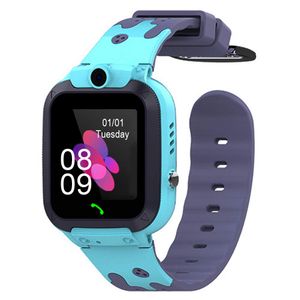
Step 1. Buy a 2G SIM card(SpeedTalk) and activate the sim card via your phone
Step 2. Download the APP "Setracker2" and register a North America account
Step 3. Scan the QR code on the back of the smartwatch, and register the ID
Step 4. Log in and get all the features
Please contact us to get a video about the operation!
How to resolve the "Device is Offline" problem about kids smartwatch?
1. Check whether there are signal bars and "↑↓" symbol on the watch
2. If there are no signal bars, please check whether the sim was inserted correctly(chip UP, No chip face DOWN), and go to a good signal place and check it
3. If there is no "↑↓" symbol, please open the data and voice plan for the sim card
4. Try to use your phone text message send below command to watch
For Speedtalk Regular Phone
pw,123456,apn,wholesale,,,310260#
If you still see DEVICE OFFLINE, please contact us!
How to set time and date
1. Please make sure the SIM CARD is 2G SpeedTalk
2. Please activate the card and it has voice&message plan. No arrearage for the card
3. Please set the current location of the smart watch, and it will set time automatically
4. If it is not successful, please try to set it via the message command to change the time
Sending format
pw,123456,time,hour.minute.second,date,Year.month.day#
Example
pw,123456,time,8.45.01,date,2019.2.28#
5. If it is still not successful, please contact us and we will help you!
Tips
1. Not support AT&T, Verizon, Sprint
2. Waterproof, but be sure the waterproof plug-in tightly. Please do not put the watch over 1.64ft in the water, and over 30 min. Do not put in hot water
3. It is LBS Location. It may have a 0.5-4 miles error with the real position. Location accurate is related to the local carrier communication network
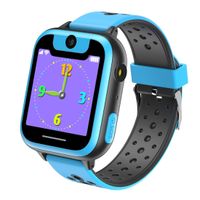
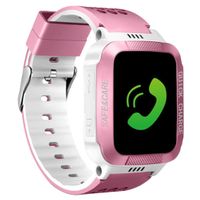
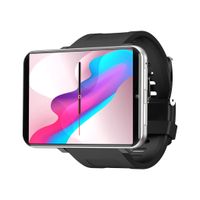
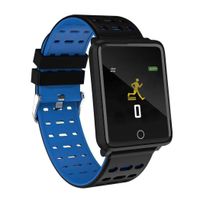
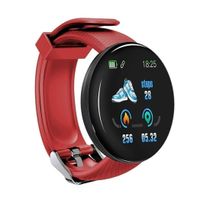
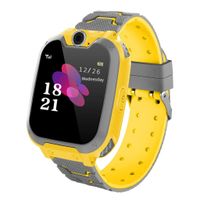
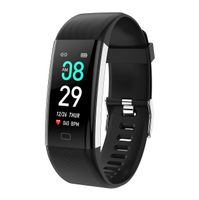
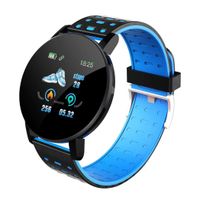
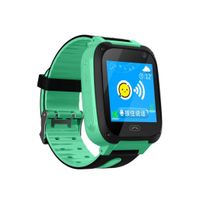
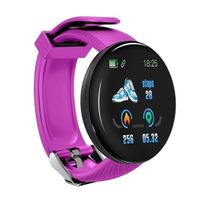
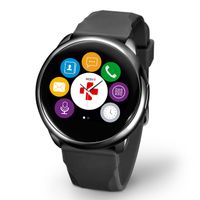
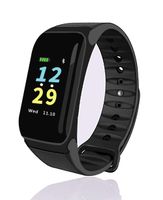
Kids Smart Watch, Smart Watch for Kids Compatible with 2G T-Mobile, LBS Fitness Tracking, IP67 Waterproof, 1.54 Inch Colorful Touch Screen, SOS, Games and Camera Kids Smart Watches Boys Girls
Current Price
$35.99
Average
$31.06
Min Price
$27.99
Max Price
$39.99
Price dynamics
14%
Description
How to setup
Step 1. Buy a 2G SIM card(SpeedTalk) and activate the sim card via your phone
Step 2. Download the APP "Setracker2" and register a North America account
Step 3. Scan the QR code on the back of the smartwatch, and register the ID
Step 4. Log in and get all the features
Please contact us to get a video about the operation!
How to resolve the "Device is Offline" problem about kids smartwatch?
1. Check whether there are signal bars and "↑↓" symbol on the watch
2. If there are no signal bars, please check whether the sim was inserted correctly(chip UP, No chip face DOWN), and go to a good signal place and check it
3. If there is no "↑↓" symbol, please open the data and voice plan for the sim card
4. Try to use your phone text message send below command to watch
For Speedtalk Regular Phone
pw,123456,apn,wholesale,,,310260#
If you still see DEVICE OFFLINE, please contact us!
How to set time and date
1. Please make sure the SIM CARD is 2G SpeedTalk
2. Please activate the card and it has voice&message plan. No arrearage for the card
3. Please set the current location of the smart watch, and it will set time automatically
4. If it is not successful, please try to set it via the message command to change the time
Sending format
pw,123456,time,hour.minute.second,date,Year.month.day#
Example
pw,123456,time,8.45.01,date,2019.2.28#
5. If it is still not successful, please contact us and we will help you!
Tips
1. Not support AT&T, Verizon, Sprint
2. Waterproof, but be sure the waterproof plug-in tightly. Please do not put the watch over 1.64ft in the water, and over 30 min. Do not put in hot water
3. It is LBS Location. It may have a 0.5-4 miles error with the real position. Location accurate is related to the local carrier communication network
Step 1. Buy a 2G SIM card(SpeedTalk) and activate the sim card via your phone
Step 2. Download the APP "Setracker2" and register a North America account
Step 3. Scan the QR code on the back of the smartwatch, and register the ID
Step 4. Log in and get all the features
Please contact us to get a video about the operation!
How to resolve the "Device is Offline" problem about kids smartwatch?
1. Check whether there are signal bars and "↑↓" symbol on the watch
2. If there are no signal bars, please check whether the sim was inserted correctly(chip UP, No chip face DOWN), and go to a good signal place and check it
3. If there is no "↑↓" symbol, please open the data and voice plan for the sim card
4. Try to use your phone text message send below command to watch
For Speedtalk Regular Phone
pw,123456,apn,wholesale,,,310260#
If you still see DEVICE OFFLINE, please contact us!
How to set time and date
1. Please make sure the SIM CARD is 2G SpeedTalk
2. Please activate the card and it has voice&message plan. No arrearage for the card
3. Please set the current location of the smart watch, and it will set time automatically
4. If it is not successful, please try to set it via the message command to change the time
Sending format
pw,123456,time,hour.minute.second,date,Year.month.day#
Example
pw,123456,time,8.45.01,date,2019.2.28#
5. If it is still not successful, please contact us and we will help you!
Tips
1. Not support AT&T, Verizon, Sprint
2. Waterproof, but be sure the waterproof plug-in tightly. Please do not put the watch over 1.64ft in the water, and over 30 min. Do not put in hot water
3. It is LBS Location. It may have a 0.5-4 miles error with the real position. Location accurate is related to the local carrier communication network
Price will be lower
in next 2 weeks
in next 2 weeks
According to the data, price will be lower in next two weeks, so not waste your money and track better price!
Similar products