Description
Specifications:
Wireless Version:Dual-mode Bluetooth v5.0+EDR with ultra power and low battery usage
Wireless profile: A2DP1.3/HFP1.6/HSP1.2/AVRCP1.6/D11.3
Frequency: 2.4GHZ
Distance: 10 meters
Battery capacity: 45mah rechargeable li-ion battery - Single earphone 400mah rechargeable li-ion battery - Charging case
Standby:Up to 100 hours single earphone Up to 60 hours twin earphone
Continue usage:Single earphone: Up to 5-6 hours Dual earphone: Up to 4-5 hours
Bluetooth Pairing:
Step 1:Open the upper cover of the charging case and take out the headset,
Light flashes red and blue, the earphone turned on.
Step 2: After 1s, you will hear 'di', and light flashes only blue on both earphones.
now the headset automatic paired each other.
Step 3: Open your smartphone or other Bluetooth device,Simply open up the
Bluetooth menu in your device and search for TWS. As soon as it appears
click on it and the headsets will be paired with your device automatically.
Once it's connected, the light will be off.
Step 4: Listen to music and enjoy.
(Note: If the TWS cannot connect, it need turn off the earphone first (put it back to the
charging box or long press until it turn off), then turn on and double click the right side
of multi-function button, when the blue light flashing slowly on both earphone,
that means TWS connect successfully.
Muti-function Button Control (Main Button):
1.Pause/start music: Click 2 times on L/R earphone.
2.Last song: Click 3 times on Left earphone.
3.Next song: Click 3 times on Right earphone.
4.Siri function: Long press 2 seconds on L/R earphone.
5.Receiving or hang up call: Click 2 times on L/R earphone.
6.Reject call: Long press 2 seconds on L/R earphone.
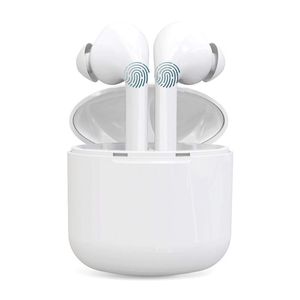
Wireless Bluetooth Earbuds, Smart Touch Control True Wireless Bluetooth 5.0 Headphones TWS in-Earphones Built-in Mic Noise Cancelling. 5Hours Playtime and Charging Case Compatible with Smartphones
Current Price
$34.99
Average
$29.59
Min Price
$5.99
Max Price
$36.99
Price dynamics
15%
Description
Specifications:
Wireless Version:Dual-mode Bluetooth v5.0+EDR with ultra power and low battery usage
Wireless profile: A2DP1.3/HFP1.6/HSP1.2/AVRCP1.6/D11.3
Frequency: 2.4GHZ
Distance: 10 meters
Battery capacity: 45mah rechargeable li-ion battery - Single earphone 400mah rechargeable li-ion battery - Charging case
Standby:Up to 100 hours single earphone Up to 60 hours twin earphone
Continue usage:Single earphone: Up to 5-6 hours Dual earphone: Up to 4-5 hours
Bluetooth Pairing:
Step 1:Open the upper cover of the charging case and take out the headset,
Light flashes red and blue, the earphone turned on.
Step 2: After 1s, you will hear 'di', and light flashes only blue on both earphones.
now the headset automatic paired each other.
Step 3: Open your smartphone or other Bluetooth device,Simply open up the
Bluetooth menu in your device and search for TWS. As soon as it appears
click on it and the headsets will be paired with your device automatically.
Once it's connected, the light will be off.
Step 4: Listen to music and enjoy.
(Note: If the TWS cannot connect, it need turn off the earphone first (put it back to the
charging box or long press until it turn off), then turn on and double click the right side
of multi-function button, when the blue light flashing slowly on both earphone,
that means TWS connect successfully.
Muti-function Button Control (Main Button):
1.Pause/start music: Click 2 times on L/R earphone.
2.Last song: Click 3 times on Left earphone.
3.Next song: Click 3 times on Right earphone.
4.Siri function: Long press 2 seconds on L/R earphone.
5.Receiving or hang up call: Click 2 times on L/R earphone.
6.Reject call: Long press 2 seconds on L/R earphone.
Price will be lower
in next 2 weeks
in next 2 weeks
According to the data, price will be lower in next two weeks, so not waste your money and track better price!

Similar products



































