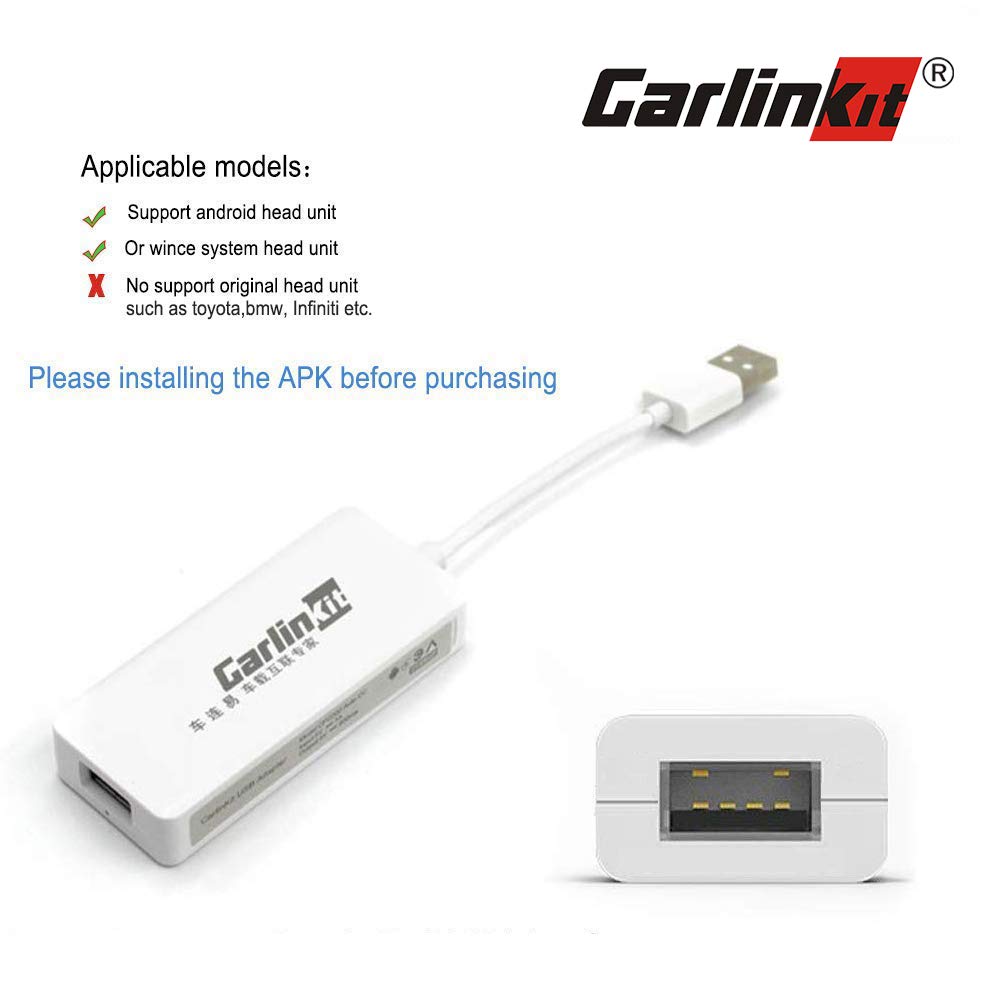
Description
CARLINKIT dedicate to provide high quality products. We test all product carefully before shipping which to ensure an fit for the daily functionality of your device.
Support language:
This USB boxkit support Chinese Simplified/Chinese Traditional/English/Russian/French/German/ Spanish/Portuguese/Turkish/Dutch/Arabic/Japanese
Mirroring founction:
you can watch any video of your phone under the mirroring function on your car, please use this function under safety
Parameter:
Product model: CPC200-CMAP
Power input: 5V 1A
Power output: 5V/0.8A
Product power consumption: 0.25W
Applicable platform: Android 4.0 and above WINCE 6.0 (partial platform)
Adaptation resolution: 800*480, 1024*600, 1280*720
1920*1080, 1080*1920, 600*600, 1280*480
768*1024
How to install the apk then use the usb carplay dongle:
The APK :http://121.40.123.198:8080/autokit/autokit.apk
1. Need to prepare a USB flash drive, download it and send your APK file to the
USB flash drive (Format the u dish and select FAT32)
2. Insert the USB flash drive into the USB port of the navigation machine, find
the file management menu, select the APK file in the USB, install the APK,
and after installation, the navigation opportunity comes out with an icon.
3. Plug our machine into the USB of the navigation machine, plug in the mobile
phone data cable, connect the phone, wait a few seconds to connect.
Support language:
This USB boxkit support Chinese Simplified/Chinese Traditional/English/Russian/French/German/ Spanish/Portuguese/Turkish/Dutch/Arabic/Japanese
Mirroring founction:
you can watch any video of your phone under the mirroring function on your car, please use this function under safety
Parameter:
Product model: CPC200-CMAP
Power input: 5V 1A
Power output: 5V/0.8A
Product power consumption: 0.25W
Applicable platform: Android 4.0 and above WINCE 6.0 (partial platform)
Adaptation resolution: 800*480, 1024*600, 1280*720
1920*1080, 1080*1920, 600*600, 1280*480
768*1024
How to install the apk then use the usb carplay dongle:
The APK :http://121.40.123.198:8080/autokit/autokit.apk
1. Need to prepare a USB flash drive, download it and send your APK file to the
USB flash drive (Format the u dish and select FAT32)
2. Insert the USB flash drive into the USB port of the navigation machine, find
the file management menu, select the APK file in the USB, install the APK,
and after installation, the navigation opportunity comes out with an icon.
3. Plug our machine into the USB of the navigation machine, plug in the mobile
phone data cable, connect the phone, wait a few seconds to connect.
USB Wired Carplay Dongle Boxkit Android Auto Multimedia Player Receiver Box Interface for Android Head Unit Stereo Support iPhone and Android Phone, fit for Apple carplay Function
Current Price
$60.99
Average
$55.68
Min Price
$49.99
Max Price
$60.99
Price dynamics
9%
Description
CARLINKIT dedicate to provide high quality products. We test all product carefully before shipping which to ensure an fit for the daily functionality of your device.
Support language:
This USB boxkit support Chinese Simplified/Chinese Traditional/English/Russian/French/German/ Spanish/Portuguese/Turkish/Dutch/Arabic/Japanese
Mirroring founction:
you can watch any video of your phone under the mirroring function on your car, please use this function under safety
Parameter:
Product model: CPC200-CMAP
Power input: 5V 1A
Power output: 5V/0.8A
Product power consumption: 0.25W
Applicable platform: Android 4.0 and above WINCE 6.0 (partial platform)
Adaptation resolution: 800*480, 1024*600, 1280*720
1920*1080, 1080*1920, 600*600, 1280*480
768*1024
How to install the apk then use the usb carplay dongle:
The APK :http://121.40.123.198:8080/autokit/autokit.apk
1. Need to prepare a USB flash drive, download it and send your APK file to the
USB flash drive (Format the u dish and select FAT32)
2. Insert the USB flash drive into the USB port of the navigation machine, find
the file management menu, select the APK file in the USB, install the APK,
and after installation, the navigation opportunity comes out with an icon.
3. Plug our machine into the USB of the navigation machine, plug in the mobile
phone data cable, connect the phone, wait a few seconds to connect.
Support language:
This USB boxkit support Chinese Simplified/Chinese Traditional/English/Russian/French/German/ Spanish/Portuguese/Turkish/Dutch/Arabic/Japanese
Mirroring founction:
you can watch any video of your phone under the mirroring function on your car, please use this function under safety
Parameter:
Product model: CPC200-CMAP
Power input: 5V 1A
Power output: 5V/0.8A
Product power consumption: 0.25W
Applicable platform: Android 4.0 and above WINCE 6.0 (partial platform)
Adaptation resolution: 800*480, 1024*600, 1280*720
1920*1080, 1080*1920, 600*600, 1280*480
768*1024
How to install the apk then use the usb carplay dongle:
The APK :http://121.40.123.198:8080/autokit/autokit.apk
1. Need to prepare a USB flash drive, download it and send your APK file to the
USB flash drive (Format the u dish and select FAT32)
2. Insert the USB flash drive into the USB port of the navigation machine, find
the file management menu, select the APK file in the USB, install the APK,
and after installation, the navigation opportunity comes out with an icon.
3. Plug our machine into the USB of the navigation machine, plug in the mobile
phone data cable, connect the phone, wait a few seconds to connect.
Price will be lower
in next 2 weeks
in next 2 weeks
According to the data, price will be lower in next two weeks, so not waste your money and track better price!
Product review & video
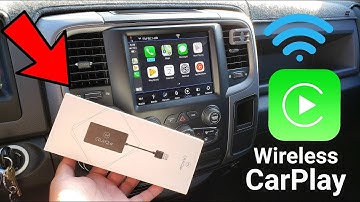
[Music] [Applause] what is going on youtubers here here from ma G and J today in this video I'm about to show you a very cool little item that I got from this company and it is called the C play to air and even though the price is not the most affordable out there I have seen some companies on Amazon with the prime service of course selling the same device but they don't have the same qualities as this particular one the one that you guys are seeing on this video is about 160 dollars approximately and basically what it does is that it provides wireless carplay from your smartphone to your car now this will only work with vehicles equipped with carplay and android auto from factory as you guys know I own the RAM 1500 it's a 2017 model and I got the radio from the 2018 model but it is considered a factory radio so for that reason this is supported on my Ram 1500 my brother was the first o


Similar products