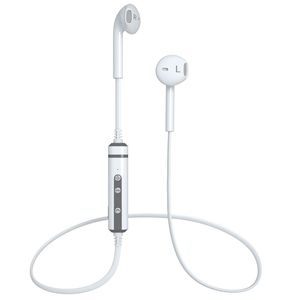
Description
Please Note This Stereo Sound Wireless Headphones are perfect for Travel or Office Home Use, can be used as sports earphones. But not ideal for Strenuous Exercise. If you're looking for a headset perfect for running workout exercise, [ASIN: B071VJDLRB] IS YOUR BEST CHOICE Charging: When it is charging,the light will be red status Power on: Long press the MFB button for 3 seconds until the blue indicator light flashes Power off: Long press the MFB button for 3 seconds until the red indicatore light flashes Pairing: Long press the MFB button for 5 seconds until the red and blue light flash alternately Answer/End/Redial After connected,a phone incoming,press MFB once or say Yes after number broadcast After connected,a phone incoming,shortly press MFB for 2 seconds or say No after number broadcast After connected,Shortly press MFB twice,it will get into redial the last number Play/pause: After connected,you can play/pause music by press MFB Next song/Previous song/Volume up/Volume down Press Volume + once,it will turn up,Press Volume - once,it will turn down Longly press volume +,it will get into next song,longly press Volume -,it will get into previous song Voice control: After connected,shortly press MFB for 2 seconds,and it will get into Voice control,and then you can send message/call/check weather/map and so on by voice
LBell Wireless Headphones V4.1 Wireless Stereo Earbuds Built-in Noise Cancellation Stereo Bluetooth Headphones with Mic Compatible for Android (White)
Price is below average
Current Price
$19.99
Average
$22.66
Min Price
$16.99
Max Price
$76.99
Price dynamics
12%
Description
Please Note This Stereo Sound Wireless Headphones are perfect for Travel or Office Home Use, can be used as sports earphones. But not ideal for Strenuous Exercise. If you're looking for a headset perfect for running workout exercise, [ASIN: B071VJDLRB] IS YOUR BEST CHOICE Charging: When it is charging,the light will be red status Power on: Long press the MFB button for 3 seconds until the blue indicator light flashes Power off: Long press the MFB button for 3 seconds until the red indicatore light flashes Pairing: Long press the MFB button for 5 seconds until the red and blue light flash alternately Answer/End/Redial After connected,a phone incoming,press MFB once or say Yes after number broadcast After connected,a phone incoming,shortly press MFB for 2 seconds or say No after number broadcast After connected,Shortly press MFB twice,it will get into redial the last number Play/pause: After connected,you can play/pause music by press MFB Next song/Previous song/Volume up/Volume down Press Volume + once,it will turn up,Press Volume - once,it will turn down Longly press volume +,it will get into next song,longly press Volume -,it will get into previous song Voice control: After connected,shortly press MFB for 2 seconds,and it will get into Voice control,and then you can send message/call/check weather/map and so on by voice
Price will be lower
in next 2 weeks
in next 2 weeks
According to the data, price will be lower in next two weeks, so not waste your money and track better price!
Product review & video
hey guys EBV man here and today I want to take a look at the ear headset let's go ahead and check it out now this design is really popular you see a lot of the Apple fans walking around with these ear buds that look like they had the cord cut off so today we're gonna take a look at a product that is available on Amazon and a substantial price difference that really looks the same and provides some very similar features so let's go ahead and take a look at the headphones themselves and then all the specs now inside the box are unifying your headphones with the charging case a micro USB charging cable and a user guide alright so let's go ahead and talk about the specs for a couple seconds so these are called the ear headset you're looking at a three hour used for listening to music about an hour and a half to charge and about five hours of call time the case itself is a charging case and



Similar products



































