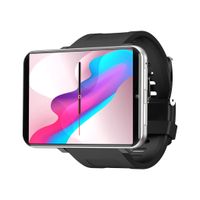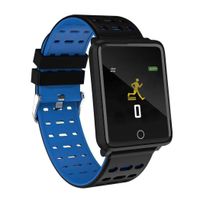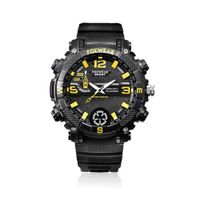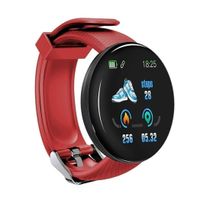
Description
NOTE
1. For iOS phone,no synchronization App available now,besides Receive SNS notifications, bluetooth Message, Remote Capture, Anti-lost all the other functions are available.
2. This product does not contain any SIM CARDS or SD/TF CARDS. If necessary, please purchase separately.
3. Please do not use high-power chargers (over 5W) to charge, otherwise the battery will be damaged.
4. Any issue with this product please feel free to contact us, we will help you solve it.
How to download and install the sync App (only for Android)?
1 Please download the sync App to your smart phone by scanning the QR code. This App will only be used for the synchronization between your phone and the watch, will not take any data of your phone.
2 You can also search it's name ' BT notification 'in the play store or internet to download and install this App.
3 If you have already installed the App, please check the version and update to the newest, so that all of the features can be used normally. Please update the App when it has a new version.
bluetooth Connection
Connect the watch with your phone via bluetooth by the following steps:
1. Turn on the bluetooth on both of your phone and the watch at the same time,
2. Click 'search new device' on the watch, then click 'Ok',
3. Find your phone and click 'pair' on the watch, after that you can find the watch on your phone,
4. Now you have paired your phone with the watch, the bluetooth will connects automatically.
Package Include
1 X Smart Watch
1 X TF card
1 X Screen Protector
1 X USB Cable
1 X User Manual
1. For iOS phone,no synchronization App available now,besides Receive SNS notifications, bluetooth Message, Remote Capture, Anti-lost all the other functions are available.
2. This product does not contain any SIM CARDS or SD/TF CARDS. If necessary, please purchase separately.
3. Please do not use high-power chargers (over 5W) to charge, otherwise the battery will be damaged.
4. Any issue with this product please feel free to contact us, we will help you solve it.
How to download and install the sync App (only for Android)?
1 Please download the sync App to your smart phone by scanning the QR code. This App will only be used for the synchronization between your phone and the watch, will not take any data of your phone.
2 You can also search it's name ' BT notification 'in the play store or internet to download and install this App.
3 If you have already installed the App, please check the version and update to the newest, so that all of the features can be used normally. Please update the App when it has a new version.
bluetooth Connection
Connect the watch with your phone via bluetooth by the following steps:
1. Turn on the bluetooth on both of your phone and the watch at the same time,
2. Click 'search new device' on the watch, then click 'Ok',
3. Find your phone and click 'pair' on the watch, after that you can find the watch on your phone,
4. Now you have paired your phone with the watch, the bluetooth will connects automatically.
Package Include
1 X Smart Watch
1 X TF card
1 X Screen Protector
1 X USB Cable
1 X User Manual
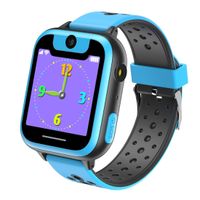
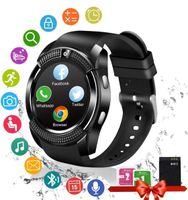
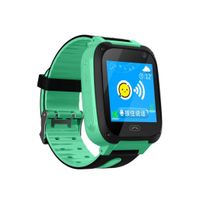
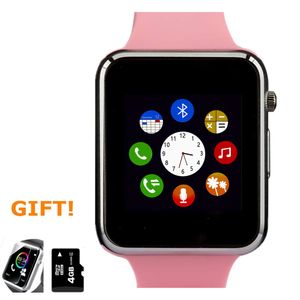
Amazqi Smart Watch, Smartwatch Phone with Camera TF Card Pedometer SIM Card Slot Music Player Compatible for IOS IPhone (Partial Functions) and Android Phone Samsung HUAWEI LG Sony for Women Girl Teen
Current Price
$25.19
Average
$23.32
Min Price
$18.35
Max Price
$25.19
Price dynamics
7%
Description
NOTE
1. For iOS phone,no synchronization App available now,besides Receive SNS notifications, bluetooth Message, Remote Capture, Anti-lost all the other functions are available.
2. This product does not contain any SIM CARDS or SD/TF CARDS. If necessary, please purchase separately.
3. Please do not use high-power chargers (over 5W) to charge, otherwise the battery will be damaged.
4. Any issue with this product please feel free to contact us, we will help you solve it.
How to download and install the sync App (only for Android)?
1 Please download the sync App to your smart phone by scanning the QR code. This App will only be used for the synchronization between your phone and the watch, will not take any data of your phone.
2 You can also search it's name ' BT notification 'in the play store or internet to download and install this App.
3 If you have already installed the App, please check the version and update to the newest, so that all of the features can be used normally. Please update the App when it has a new version.
bluetooth Connection
Connect the watch with your phone via bluetooth by the following steps:
1. Turn on the bluetooth on both of your phone and the watch at the same time,
2. Click 'search new device' on the watch, then click 'Ok',
3. Find your phone and click 'pair' on the watch, after that you can find the watch on your phone,
4. Now you have paired your phone with the watch, the bluetooth will connects automatically.
Package Include
1 X Smart Watch
1 X TF card
1 X Screen Protector
1 X USB Cable
1 X User Manual
1. For iOS phone,no synchronization App available now,besides Receive SNS notifications, bluetooth Message, Remote Capture, Anti-lost all the other functions are available.
2. This product does not contain any SIM CARDS or SD/TF CARDS. If necessary, please purchase separately.
3. Please do not use high-power chargers (over 5W) to charge, otherwise the battery will be damaged.
4. Any issue with this product please feel free to contact us, we will help you solve it.
How to download and install the sync App (only for Android)?
1 Please download the sync App to your smart phone by scanning the QR code. This App will only be used for the synchronization between your phone and the watch, will not take any data of your phone.
2 You can also search it's name ' BT notification 'in the play store or internet to download and install this App.
3 If you have already installed the App, please check the version and update to the newest, so that all of the features can be used normally. Please update the App when it has a new version.
bluetooth Connection
Connect the watch with your phone via bluetooth by the following steps:
1. Turn on the bluetooth on both of your phone and the watch at the same time,
2. Click 'search new device' on the watch, then click 'Ok',
3. Find your phone and click 'pair' on the watch, after that you can find the watch on your phone,
4. Now you have paired your phone with the watch, the bluetooth will connects automatically.
Package Include
1 X Smart Watch
1 X TF card
1 X Screen Protector
1 X USB Cable
1 X User Manual
Price will be lower
in next 2 weeks
in next 2 weeks
According to the data, price will be lower in next two weeks, so not waste your money and track better price!
Product review & video
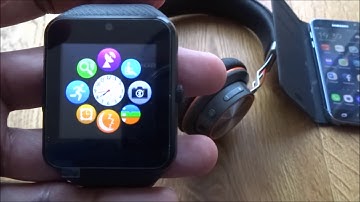
[Music] hi there today we're unboxing a SmartWatch so this is an interesting one let me just quickly show you around the packaging nothing around the edges like on the bottom just a simple indicator here now this particular SmartWatch very strange to be honest comes at 18 pounds on Amazon and one of the strange things is actually looks like an Apple iWatch so that's what sort of attracted me to initially now okay let's just take you out of packaging there you go it's a nice strong strap on there the watch itself does look quite large to be honest as a button on the side and charge point speaker and microphone okay just a charge cable okay so just a watch and the charge cable itself so one interesting thing about this watch obviously look similar to an iWatch even has bizarre thing which it has a camera on there and has the ability put a sim card in there so that's some keep it good okay

Similar products