Description
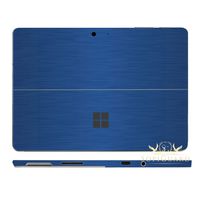
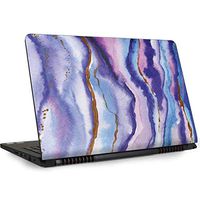
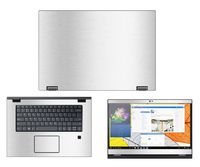
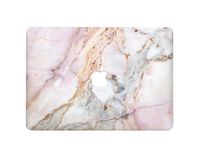
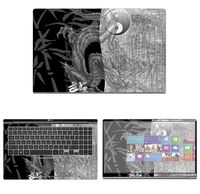
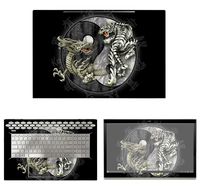
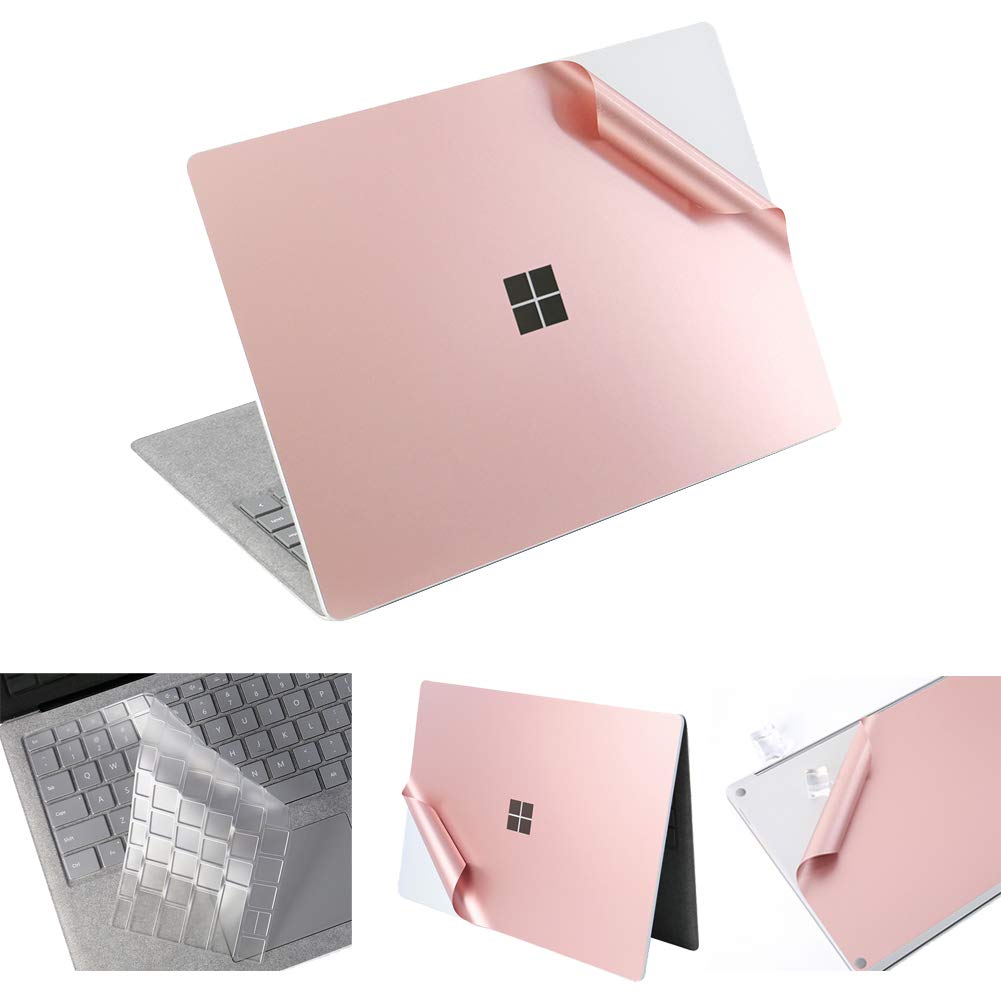
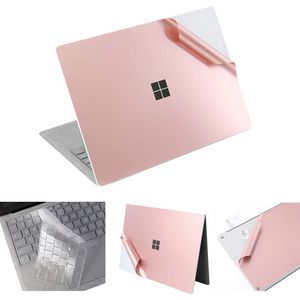
XSKN Ultra Slim Laptop Back Cover Sticker
Designed for demanding users who really care about preserving the look of their precious laptop, but not with a thick protective shell, wear-resistant decal can effectively protect your laptop against the deleterious effects of grease, scratches, smudges, and color-fade that create over time
Feature:
1.Superior quality,and durability
2.Protection against scratches,dirt and grime
3.Quick and Easy, Bubble-Free Installation, with no sticky adhesive
4.Tough and durable and are custom designed to fit for Microsoft Surface Laptop 1 (2017 released) & Surface Laptop 2 (2018 released)
Attention Please: It does NOT fit for Microsoft Surface Book/ Surface 3 / Surface Pro 3/ Pro 4 / Pro 5 / Pro 6 or any other models
How to apply ?
1. Please use wiping cloth to clean surface before pasting stickers
2. Align UPPER sticker SURFACE LOGO hole>edges>corners to the laptop body
3. Peel off and cut half side of backing paper; Align upper sticker to LOGO hole mainly, then edges/corners of laptop body, paste it on laptop easily
4. Slowly peel off the rest of backing paper, paste the other half skin at the same time
4-1.If the alignment process is not good, you can slowly take it away, then re-alignment, paste again
5. Use wiping cloth wipe the laptop and squeeze out bubbles. Finally, Bubbles be disappeared; sticker fit SURFACE LOGO hole and laptop UPPER side well. Paste another piece in the same way
6. If stickers do not paste well, please contact seller at the first time. We can help you to solve it soon
Designed for demanding users who really care about preserving the look of their precious laptop, but not with a thick protective shell, wear-resistant decal can effectively protect your laptop against the deleterious effects of grease, scratches, smudges, and color-fade that create over time
Feature:
1.Superior quality,and durability
2.Protection against scratches,dirt and grime
3.Quick and Easy, Bubble-Free Installation, with no sticky adhesive
4.Tough and durable and are custom designed to fit for Microsoft Surface Laptop 1 (2017 released) & Surface Laptop 2 (2018 released)
Attention Please: It does NOT fit for Microsoft Surface Book/ Surface 3 / Surface Pro 3/ Pro 4 / Pro 5 / Pro 6 or any other models
How to apply ?
1. Please use wiping cloth to clean surface before pasting stickers
2. Align UPPER sticker SURFACE LOGO hole>edges>corners to the laptop body
3. Peel off and cut half side of backing paper; Align upper sticker to LOGO hole mainly, then edges/corners of laptop body, paste it on laptop easily
4. Slowly peel off the rest of backing paper, paste the other half skin at the same time
4-1.If the alignment process is not good, you can slowly take it away, then re-alignment, paste again
5. Use wiping cloth wipe the laptop and squeeze out bubbles. Finally, Bubbles be disappeared; sticker fit SURFACE LOGO hole and laptop UPPER side well. Paste another piece in the same way
6. If stickers do not paste well, please contact seller at the first time. We can help you to solve it soon
XSKN Full Body Cover for 13.5" Microsoft Surface Laptop 2 & Surface Laptop 1 Anti-Scratch Vinyl Laptop Sticker Decal Protective Guard Skin (Rose Gold, US Layout Keyboard Cover)
Current Price
$25.99
Average
$25.99
Min Price
$25.99
Max Price
$25.99
Price dynamics
0%
Description
XSKN Ultra Slim Laptop Back Cover Sticker
Designed for demanding users who really care about preserving the look of their precious laptop, but not with a thick protective shell, wear-resistant decal can effectively protect your laptop against the deleterious effects of grease, scratches, smudges, and color-fade that create over time
Feature:
1.Superior quality,and durability
2.Protection against scratches,dirt and grime
3.Quick and Easy, Bubble-Free Installation, with no sticky adhesive
4.Tough and durable and are custom designed to fit for Microsoft Surface Laptop 1 (2017 released) & Surface Laptop 2 (2018 released)
Attention Please: It does NOT fit for Microsoft Surface Book/ Surface 3 / Surface Pro 3/ Pro 4 / Pro 5 / Pro 6 or any other models
How to apply ?
1. Please use wiping cloth to clean surface before pasting stickers
2. Align UPPER sticker SURFACE LOGO hole>edges>corners to the laptop body
3. Peel off and cut half side of backing paper; Align upper sticker to LOGO hole mainly, then edges/corners of laptop body, paste it on laptop easily
4. Slowly peel off the rest of backing paper, paste the other half skin at the same time
4-1.If the alignment process is not good, you can slowly take it away, then re-alignment, paste again
5. Use wiping cloth wipe the laptop and squeeze out bubbles. Finally, Bubbles be disappeared; sticker fit SURFACE LOGO hole and laptop UPPER side well. Paste another piece in the same way
6. If stickers do not paste well, please contact seller at the first time. We can help you to solve it soon
Designed for demanding users who really care about preserving the look of their precious laptop, but not with a thick protective shell, wear-resistant decal can effectively protect your laptop against the deleterious effects of grease, scratches, smudges, and color-fade that create over time
Feature:
1.Superior quality,and durability
2.Protection against scratches,dirt and grime
3.Quick and Easy, Bubble-Free Installation, with no sticky adhesive
4.Tough and durable and are custom designed to fit for Microsoft Surface Laptop 1 (2017 released) & Surface Laptop 2 (2018 released)
Attention Please: It does NOT fit for Microsoft Surface Book/ Surface 3 / Surface Pro 3/ Pro 4 / Pro 5 / Pro 6 or any other models
How to apply ?
1. Please use wiping cloth to clean surface before pasting stickers
2. Align UPPER sticker SURFACE LOGO hole>edges>corners to the laptop body
3. Peel off and cut half side of backing paper; Align upper sticker to LOGO hole mainly, then edges/corners of laptop body, paste it on laptop easily
4. Slowly peel off the rest of backing paper, paste the other half skin at the same time
4-1.If the alignment process is not good, you can slowly take it away, then re-alignment, paste again
5. Use wiping cloth wipe the laptop and squeeze out bubbles. Finally, Bubbles be disappeared; sticker fit SURFACE LOGO hole and laptop UPPER side well. Paste another piece in the same way
6. If stickers do not paste well, please contact seller at the first time. We can help you to solve it soon
Price will be lower
in next 2 weeks
in next 2 weeks
According to the data, price will be lower in next two weeks, so not waste your money and track better price!
Product review & video
what's happening to me Indonesia Peter Brown Panda here I just got a new MacBook Air and I want to put a skin on it alright here is my brand new MacBook Air and I wanted to put a skin on it and I couldn't figure out which design I was gonna go with the Lions and then you know I decided why not just go simple plain I got this it's my ex skin it's a premium body guard can be removed even after years of application let's take a look at this oh man tab broke little perforation here is totally worthless run the finger in there my hope is that it will look just like the anodized aluminum and provide some protection especially from scratches and probably not so much dings cleaning wipe what and dry microfiber cloth here that's to get all your fingerprints dust off before you apply anything but since mine is brand new I think should be pretty straightforward and look at this here is the skin an

Similar products