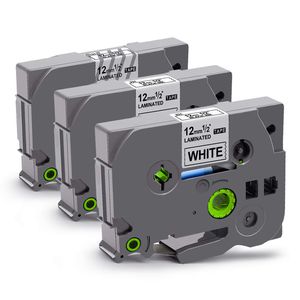
Description
You will get:
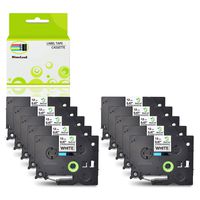
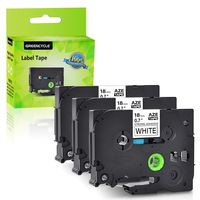
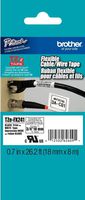
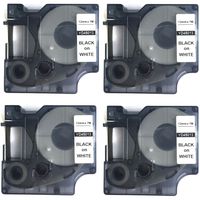
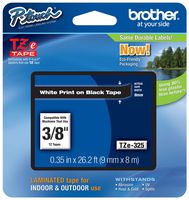
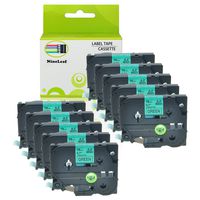
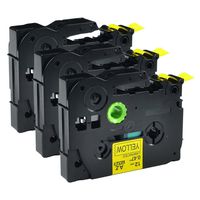
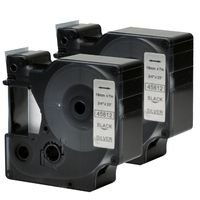
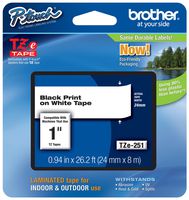
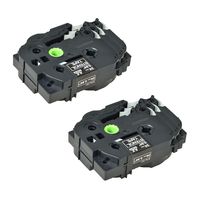
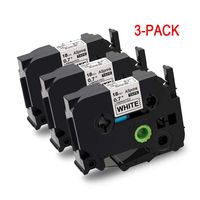
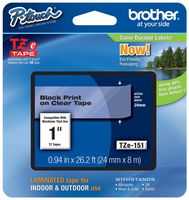
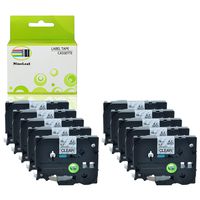
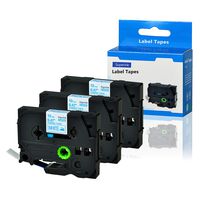
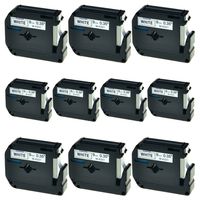
1 pack of clear and 2 packs of white laminated compatible TZe label tapes
Features:
1. Print clearly, no broken character and smudge.
2. Split back design for peeling off easily, saving your time.
3. Designed for indoor an outdoor use.
4. No gummy residue remained on object after tearing off.
5. Durable shell, eco-friendly and good looking packaging.
100% Compatible with the following Brother Ptouch label machine, easy to install:
PT-D210, PT-H100, PT-D450, PT-D400VP, PT-D400, PT-D400AD, PT-D600, PT-P700, PT-1090, PT-1230PC, PT-1290, PT-1280SR,
PT-1400, PT-1280, PT-1880, PT-1950, PT-D200MA, PT-2730VP, PT-D200SA, PT-1090, PT-1090BK
PT-1100, P900, P900W, P950NW, GL-100, PT-1000BM, PT-128AF, PT-1010S, PT-1010, PT-1010B, PT-1010NB, PT-1010R, PT1100SB,
PT-1100SBVP, PT-1100ST, PT-1120, PT-1130, PT-1160, PT-1170, PT-1180, PT-1190, PT-11Q, PT-1200, PT-1280VP
PT-1290, PT-1290BT, PT-1290BT2, PT-1290RS, PT-1300, PT-1400, PT-1500, PT-1500PC, PT-1600, PT-1700, PT-1750, PT-1800, PT-1810,
PT-1830, PT-1830SC, PT-1830VP, PT-1880, PT-1880C, PT-1880W, PT-1880SC, PT-18R, PT-18RKT, PT-1900, PT-1950, PT-2030, PT-2730VP
PT-300, PT-300B, PT-P300bt, PT-310, PT-310B, PT-320, PT-330, PT-340, PT-350, PT-3600, PT-4000, PT-520, PT-530, PT-540, PT-550,
PT-580C, PT-6100, PT-7100, PT-7500, PT-9200DX, PT-9200PC, PT-9400, PT-9500PC, PT-9600, PT-9700PC, PT-9800PCN, PT-D200BT,
PT-D200MA, PT-D200DA, PT-D200SA, PT-D400VP, PT-D400AD, ST-1150, ST-1150DX, ST-5 and so on.
Tips:
1. Cleaning the print head of the labeler to have a good print effect and maintain machine.
2. Turning the gear in anti-clockwise direction on the label tape to tighten the ribbon in case of the jamming.
3. Printing all the words first and then cut into piece, this can save your label tape.
4. Do not touch the cutting head while printing.
1 pack of clear and 2 packs of white laminated compatible TZe label tapes
Features:
1. Print clearly, no broken character and smudge.
2. Split back design for peeling off easily, saving your time.
3. Designed for indoor an outdoor use.
4. No gummy residue remained on object after tearing off.
5. Durable shell, eco-friendly and good looking packaging.
100% Compatible with the following Brother Ptouch label machine, easy to install:
PT-D210, PT-H100, PT-D450, PT-D400VP, PT-D400, PT-D400AD, PT-D600, PT-P700, PT-1090, PT-1230PC, PT-1290, PT-1280SR,
PT-1400, PT-1280, PT-1880, PT-1950, PT-D200MA, PT-2730VP, PT-D200SA, PT-1090, PT-1090BK
PT-1100, P900, P900W, P950NW, GL-100, PT-1000BM, PT-128AF, PT-1010S, PT-1010, PT-1010B, PT-1010NB, PT-1010R, PT1100SB,
PT-1100SBVP, PT-1100ST, PT-1120, PT-1130, PT-1160, PT-1170, PT-1180, PT-1190, PT-11Q, PT-1200, PT-1280VP
PT-1290, PT-1290BT, PT-1290BT2, PT-1290RS, PT-1300, PT-1400, PT-1500, PT-1500PC, PT-1600, PT-1700, PT-1750, PT-1800, PT-1810,
PT-1830, PT-1830SC, PT-1830VP, PT-1880, PT-1880C, PT-1880W, PT-1880SC, PT-18R, PT-18RKT, PT-1900, PT-1950, PT-2030, PT-2730VP
PT-300, PT-300B, PT-P300bt, PT-310, PT-310B, PT-320, PT-330, PT-340, PT-350, PT-3600, PT-4000, PT-520, PT-530, PT-540, PT-550,
PT-580C, PT-6100, PT-7100, PT-7500, PT-9200DX, PT-9200PC, PT-9400, PT-9500PC, PT-9600, PT-9700PC, PT-9800PCN, PT-D200BT,
PT-D200MA, PT-D200DA, PT-D200SA, PT-D400VP, PT-D400AD, ST-1150, ST-1150DX, ST-5 and so on.
Tips:
1. Cleaning the print head of the labeler to have a good print effect and maintain machine.
2. Turning the gear in anti-clockwise direction on the label tape to tighten the ribbon in case of the jamming.
3. Printing all the words first and then cut into piece, this can save your label tape.
4. Do not touch the cutting head while printing.
Replace for Brother TZ Tape 12mm, Laminated White TZe Tape Used for Brother P-Touch Label Maker PT-D210/ PT-H100/ PT-D450/ PTD600 and More, 26.2 Feet Roll, 3-Pack (2 White, 1 Clear)
Price is below average
Current Price
$9.19
Average
$11.24
Min Price
$9.19
Max Price
$12.95
Price dynamics
18%
Description
You will get:
1 pack of clear and 2 packs of white laminated compatible TZe label tapes
Features:
1. Print clearly, no broken character and smudge.
2. Split back design for peeling off easily, saving your time.
3. Designed for indoor an outdoor use.
4. No gummy residue remained on object after tearing off.
5. Durable shell, eco-friendly and good looking packaging.
100% Compatible with the following Brother Ptouch label machine, easy to install:
PT-D210, PT-H100, PT-D450, PT-D400VP, PT-D400, PT-D400AD, PT-D600, PT-P700, PT-1090, PT-1230PC, PT-1290, PT-1280SR,
PT-1400, PT-1280, PT-1880, PT-1950, PT-D200MA, PT-2730VP, PT-D200SA, PT-1090, PT-1090BK
PT-1100, P900, P900W, P950NW, GL-100, PT-1000BM, PT-128AF, PT-1010S, PT-1010, PT-1010B, PT-1010NB, PT-1010R, PT1100SB,
PT-1100SBVP, PT-1100ST, PT-1120, PT-1130, PT-1160, PT-1170, PT-1180, PT-1190, PT-11Q, PT-1200, PT-1280VP
PT-1290, PT-1290BT, PT-1290BT2, PT-1290RS, PT-1300, PT-1400, PT-1500, PT-1500PC, PT-1600, PT-1700, PT-1750, PT-1800, PT-1810,
PT-1830, PT-1830SC, PT-1830VP, PT-1880, PT-1880C, PT-1880W, PT-1880SC, PT-18R, PT-18RKT, PT-1900, PT-1950, PT-2030, PT-2730VP
PT-300, PT-300B, PT-P300bt, PT-310, PT-310B, PT-320, PT-330, PT-340, PT-350, PT-3600, PT-4000, PT-520, PT-530, PT-540, PT-550,
PT-580C, PT-6100, PT-7100, PT-7500, PT-9200DX, PT-9200PC, PT-9400, PT-9500PC, PT-9600, PT-9700PC, PT-9800PCN, PT-D200BT,
PT-D200MA, PT-D200DA, PT-D200SA, PT-D400VP, PT-D400AD, ST-1150, ST-1150DX, ST-5 and so on.
Tips:
1. Cleaning the print head of the labeler to have a good print effect and maintain machine.
2. Turning the gear in anti-clockwise direction on the label tape to tighten the ribbon in case of the jamming.
3. Printing all the words first and then cut into piece, this can save your label tape.
4. Do not touch the cutting head while printing.
1 pack of clear and 2 packs of white laminated compatible TZe label tapes
Features:
1. Print clearly, no broken character and smudge.
2. Split back design for peeling off easily, saving your time.
3. Designed for indoor an outdoor use.
4. No gummy residue remained on object after tearing off.
5. Durable shell, eco-friendly and good looking packaging.
100% Compatible with the following Brother Ptouch label machine, easy to install:
PT-D210, PT-H100, PT-D450, PT-D400VP, PT-D400, PT-D400AD, PT-D600, PT-P700, PT-1090, PT-1230PC, PT-1290, PT-1280SR,
PT-1400, PT-1280, PT-1880, PT-1950, PT-D200MA, PT-2730VP, PT-D200SA, PT-1090, PT-1090BK
PT-1100, P900, P900W, P950NW, GL-100, PT-1000BM, PT-128AF, PT-1010S, PT-1010, PT-1010B, PT-1010NB, PT-1010R, PT1100SB,
PT-1100SBVP, PT-1100ST, PT-1120, PT-1130, PT-1160, PT-1170, PT-1180, PT-1190, PT-11Q, PT-1200, PT-1280VP
PT-1290, PT-1290BT, PT-1290BT2, PT-1290RS, PT-1300, PT-1400, PT-1500, PT-1500PC, PT-1600, PT-1700, PT-1750, PT-1800, PT-1810,
PT-1830, PT-1830SC, PT-1830VP, PT-1880, PT-1880C, PT-1880W, PT-1880SC, PT-18R, PT-18RKT, PT-1900, PT-1950, PT-2030, PT-2730VP
PT-300, PT-300B, PT-P300bt, PT-310, PT-310B, PT-320, PT-330, PT-340, PT-350, PT-3600, PT-4000, PT-520, PT-530, PT-540, PT-550,
PT-580C, PT-6100, PT-7100, PT-7500, PT-9200DX, PT-9200PC, PT-9400, PT-9500PC, PT-9600, PT-9700PC, PT-9800PCN, PT-D200BT,
PT-D200MA, PT-D200DA, PT-D200SA, PT-D400VP, PT-D400AD, ST-1150, ST-1150DX, ST-5 and so on.
Tips:
1. Cleaning the print head of the labeler to have a good print effect and maintain machine.
2. Turning the gear in anti-clockwise direction on the label tape to tighten the ribbon in case of the jamming.
3. Printing all the words first and then cut into piece, this can save your label tape.
4. Do not touch the cutting head while printing.
Price will be lower
in next 2 weeks
in next 2 weeks
According to the data, price will be lower in next two weeks, so not waste your money and track better price!
Product review & video
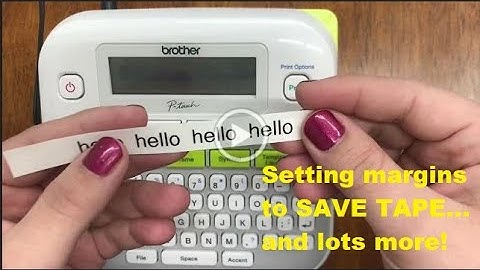
[Music] hi everyone welcome back to our channel for today's video we're going to continue with our ptd 210 labeling series this is basic usage part two so to start with printing labels before you can print you have to have a label to put in your machine so this machine can take the tce tape up to a half of an inch for a side note this is how you can purchase this label for your machine if you go to our website ptouchdirect.com in the upper left-hand corner you'll see brother p-touch go ahead and click that then you'll select shop for labels once you get to that next screen in blue you'll see shop by printer model go ahead and select the ptd 210 from the drop down it should be one of the first options and you'll view our online catalog specifically for this machine so fast forward you've already got your label this is how you'll put it into your machine another way to see the sizes you'l