Description
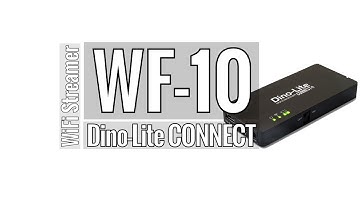
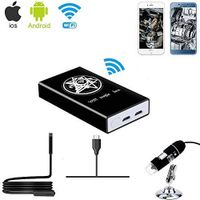
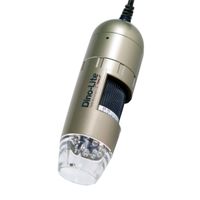
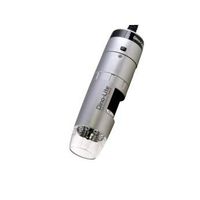
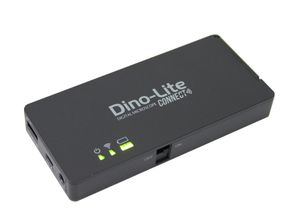
Ideal for field work, presentations or classroom training, the new Dino-Lite WF-10 WiFi adapter is an innovative and welcome addition to the world of wireless communication.
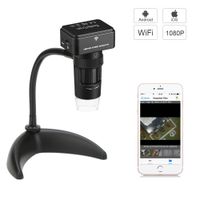
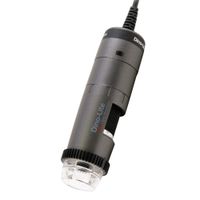
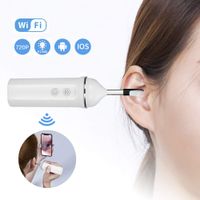
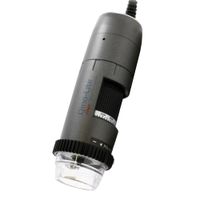
It allows for Edge and Premier series Dino-Lite USB-enabled microscopes to stream images and video to any iOS (iPad/iPhone) or Android OS system on any smartphone, tablet or computer.
First, download and install the DinoConnect app from the App Store for iOS, or Google Play for Android version.
Next, connect your Dino-lite microscope to the WF-10 and switch the power on. From your iPad or iPhone, go to wifi settings and select \"Dino-Lite WiFi Streamer\".
Then start the DinoConnect App and the microscope will feed live images and video via the WF-10 for display on your iPad or iPhone.
The app offers intuitive menu options for resolution, image or video capture and exposure level, and the LED can be switched off and back on from within the app as well.
You now have a mobile WiFi inspection station wherever you are, from the factory floor to a boardroom presentation or anywhere in between.
Measurement available only with Apple iOS DinoConnect App version 1.26 or newer.
Package includes WF-10 wireless adapter, User manual, AC Power supply (100V-240V), 1880mAh Li-Ion battery. Compatible with Apple iOS 6.x or later, Android 4.1.1 or later. Dimensions: 4.76 inch (L) x 2.1 inch (W) x 0.62 inch (H).
Visit https://www.dinolite.us/wifi for more compatibility information.
Dino-Lite WF-10 WiFi Adapter - Compatible Models Only
Price is below average
Current Price
$199
Average
$259.3
Min Price
$199
Max Price
$289
Price dynamics
23%
Description
Ideal for field work, presentations or classroom training, the new Dino-Lite WF-10 WiFi adapter is an innovative and welcome addition to the world of wireless communication.
It allows for Edge and Premier series Dino-Lite USB-enabled microscopes to stream images and video to any iOS (iPad/iPhone) or Android OS system on any smartphone, tablet or computer.
First, download and install the DinoConnect app from the App Store for iOS, or Google Play for Android version.
Next, connect your Dino-lite microscope to the WF-10 and switch the power on. From your iPad or iPhone, go to wifi settings and select \"Dino-Lite WiFi Streamer\".
Then start the DinoConnect App and the microscope will feed live images and video via the WF-10 for display on your iPad or iPhone.
The app offers intuitive menu options for resolution, image or video capture and exposure level, and the LED can be switched off and back on from within the app as well.
You now have a mobile WiFi inspection station wherever you are, from the factory floor to a boardroom presentation or anywhere in between.
Measurement available only with Apple iOS DinoConnect App version 1.26 or newer.
Package includes WF-10 wireless adapter, User manual, AC Power supply (100V-240V), 1880mAh Li-Ion battery. Compatible with Apple iOS 6.x or later, Android 4.1.1 or later. Dimensions: 4.76 inch (L) x 2.1 inch (W) x 0.62 inch (H).
Visit https://www.dinolite.us/wifi for more compatibility information.
Price will be lower
in next 2 weeks
in next 2 weeks
According to the data, price will be lower in next two weeks, so not waste your money and track better price!
Product review & video
introducing the W f10 dynolite connect Wi-Fi adapter for compatible Dynalite microscope cameras the Dyna line is connected directly to the W f10 and uses a Wi-Fi signal to stream up to 10 devices simultaneously included is a rechargeable lithium-ion battery and an AC adapter simply insert the battery and the Wi-Fi adapter can be used while plugged in with the AC adapter or wirelessly using battery light switching the Wi-Fi adapter on you'll notice the green LEDs to indicate it is powered the W f10 uses our free downloadable software Dino connect found on Google Play or the Apple App Store once the app is downloaded open the Apple or Android settings and navigate to the Wi-Fi section select the Dino light y5 streamer enter the Wi-Fi access password which is by default one two three four five six seven eight this setting can be change from the app later once the device is connected to the