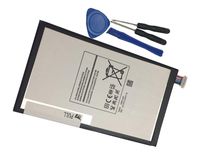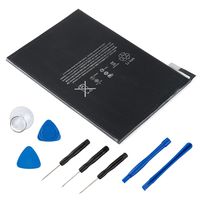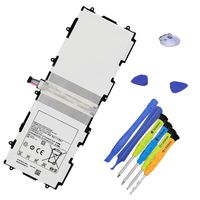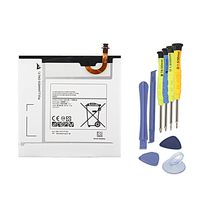
Description
NOTICE!
When opening the ipad, do not damage the lcd, the touch glass and the cable inside, a very important step.
Before reseal your iPad, test the battery with the original data cable and charger (surpport 5V, 2.1A).
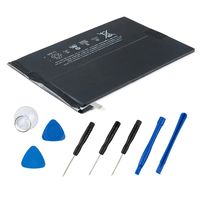
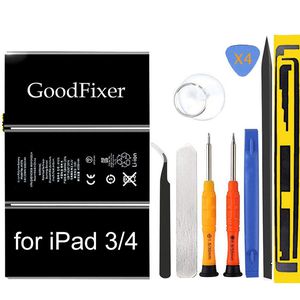
Packing List
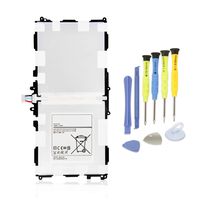
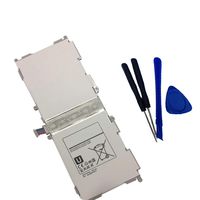
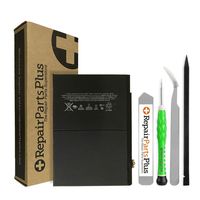
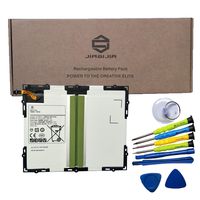
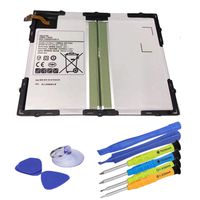
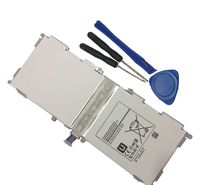
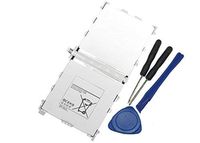
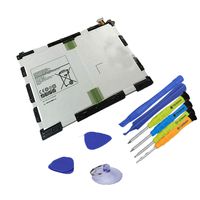
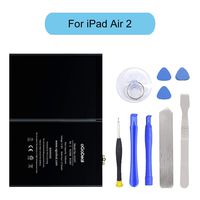
-1 Apple iPad 3 gen Battery / iPad 4 generation Battery
-1 Pentalobe Screwdriver
-1 Philips Size Screwdriver
-4 Triangle Opening Tool
-1 Pry Opening Spudger
-1 Suction Cup
-1 Set of Adhesive
-1 Spudger
-1 Metal Spatula/Scraper
-1 Tweezer
Instruction
If you have questions about the installation, we will help you in the email.
-Kindly Note:
After the battery installed inside iPad,we suggest you full charge 100% and use the power to about 2% 3 times, then the battery will became more excellent.
If your iPad 3 / iPad 4 Touch Screen Glass Digitizer is broken, you can replace them at the same time. ^ v ^
This battery only for Apple iPad 3/4.
Q: iPad can't start?
A: Check the LCD cable and battery cable, connect the original data cable; check whether the iPad is charging,if charging,reseal iPad.
Q: The iPad can be power on, but no charging; when using it for a few hours, the electricity number is not reduced?
A: Restart the iPad, or use the iPad power to 1% and try charging again.
Q: No charging, but showing"charging icon"?
A: Please use a charger that supports 5V 2.1A, and the original data cable.
GoodFixer Customer Service Guarantee:
24-Hour Reply
365 DAYS Warranty
When opening the ipad, do not damage the lcd, the touch glass and the cable inside, a very important step.
Before reseal your iPad, test the battery with the original data cable and charger (surpport 5V, 2.1A).
Packing List
-1 Apple iPad 3 gen Battery / iPad 4 generation Battery
-1 Pentalobe Screwdriver
-1 Philips Size Screwdriver
-4 Triangle Opening Tool
-1 Pry Opening Spudger
-1 Suction Cup
-1 Set of Adhesive
-1 Spudger
-1 Metal Spatula/Scraper
-1 Tweezer
Instruction
If you have questions about the installation, we will help you in the email.
-Kindly Note:
After the battery installed inside iPad,we suggest you full charge 100% and use the power to about 2% 3 times, then the battery will became more excellent.
If your iPad 3 / iPad 4 Touch Screen Glass Digitizer is broken, you can replace them at the same time. ^ v ^
This battery only for Apple iPad 3/4.
Q: iPad can't start?
A: Check the LCD cable and battery cable, connect the original data cable; check whether the iPad is charging,if charging,reseal iPad.
Q: The iPad can be power on, but no charging; when using it for a few hours, the electricity number is not reduced?
A: Restart the iPad, or use the iPad power to 1% and try charging again.
Q: No charging, but showing"charging icon"?
A: Please use a charger that supports 5V 2.1A, and the original data cable.
GoodFixer Customer Service Guarantee:
24-Hour Reply
365 DAYS Warranty
GoodFixer Replacement Battery Compatible with Apple iPad 3/iPad 4, Complete Repair Tools Kit, Adhesive Strip, 0 Cycle 11560mAh Li-ion Replacement Battery [365 Days Warranty]
Price is below average
Current Price
$28.99
Average
$31.4
Min Price
$24
Max Price
$38.99
Price dynamics
8%
Description
NOTICE!
When opening the ipad, do not damage the lcd, the touch glass and the cable inside, a very important step.
Before reseal your iPad, test the battery with the original data cable and charger (surpport 5V, 2.1A).
Packing List
-1 Apple iPad 3 gen Battery / iPad 4 generation Battery
-1 Pentalobe Screwdriver
-1 Philips Size Screwdriver
-4 Triangle Opening Tool
-1 Pry Opening Spudger
-1 Suction Cup
-1 Set of Adhesive
-1 Spudger
-1 Metal Spatula/Scraper
-1 Tweezer
Instruction
If you have questions about the installation, we will help you in the email.
-Kindly Note:
After the battery installed inside iPad,we suggest you full charge 100% and use the power to about 2% 3 times, then the battery will became more excellent.
If your iPad 3 / iPad 4 Touch Screen Glass Digitizer is broken, you can replace them at the same time. ^ v ^
This battery only for Apple iPad 3/4.
Q: iPad can't start?
A: Check the LCD cable and battery cable, connect the original data cable; check whether the iPad is charging,if charging,reseal iPad.
Q: The iPad can be power on, but no charging; when using it for a few hours, the electricity number is not reduced?
A: Restart the iPad, or use the iPad power to 1% and try charging again.
Q: No charging, but showing"charging icon"?
A: Please use a charger that supports 5V 2.1A, and the original data cable.
GoodFixer Customer Service Guarantee:
24-Hour Reply
365 DAYS Warranty
When opening the ipad, do not damage the lcd, the touch glass and the cable inside, a very important step.
Before reseal your iPad, test the battery with the original data cable and charger (surpport 5V, 2.1A).
Packing List
-1 Apple iPad 3 gen Battery / iPad 4 generation Battery
-1 Pentalobe Screwdriver
-1 Philips Size Screwdriver
-4 Triangle Opening Tool
-1 Pry Opening Spudger
-1 Suction Cup
-1 Set of Adhesive
-1 Spudger
-1 Metal Spatula/Scraper
-1 Tweezer
Instruction
If you have questions about the installation, we will help you in the email.
-Kindly Note:
After the battery installed inside iPad,we suggest you full charge 100% and use the power to about 2% 3 times, then the battery will became more excellent.
If your iPad 3 / iPad 4 Touch Screen Glass Digitizer is broken, you can replace them at the same time. ^ v ^
This battery only for Apple iPad 3/4.
Q: iPad can't start?
A: Check the LCD cable and battery cable, connect the original data cable; check whether the iPad is charging,if charging,reseal iPad.
Q: The iPad can be power on, but no charging; when using it for a few hours, the electricity number is not reduced?
A: Restart the iPad, or use the iPad power to 1% and try charging again.
Q: No charging, but showing"charging icon"?
A: Please use a charger that supports 5V 2.1A, and the original data cable.
GoodFixer Customer Service Guarantee:
24-Hour Reply
365 DAYS Warranty
Price will be lower
in next 2 weeks
in next 2 weeks
According to the data, price will be lower in next two weeks, so not waste your money and track better price!
Product review & video
the ipad 3 was a new ipad on the surface it actually looked really good it had the all-new retina display which for the time was top of the line and a huge improvement over what was previously had on ipads and it was the first ios device to have a full gigabyte of ram as well as bringing an all-new a5x chipset to ensure great performance it was the first ipad to have lte capabilities something that again hadn't even been seen in iphones yet walt mossberg of all things digital wrote that the ipad had the most spectacular display seen in a mobile device and was the best tablet on the planet the ipad 3 came out in the march of 2012 and was discontinued in october of the same year hey how's it going i'm josh from 91 tech and despite all the great features this ipad brought it only stuck around for just over half a year so in this video we're going to talk about everything that managed to bo


Similar products