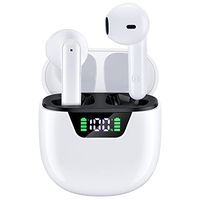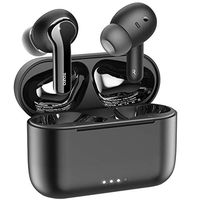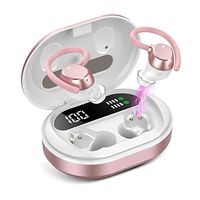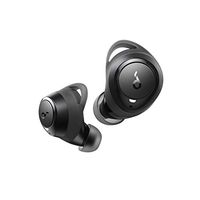
Description
Features:
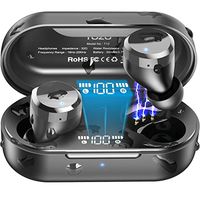
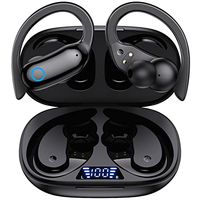
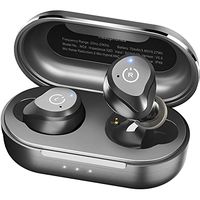
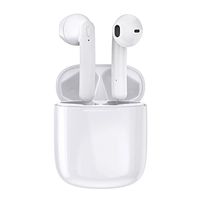
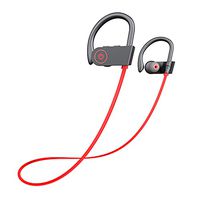
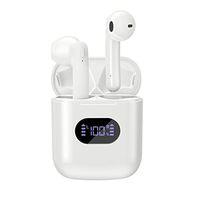
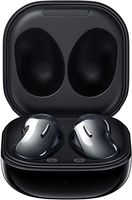
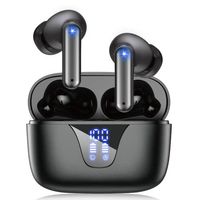
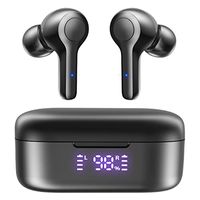
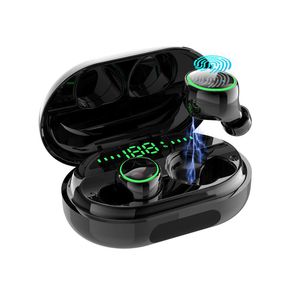
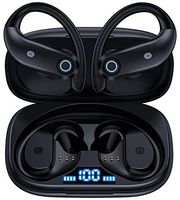
True Wireless Earbuds, Yinyoo Wireless Bluetooth Earbuds in-Ear Stereo IPX8 Waterproof Bluetooth Headphones TWS Wireless Earphones (Bluetooth 5.0, Built-in Mic, Stereo Calls)
Before use the product please read the manual carefully and keep it properly.
Bluetooth pairing:
A.The earbuds will now power on automatically once you take them out of the case.
B.Put the L and R earbuds into your ears. The L and R earbud will find each other and pair. Next, the tone "connected" will be heard.
C.When the two earbuds successfully pair, the tone "Left channel, Right channel" will be heard Activate Bluetooth on your phone. On the device list, connect to the "Touch Two C5" and then the tone second device connected will be heard.
How to use the single ear:Take out the single earbud from the charging box to enter the red and blue lights alternately which is connection succeeded. If the Bluetooth device name is not found, touch the surface twice to search and connected.
Touch Functions:
Next: Double click on the right ear touch surface.
Volume reduction:Long press 2S of right ear surface.
Shut down:Long press left ear touch area for 4S.
Volume increase:Long press left ear touch area for 2S.
Activate voice assistant:Continuously click the touch panel three Times.
Call function:Click once on the touch surface to answer or hang up the phone.
Reject the call:Double click on the touch surface.
Play or pause musicClick once on the touch area.
Specification:
Bluetooth version: V5.0
→Impedance:32Ω
→Speaker sensitivity: 105db
→Playtime: 6H
→Standby time: 80H
→Operation frequency: 20HZ-20KHZ
→Operation sensitivity: -42dB±2dB
→Earbud working range: 10M
→Compatible : A2DP/HFP/HSP/AVRCP
True Wireless Earbuds, Yinyoo Wireless Bluetooth Earbuds in-Ear Stereo IPX8 Waterproof Bluetooth Headphones TWS Wireless Earphones (Bluetooth 5.0, Built-in Mic, Stereo Calls)
Before use the product please read the manual carefully and keep it properly.
Bluetooth pairing:
A.The earbuds will now power on automatically once you take them out of the case.
B.Put the L and R earbuds into your ears. The L and R earbud will find each other and pair. Next, the tone "connected" will be heard.
C.When the two earbuds successfully pair, the tone "Left channel, Right channel" will be heard Activate Bluetooth on your phone. On the device list, connect to the "Touch Two C5" and then the tone second device connected will be heard.
How to use the single ear:Take out the single earbud from the charging box to enter the red and blue lights alternately which is connection succeeded. If the Bluetooth device name is not found, touch the surface twice to search and connected.
Touch Functions:
Next: Double click on the right ear touch surface.
Volume reduction:Long press 2S of right ear surface.
Shut down:Long press left ear touch area for 4S.
Volume increase:Long press left ear touch area for 2S.
Activate voice assistant:Continuously click the touch panel three Times.
Call function:Click once on the touch surface to answer or hang up the phone.
Reject the call:Double click on the touch surface.
Play or pause musicClick once on the touch area.
Specification:
Bluetooth version: V5.0
→Impedance:32Ω
→Speaker sensitivity: 105db
→Playtime: 6H
→Standby time: 80H
→Operation frequency: 20HZ-20KHZ
→Operation sensitivity: -42dB±2dB
→Earbud working range: 10M
→Compatible : A2DP/HFP/HSP/AVRCP
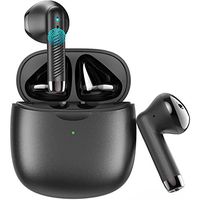
Bluetooth Earphones,Yinyoo IPX8 Waterproof True Wireless Headphones Blutooth 5.0 TWS in-Ear Earbuds Mini Headset 120H Playtime 3D Stereo Sound Sport Earpiece with Mic and Portable Charging Case
Current Price
$39.99
Average
$39.99
Min Price
$39.99
Max Price
$39.99
Description
Features:
True Wireless Earbuds, Yinyoo Wireless Bluetooth Earbuds in-Ear Stereo IPX8 Waterproof Bluetooth Headphones TWS Wireless Earphones (Bluetooth 5.0, Built-in Mic, Stereo Calls)
Before use the product please read the manual carefully and keep it properly.
Bluetooth pairing:
A.The earbuds will now power on automatically once you take them out of the case.
B.Put the L and R earbuds into your ears. The L and R earbud will find each other and pair. Next, the tone "connected" will be heard.
C.When the two earbuds successfully pair, the tone "Left channel, Right channel" will be heard Activate Bluetooth on your phone. On the device list, connect to the "Touch Two C5" and then the tone second device connected will be heard.
How to use the single ear:Take out the single earbud from the charging box to enter the red and blue lights alternately which is connection succeeded. If the Bluetooth device name is not found, touch the surface twice to search and connected.
Touch Functions:
Next: Double click on the right ear touch surface.
Volume reduction:Long press 2S of right ear surface.
Shut down:Long press left ear touch area for 4S.
Volume increase:Long press left ear touch area for 2S.
Activate voice assistant:Continuously click the touch panel three Times.
Call function:Click once on the touch surface to answer or hang up the phone.
Reject the call:Double click on the touch surface.
Play or pause musicClick once on the touch area.
Specification:
Bluetooth version: V5.0
→Impedance:32Ω
→Speaker sensitivity: 105db
→Playtime: 6H
→Standby time: 80H
→Operation frequency: 20HZ-20KHZ
→Operation sensitivity: -42dB±2dB
→Earbud working range: 10M
→Compatible : A2DP/HFP/HSP/AVRCP
True Wireless Earbuds, Yinyoo Wireless Bluetooth Earbuds in-Ear Stereo IPX8 Waterproof Bluetooth Headphones TWS Wireless Earphones (Bluetooth 5.0, Built-in Mic, Stereo Calls)
Before use the product please read the manual carefully and keep it properly.
Bluetooth pairing:
A.The earbuds will now power on automatically once you take them out of the case.
B.Put the L and R earbuds into your ears. The L and R earbud will find each other and pair. Next, the tone "connected" will be heard.
C.When the two earbuds successfully pair, the tone "Left channel, Right channel" will be heard Activate Bluetooth on your phone. On the device list, connect to the "Touch Two C5" and then the tone second device connected will be heard.
How to use the single ear:Take out the single earbud from the charging box to enter the red and blue lights alternately which is connection succeeded. If the Bluetooth device name is not found, touch the surface twice to search and connected.
Touch Functions:
Next: Double click on the right ear touch surface.
Volume reduction:Long press 2S of right ear surface.
Shut down:Long press left ear touch area for 4S.
Volume increase:Long press left ear touch area for 2S.
Activate voice assistant:Continuously click the touch panel three Times.
Call function:Click once on the touch surface to answer or hang up the phone.
Reject the call:Double click on the touch surface.
Play or pause musicClick once on the touch area.
Specification:
Bluetooth version: V5.0
→Impedance:32Ω
→Speaker sensitivity: 105db
→Playtime: 6H
→Standby time: 80H
→Operation frequency: 20HZ-20KHZ
→Operation sensitivity: -42dB±2dB
→Earbud working range: 10M
→Compatible : A2DP/HFP/HSP/AVRCP
Price will be lower
in next 2 weeks
in next 2 weeks
According to the data, price will be lower in next two weeks, so not waste your money and track better price!
Product review & video
hey guys digital David its I'm excited to be unboxing or viewing for you also wireless earbuds right here they do connect via bluetooth so this is really cool I did receive these products to review my channel but any opinion expressed in this video is truly my own so that being said this is feel the music it's the tws dual ear training wireless earbuds and this is how they come packaged tree from amazon go ahead I'll throw a link in my video scription below go ahead check it out let me know what you think you can go see photos read some more tech details on these earbuds from Amazon and see the most accurate price so these are definitely for somebody that's on a budget and they're really cool so it's wireless earbuds seriously no ear no wire between the two buds it's truly wireless so they sync to each other than they seem to your phone and it has that charging case built-in which is re


Similar products