- HomeToys & GamesHobbiesRemote & App Controlled Vehicles & PartsRemote & App Controlled VehiclesQuadcopters & Multirotors
Description
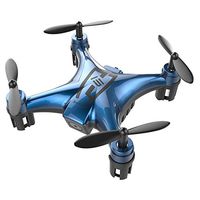
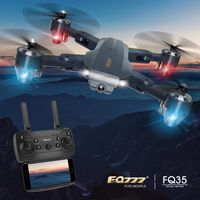
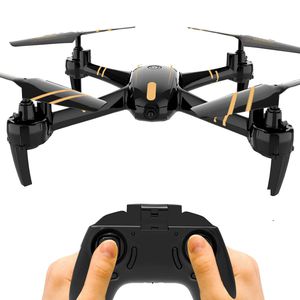
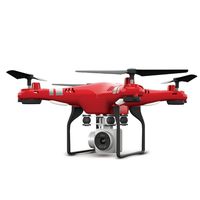
Maxxrace long time flying Quadcopter drone 2.4GHz 6-axis gyro 4 channels Quadcopter beat choice for drone training> features: 2.4GHz technology adopted for anti-interference
6-axis gyro stabilization system enables the drone to flip and role by a simple push of the button
3 speed mode for beginners to more advanced pilots
night light mode to make the quad a great night flyerdrone battery: built-in Li-Po battery
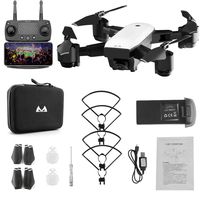
package Content
1× Quadcopter.
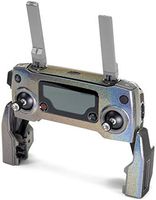
1×controller.
1×usb charger.
1×built-in battery.
4×propeller protector
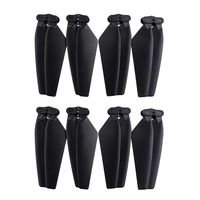
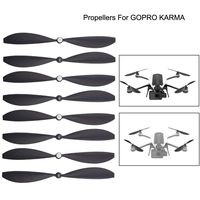
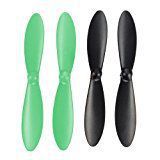
4×spare propellers
1×screw driver.
1×user manual
please note:
1. Ensure batteries are fully charged, No defects on propellers; connect the battery to the drone, The LED lights flash quickly then slow down within seconds.
2. Make sure the drone is put on a flat surface.
3. Paring: turn on the controller, The indicator flashes slowly. Push the left stick up and down, the indicator and LED lights turn to still simultaneously, then Paring is succeeded.
4. Calibration: push both control sticks to the right bottom and hold them on, the LED lights flash and stop within seconds, calibration is done.
6-axis gyro stabilization system enables the drone to flip and role by a simple push of the button
3 speed mode for beginners to more advanced pilots
night light mode to make the quad a great night flyer
package Content
1× Quadcopter.
1×controller.
1×usb charger.
1×built-in battery.
4×propeller protector
4×spare propellers
1×screw driver.
1×user manual
please note:
1. Ensure batteries are fully charged, No defects on propellers; connect the battery to the drone, The LED lights flash quickly then slow down within seconds.
2. Make sure the drone is put on a flat surface.
3. Paring: turn on the controller, The indicator flashes slowly. Push the left stick up and down, the indicator and LED lights turn to still simultaneously, then Paring is succeeded.
4. Calibration: push both control sticks to the right bottom and hold them on, the LED lights flash and stop within seconds, calibration is done.
GILOBABY RC Quadcopter Drone 2.4Ghz 4CH 6-Axis Gyro, Night Light Mode, 12-15 Min Long Time Flying, One-Key Return, Headless Mode, Altitude Hold, 3D Flips, Good for Beginners, Adults & Kids
Price is below average
Current Price
$45.99
Average
$48.1
Min Price
$45.99
Max Price
$49.99
Price dynamics
4%
Description
Maxxrace long time flying Quadcopter drone 2.4GHz 6-axis gyro 4 channels Quadcopter beat choice for drone training> features: 2.4GHz technology adopted for anti-interference
6-axis gyro stabilization system enables the drone to flip and role by a simple push of the button
3 speed mode for beginners to more advanced pilots
night light mode to make the quad a great night flyerdrone battery: built-in Li-Po battery
package Content
1× Quadcopter.
1×controller.
1×usb charger.
1×built-in battery.
4×propeller protector
4×spare propellers
1×screw driver.
1×user manual
please note:
1. Ensure batteries are fully charged, No defects on propellers; connect the battery to the drone, The LED lights flash quickly then slow down within seconds.
2. Make sure the drone is put on a flat surface.
3. Paring: turn on the controller, The indicator flashes slowly. Push the left stick up and down, the indicator and LED lights turn to still simultaneously, then Paring is succeeded.
4. Calibration: push both control sticks to the right bottom and hold them on, the LED lights flash and stop within seconds, calibration is done.
6-axis gyro stabilization system enables the drone to flip and role by a simple push of the button
3 speed mode for beginners to more advanced pilots
night light mode to make the quad a great night flyer
package Content
1× Quadcopter.
1×controller.
1×usb charger.
1×built-in battery.
4×propeller protector
4×spare propellers
1×screw driver.
1×user manual
please note:
1. Ensure batteries are fully charged, No defects on propellers; connect the battery to the drone, The LED lights flash quickly then slow down within seconds.
2. Make sure the drone is put on a flat surface.
3. Paring: turn on the controller, The indicator flashes slowly. Push the left stick up and down, the indicator and LED lights turn to still simultaneously, then Paring is succeeded.
4. Calibration: push both control sticks to the right bottom and hold them on, the LED lights flash and stop within seconds, calibration is done.
Price will be lower
in next 2 weeks
in next 2 weeks
According to the data, price will be lower in next two weeks, so not waste your money and track better price!
Similar products