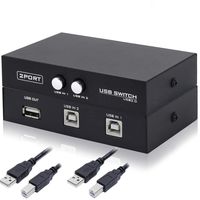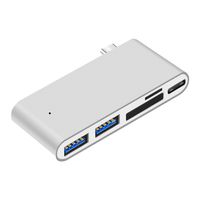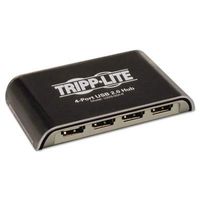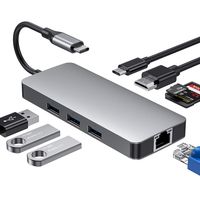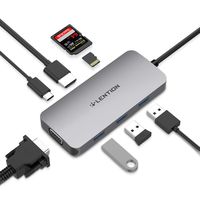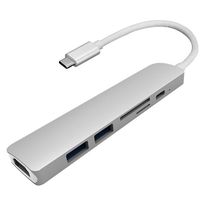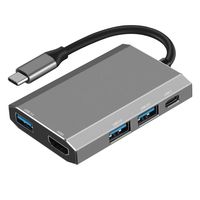
Description
Compatible Devices
PCs: MacBook Pro, MacBook, iMac 2017, Google Chromebook, Google Pixelbook, Lenovo Yoga 900 & 910
Phone: Samsung Galaxy S8
(Specifically designed for full compatibility with the above models. Compatibility for other models may vary and can't be warranted)
Note
1. The USB-C port on your computer should support video output and Power Delivery for the HDMI and Power Delivery ports to function.
2. Use your laptop's original power adapter to charge your laptop via the USB-C Power Delivery port on this hub.
3. When connecting an external hard drive or multiple devices to this hub, connect your laptop's power adapter to the USB-C Power Delivery port.
4. The hub supports a maximum of 2 hard drives (one hard drive on either side of the hub), but for best performance, the power demand of connected devices shouldn't exceed the total USB output of 5V 0.9A. Devices with high power demand such as Apple USB SuperDrive shouldn't be connected to the hub.
5. For use with the 15-inch MacBook Pro's 87W power adapter, please download the 'CB-C55 & CB-C58 & CB-C59 & CB-C60 Firmware Update for Power Delivery for 15-inch MacBook Pro' from the AUKEY website. A Windows computer with USB-C port is needed to install the firmware, but then the hub will provide full power to the 15-inch MacBook Pro.
Specifications
Model: CB-C58
Material: ABS plastic, PC
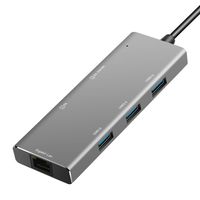
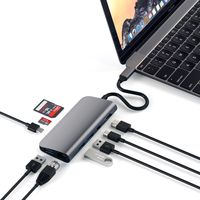
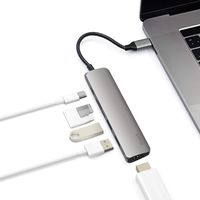
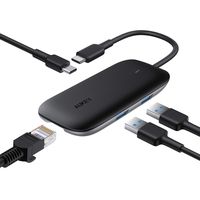
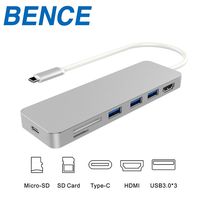
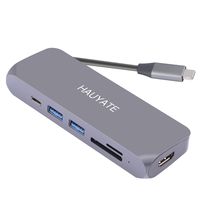
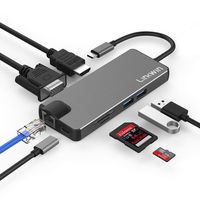
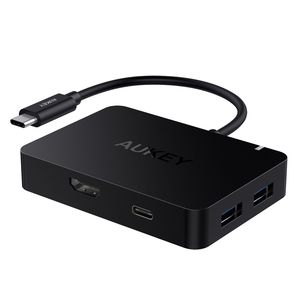
Interfaces: Four USB 3.1 Gen 1 (USB 3.0) ports, USB-C Power Delivery port, and HDMI port
Connector: USB-C
Input: DC 5-20V 3A (Support a max power of 60W to your laptop)
USB Output: DC 5V 0.9A (total)
HDMI Maximum Display Resolution: 4K@30Hz
Compatible Systems: Windows XP / 7 / 8 / 10, Mac OS, Chrome OS (Not compatible with Linux)
Cable Length: 130mm / 5.12"
Dimensions: 84 x 59 x 15mm / 3.31" x 2.32" x 0.59"
Weight: 65g / 2.3oz
PCs: MacBook Pro, MacBook, iMac 2017, Google Chromebook, Google Pixelbook, Lenovo Yoga 900 & 910
Phone: Samsung Galaxy S8
(Specifically designed for full compatibility with the above models. Compatibility for other models may vary and can't be warranted)
Note
1. The USB-C port on your computer should support video output and Power Delivery for the HDMI and Power Delivery ports to function.
2. Use your laptop's original power adapter to charge your laptop via the USB-C Power Delivery port on this hub.
3. When connecting an external hard drive or multiple devices to this hub, connect your laptop's power adapter to the USB-C Power Delivery port.
4. The hub supports a maximum of 2 hard drives (one hard drive on either side of the hub), but for best performance, the power demand of connected devices shouldn't exceed the total USB output of 5V 0.9A. Devices with high power demand such as Apple USB SuperDrive shouldn't be connected to the hub.
5. For use with the 15-inch MacBook Pro's 87W power adapter, please download the 'CB-C55 & CB-C58 & CB-C59 & CB-C60 Firmware Update for Power Delivery for 15-inch MacBook Pro' from the AUKEY website. A Windows computer with USB-C port is needed to install the firmware, but then the hub will provide full power to the 15-inch MacBook Pro.
Specifications
Model: CB-C58
Material: ABS plastic, PC
Interfaces: Four USB 3.1 Gen 1 (USB 3.0) ports, USB-C Power Delivery port, and HDMI port
Connector: USB-C
Input: DC 5-20V 3A (Support a max power of 60W to your laptop)
USB Output: DC 5V 0.9A (total)
HDMI Maximum Display Resolution: 4K@30Hz
Compatible Systems: Windows XP / 7 / 8 / 10, Mac OS, Chrome OS (Not compatible with Linux)
Cable Length: 130mm / 5.12"
Dimensions: 84 x 59 x 15mm / 3.31" x 2.32" x 0.59"
Weight: 65g / 2.3oz
AUKEY USB C Hub Adapter with 4K HDMI, 4 USB 3.0 Ports, 60W Type C Power Delivery Charging Port for MacBook Pro 2017 iMac, Google Chromebook Pixelbook
Current Price
$35.99
Average
$35.51
Min Price
$28.99
Max Price
$39.99
Price dynamics
1%
Description
Compatible Devices
PCs: MacBook Pro, MacBook, iMac 2017, Google Chromebook, Google Pixelbook, Lenovo Yoga 900 & 910
Phone: Samsung Galaxy S8
(Specifically designed for full compatibility with the above models. Compatibility for other models may vary and can't be warranted)
Note
1. The USB-C port on your computer should support video output and Power Delivery for the HDMI and Power Delivery ports to function.
2. Use your laptop's original power adapter to charge your laptop via the USB-C Power Delivery port on this hub.
3. When connecting an external hard drive or multiple devices to this hub, connect your laptop's power adapter to the USB-C Power Delivery port.
4. The hub supports a maximum of 2 hard drives (one hard drive on either side of the hub), but for best performance, the power demand of connected devices shouldn't exceed the total USB output of 5V 0.9A. Devices with high power demand such as Apple USB SuperDrive shouldn't be connected to the hub.
5. For use with the 15-inch MacBook Pro's 87W power adapter, please download the 'CB-C55 & CB-C58 & CB-C59 & CB-C60 Firmware Update for Power Delivery for 15-inch MacBook Pro' from the AUKEY website. A Windows computer with USB-C port is needed to install the firmware, but then the hub will provide full power to the 15-inch MacBook Pro.
Specifications
Model: CB-C58
Material: ABS plastic, PC
Interfaces: Four USB 3.1 Gen 1 (USB 3.0) ports, USB-C Power Delivery port, and HDMI port
Connector: USB-C
Input: DC 5-20V 3A (Support a max power of 60W to your laptop)
USB Output: DC 5V 0.9A (total)
HDMI Maximum Display Resolution: 4K@30Hz
Compatible Systems: Windows XP / 7 / 8 / 10, Mac OS, Chrome OS (Not compatible with Linux)
Cable Length: 130mm / 5.12"
Dimensions: 84 x 59 x 15mm / 3.31" x 2.32" x 0.59"
Weight: 65g / 2.3oz
PCs: MacBook Pro, MacBook, iMac 2017, Google Chromebook, Google Pixelbook, Lenovo Yoga 900 & 910
Phone: Samsung Galaxy S8
(Specifically designed for full compatibility with the above models. Compatibility for other models may vary and can't be warranted)
Note
1. The USB-C port on your computer should support video output and Power Delivery for the HDMI and Power Delivery ports to function.
2. Use your laptop's original power adapter to charge your laptop via the USB-C Power Delivery port on this hub.
3. When connecting an external hard drive or multiple devices to this hub, connect your laptop's power adapter to the USB-C Power Delivery port.
4. The hub supports a maximum of 2 hard drives (one hard drive on either side of the hub), but for best performance, the power demand of connected devices shouldn't exceed the total USB output of 5V 0.9A. Devices with high power demand such as Apple USB SuperDrive shouldn't be connected to the hub.
5. For use with the 15-inch MacBook Pro's 87W power adapter, please download the 'CB-C55 & CB-C58 & CB-C59 & CB-C60 Firmware Update for Power Delivery for 15-inch MacBook Pro' from the AUKEY website. A Windows computer with USB-C port is needed to install the firmware, but then the hub will provide full power to the 15-inch MacBook Pro.
Specifications
Model: CB-C58
Material: ABS plastic, PC
Interfaces: Four USB 3.1 Gen 1 (USB 3.0) ports, USB-C Power Delivery port, and HDMI port
Connector: USB-C
Input: DC 5-20V 3A (Support a max power of 60W to your laptop)
USB Output: DC 5V 0.9A (total)
HDMI Maximum Display Resolution: 4K@30Hz
Compatible Systems: Windows XP / 7 / 8 / 10, Mac OS, Chrome OS (Not compatible with Linux)
Cable Length: 130mm / 5.12"
Dimensions: 84 x 59 x 15mm / 3.31" x 2.32" x 0.59"
Weight: 65g / 2.3oz
Price will be lower
in next 2 weeks
in next 2 weeks
According to the data, price will be lower in next two weeks, so not waste your money and track better price!
Product review & video
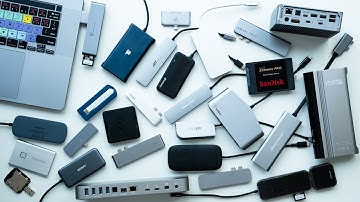
hey folks back in 2017 I did an epic USBC comparison looking at over 20 different hubs to see which had the fastest transfer speeds and which was the most stable now a lot has changed in those last few years so I've gotten in a new batch of the current models to see what are your best options today take control of your online experience with Nord VPN go to Nord VPN comm four slash Matt Granger and you can get 70% off their three year plan we use Nord VPN on all of our different devices in the studio and at home computers and phones and it allows you to access geographically restricted content on all of your favorite streaming services as well as staying anonymous whilst you're browsing Nord have over 5,000 different servers around the world and the number is always rising so visit Nord BPM comm forward slash Matt Granger for their best current deal and use the code Matt Granger to get a

Similar products