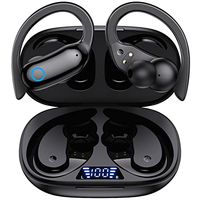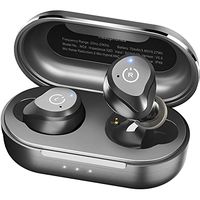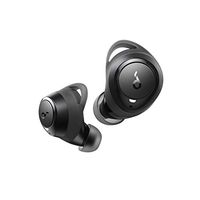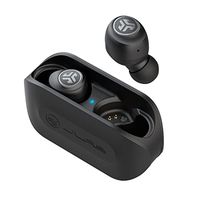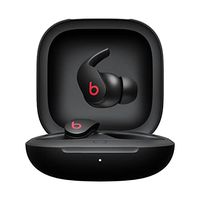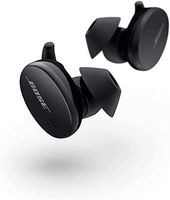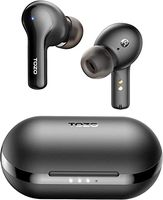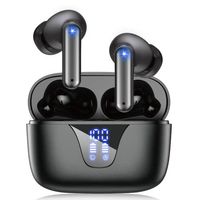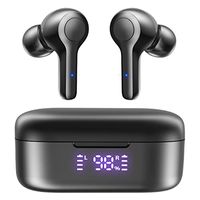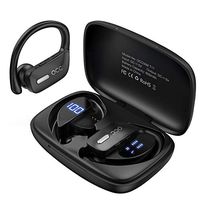
Description
First Pairing
First step - Open the charging case,long-press the multi-function button respectively, click any one of the earphones, the two earphones can be paired quickly.
Second step-turn on the blutooth of your phone and choose "Hi".
After First Pairing
Put the earphones in the charing case, click the charing button of charing box.
Then open the charing box to take out the earphones, they will be turned on and reconnected automatically.
How to do if only one earphone has sound or the other earphone does not be connected?
Firstly, long-press the multi-function button to turn on the earphones, press the multi-function button for three times,the earphones will be turned down automatically.
Secondly, put the two earphones back into the charing box, close the the cover, click the charing button of charing box, clear the pairing imformation.
Restart the earphones and turn on the Bluetooth of phone for Bluetooth pairing.
Package Included:
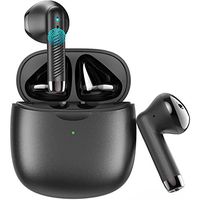
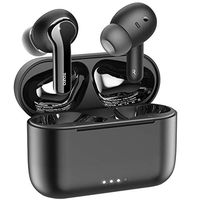
1 x Bluedio True Wireless Bluetooth Earphones
1 x Charging Case
4 x Interchangeable Ear Tips
1 x User Manual
1 x USB Charging Cable
First step - Open the charging case,long-press the multi-function button respectively, click any one of the earphones, the two earphones can be paired quickly.
Second step-turn on the blutooth of your phone and choose "Hi".
After First Pairing
Put the earphones in the charing case, click the charing button of charing box.
Then open the charing box to take out the earphones, they will be turned on and reconnected automatically.
How to do if only one earphone has sound or the other earphone does not be connected?
Firstly, long-press the multi-function button to turn on the earphones, press the multi-function button for three times,the earphones will be turned down automatically.
Secondly, put the two earphones back into the charing box, close the the cover, click the charing button of charing box, clear the pairing imformation.
Restart the earphones and turn on the Bluetooth of phone for Bluetooth pairing.
Package Included:
1 x Bluedio True Wireless Bluetooth Earphones
1 x Charging Case
4 x Interchangeable Ear Tips
1 x User Manual
1 x USB Charging Cable
Bluedio True Wireless Earbuds, TWS Bluetooth Earbuds Headphones with Charging Case, Wireless Earbuds Headset Built-in Mic with Face Recognition for Sports Running Cell Phone Android IOS, 5Hrs Playtime
Price is below average
Current Price
$17.99
Average
$18.66
Min Price
$17.99
Max Price
$19.99
Price dynamics
4%
Description
First Pairing
First step - Open the charging case,long-press the multi-function button respectively, click any one of the earphones, the two earphones can be paired quickly.
Second step-turn on the blutooth of your phone and choose "Hi".
After First Pairing
Put the earphones in the charing case, click the charing button of charing box.
Then open the charing box to take out the earphones, they will be turned on and reconnected automatically.
How to do if only one earphone has sound or the other earphone does not be connected?
Firstly, long-press the multi-function button to turn on the earphones, press the multi-function button for three times,the earphones will be turned down automatically.
Secondly, put the two earphones back into the charing box, close the the cover, click the charing button of charing box, clear the pairing imformation.
Restart the earphones and turn on the Bluetooth of phone for Bluetooth pairing.
Package Included:
1 x Bluedio True Wireless Bluetooth Earphones
1 x Charging Case
4 x Interchangeable Ear Tips
1 x User Manual
1 x USB Charging Cable
First step - Open the charging case,long-press the multi-function button respectively, click any one of the earphones, the two earphones can be paired quickly.
Second step-turn on the blutooth of your phone and choose "Hi".
After First Pairing
Put the earphones in the charing case, click the charing button of charing box.
Then open the charing box to take out the earphones, they will be turned on and reconnected automatically.
How to do if only one earphone has sound or the other earphone does not be connected?
Firstly, long-press the multi-function button to turn on the earphones, press the multi-function button for three times,the earphones will be turned down automatically.
Secondly, put the two earphones back into the charing box, close the the cover, click the charing button of charing box, clear the pairing imformation.
Restart the earphones and turn on the Bluetooth of phone for Bluetooth pairing.
Package Included:
1 x Bluedio True Wireless Bluetooth Earphones
1 x Charging Case
4 x Interchangeable Ear Tips
1 x User Manual
1 x USB Charging Cable
Price will be lower
in next 2 weeks
in next 2 weeks
According to the data, price will be lower in next two weeks, so not waste your money and track better price!
Product review & video
hey Doc your OS reviews here watching our hands-on review of the blue do hi hurricane these are two WS true wireless Yurbuds which have a value price tag it sells for as low as fifteen dollars with shipping included that's one of the lowest prices I'd seen out of NE tws pair of earbuds on the market it's almost 50% cheaper than even the already affordable xiaomi redmi err dots and from a brand babuji oh that's at least somewhat recognizable it's quite surprising they've taken a super value oriented approach by trying to undercut the price as much as possible just a few months back we checked out the blue do t-- elf which were already really cheap at around $35 or so and they sounded pretty decent for the money and now this is again half of that price at only fifteen dollars which is pretty insane first a closer look at some of its technical specifications it claims to get you about 20 h


Similar products