Description
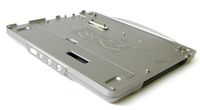
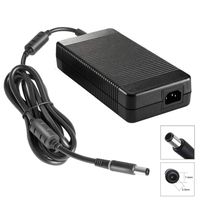
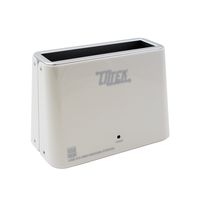
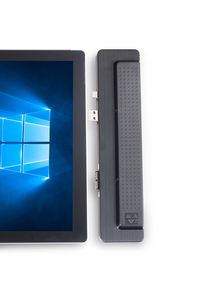
A Patented Microsoft Surface PRO 4 compatible Integrated docking unit from eTauro. Officially named "DUCGe4" that stands for DisplayPort, USB3 hub, Charger and Gigabit ethernet for Surface PRO 4. A highly engineered and very portable alternative to your Microsoft dock. Weighing at only 3.17 ounces, it fits perfectly on your PRO 4 for an integrated look. Featuring "Sign of Life" to give early visual indication your PRO 4 is ON instead of waiting for the screen to boot up. When powering off the PRO 4, hold the power button down until the "Sign of Life" LED is OFF to ensure complete shutdown. The side mounted design does not restrict PRO 4 viewing angle. In fact the PRO 4 can be laid flat with DUCGe4 to create a perfectly flat surface for drawing application. It also features "Bus power" mode where no external power is needed for the DisplayPort, the USB3.0 ports, and the Gigabit ethernet to work. The "Bus power" mode is perfect for mobile application. When an AC adapter is plugged in, it will charge the PRO 4 as well as supplying plenty of power to all your attached USB devices. Use the new "JUMP START" circuit to wake up a deeply discharge battery. The gigabit port will provide a fast and stable network connection many IT professionals want. Our unique design of eTauro DUCGe4 has a standard 2.1mm barrel DC connection to take power from any 36W+ laptop AC adapter with 12V to 16V DC output. This package will include our new portable power pack, a 36W supply, you can charge your PRO 4 from any standard electrical outlet. Leave your Microsoft dock at home but take the "DUCGe" out. Guarantee to work and fit your PRO 4 or return for exchange within 30 days. Please ask us or write to us on how to save SSD capacity on your PRO 4 as well as how to configure dual monitor set up using DisplayPort and DisplayLink technologies. Complimentary TECHNICAL SUPPORT for your PRO 4 issues to make sure you are 100% satisfied with your purchase.
eTauro Compatible with Surface PRO/PRO4 Docking Station. DisplayPort, USB3, Charger, Gigabit Ethernet DUCGe4
Current Price
$99
Average
$99
Min Price
$99
Max Price
$99
Description
A Patented Microsoft Surface PRO 4 compatible Integrated docking unit from eTauro. Officially named "DUCGe4" that stands for DisplayPort, USB3 hub, Charger and Gigabit ethernet for Surface PRO 4. A highly engineered and very portable alternative to your Microsoft dock. Weighing at only 3.17 ounces, it fits perfectly on your PRO 4 for an integrated look. Featuring "Sign of Life" to give early visual indication your PRO 4 is ON instead of waiting for the screen to boot up. When powering off the PRO 4, hold the power button down until the "Sign of Life" LED is OFF to ensure complete shutdown. The side mounted design does not restrict PRO 4 viewing angle. In fact the PRO 4 can be laid flat with DUCGe4 to create a perfectly flat surface for drawing application. It also features "Bus power" mode where no external power is needed for the DisplayPort, the USB3.0 ports, and the Gigabit ethernet to work. The "Bus power" mode is perfect for mobile application. When an AC adapter is plugged in, it will charge the PRO 4 as well as supplying plenty of power to all your attached USB devices. Use the new "JUMP START" circuit to wake up a deeply discharge battery. The gigabit port will provide a fast and stable network connection many IT professionals want. Our unique design of eTauro DUCGe4 has a standard 2.1mm barrel DC connection to take power from any 36W+ laptop AC adapter with 12V to 16V DC output. This package will include our new portable power pack, a 36W supply, you can charge your PRO 4 from any standard electrical outlet. Leave your Microsoft dock at home but take the "DUCGe" out. Guarantee to work and fit your PRO 4 or return for exchange within 30 days. Please ask us or write to us on how to save SSD capacity on your PRO 4 as well as how to configure dual monitor set up using DisplayPort and DisplayLink technologies. Complimentary TECHNICAL SUPPORT for your PRO 4 issues to make sure you are 100% satisfied with your purchase.
Price will be lower
in next 2 weeks
in next 2 weeks
According to the data, price will be lower in next two weeks, so not waste your money and track better price!
Product review & video
Oh today I want to show you how to use a taro Pro for dock some people have trouble inserting the dock into a surface for for here's a good way I found to attach the pro floor dock to the surface before lay them both on flat surface such as this table here line up all the connectors as you can see there are several and slide them together make sure there are no gaps in between the surface pro for the pro forward dog to ensure that it has inserted well enough a green light on top will be on show that the surface pro 4 is booting up so I'm just gonna press the power button here as you can see there wasn't a green light so that most likely means the service pro 4 is one battery so I'm just gonna get the charger usually when you plug in charger a blue light should appear since there is no blue light that must mean the surface pro 4 is completely dead so I'll just go into the back as you can


Similar products