Description
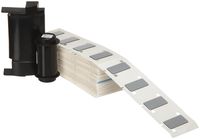
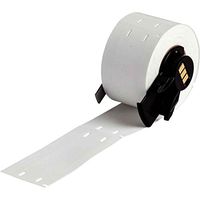
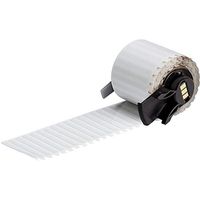
Brady B-342 Thermal Transfer / Dot Matrix Printable Nylon Cloth Label Brady's non-adhesive, printable heat shrink wire marking sleeves fit around wires or cables for maximum insulation protection and permanent identification. Brady's heat shrink sleeving is a full-circle design that provides fast and permanent wire marking. Clear, legible text can be printed on the wire and cable sleeving with a Brady printer for reliable wire identification. Brady heat shrink sleeving materials excel in extreme environments, including temperature fluctuations and environments that require abrasion and chemical resistance. Brady offers a variety of materials available to print using thermal transfer and dot matrix printers. B-342 3:1 heat shinkable sleeves for wire identification and insulation purposes are fade resistant and fire retardant. B-342 is available in white, yellow, black, red, orange, green, blue, violet, pink, gray, and brown. Material Description Print Technology: Thermal transfer and dot matrix Material Type: Irradiated polyolefin heat shrink tubing (3:1 shrink ratio) Temperature Range: -55°C (-67°F) to +135°C (+275°F) Shrink Method: Any industrial grade heat gun may be used to shrink B-342 Markers. Recommended Thermal Transfer Ribbons Thermal transfer ribbons are only needed for labels that do not have self-contained print ribbons. Brady R6600 Series for thermal transfer printing - best smear and chemical resistance Brady R4300 Series for thermal transfer printing - general purpose ribbon Brady R4502S for thermal transfer printing silver on dark colored markers Brady R6000 Series Halogen Free (previously known as R6000HF) Brady R6700 for thermal transfer printing white on dark colored markers Brady R5000 Series for dot matrix printing
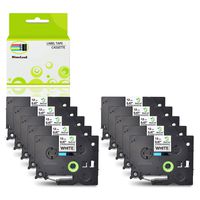
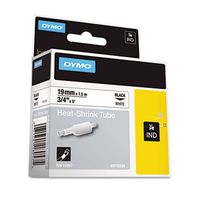
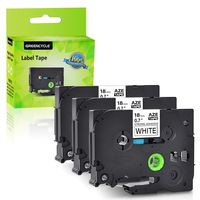
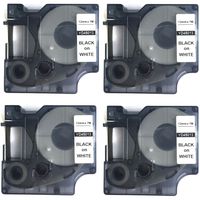
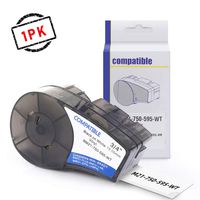
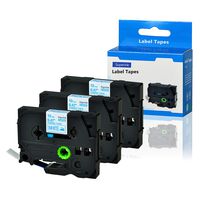
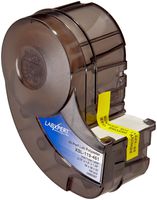
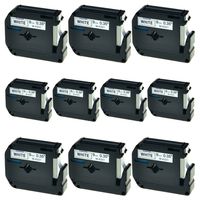
Brady PermaSleeve Heat-Shrink Polyolefin Wire Marking Sleeves (M21-125-C-342) - Black on White Sleeves - Compatible with BMP21 and BMP21-PLUS Label Printers (Тhree Pаck, Black On White)
Current Price
$249.95
Average
$249.95
Min Price
$249.95
Max Price
$249.95
Description
Brady B-342 Thermal Transfer / Dot Matrix Printable Nylon Cloth Label Brady's non-adhesive, printable heat shrink wire marking sleeves fit around wires or cables for maximum insulation protection and permanent identification. Brady's heat shrink sleeving is a full-circle design that provides fast and permanent wire marking. Clear, legible text can be printed on the wire and cable sleeving with a Brady printer for reliable wire identification. Brady heat shrink sleeving materials excel in extreme environments, including temperature fluctuations and environments that require abrasion and chemical resistance. Brady offers a variety of materials available to print using thermal transfer and dot matrix printers. B-342 3:1 heat shinkable sleeves for wire identification and insulation purposes are fade resistant and fire retardant. B-342 is available in white, yellow, black, red, orange, green, blue, violet, pink, gray, and brown. Material Description Print Technology: Thermal transfer and dot matrix Material Type: Irradiated polyolefin heat shrink tubing (3:1 shrink ratio) Temperature Range: -55°C (-67°F) to +135°C (+275°F) Shrink Method: Any industrial grade heat gun may be used to shrink B-342 Markers. Recommended Thermal Transfer Ribbons Thermal transfer ribbons are only needed for labels that do not have self-contained print ribbons. Brady R6600 Series for thermal transfer printing - best smear and chemical resistance Brady R4300 Series for thermal transfer printing - general purpose ribbon Brady R4502S for thermal transfer printing silver on dark colored markers Brady R6000 Series Halogen Free (previously known as R6000HF) Brady R6700 for thermal transfer printing white on dark colored markers Brady R5000 Series for dot matrix printing
Price will be lower
in next 2 weeks
in next 2 weeks
According to the data, price will be lower in next two weeks, so not waste your money and track better price!
Product review & video
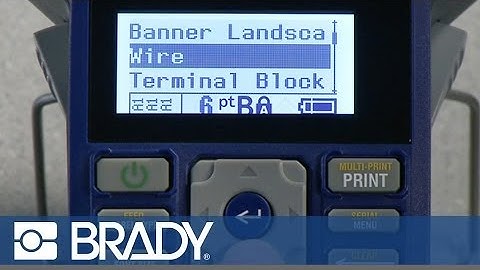
Insert a nylon label cartridge into the BMP21. Press label type, use the down arrow to move
to wire, once on wire press enter. Choose the wire gauge using the up and down
arrows to scroll through the list. Select the appropriate wire gauge for your
application. Then press enter to accept that label type. Press font size to select your font size. If you would like the system to maximize the
font based on your legend and label size choose auto. Otherwise, use the up or down arrow to move
to your desired font size. Then press enter. Type in your legend. You are now ready to print. If you desire labels for both ends of the
cable, select the multi-print button by pressing the function key and then the print key. The printer will ask you how many copies you
want. You can either use the right arrow key to
increase the number to two, or you can type in the number two and press enter. The printe