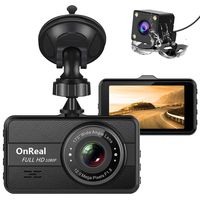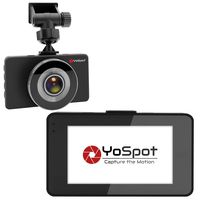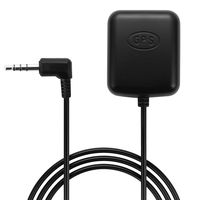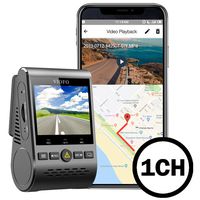
Description
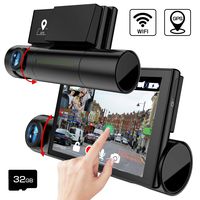
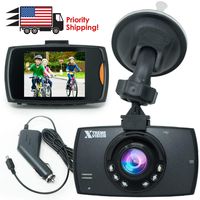
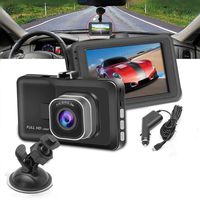
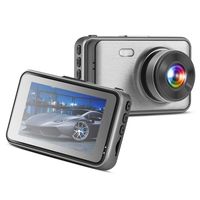
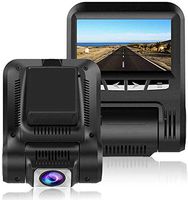
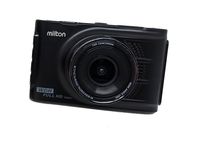
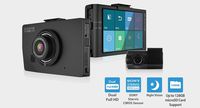
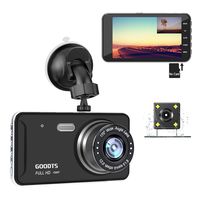
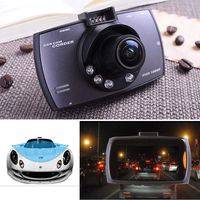
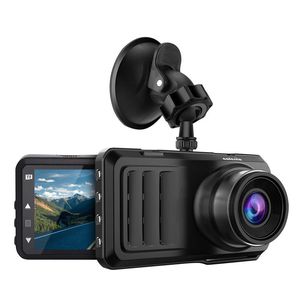
Car Dash Cam,Caferria 1296P HD Car Video Driving Recorder,3 Inch IPS LCD Screen Dash Cam
Four Mainly Function:
1.Devices Connected to Computers:
Connected to computer via USB,there are three modes:
Mass Storage: Can read and write a variety of data in the memory card, including the locked video files.
PC Camera: Can be used as a PC camera, real-time network video chat.
Recording Mode: The device can be powered by USB data cable.
2.Motion Detection:
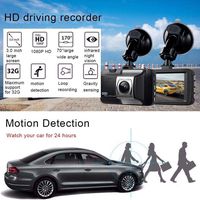
When the object moves in front of the lens, it will automatically start recording,usually set to 30 seconds.
3.Parking Monitor: (optional)
Parking monitor function make the dash recorder camera turn on automatically when there is an unusual movement around or in your car so the evidence saved.
Dash Cam Specifications:
LCD Screen: 3 inch IPS,1296P Display
Language:Support multi-languages
Continuous Loop Recording: 1/3/5 mins
Memory Card: TF(Max 32GB,above CLASS10))
File Format: MOV
Photo Format: JPEG
Camera Quality: 1M/2M/5M/8M
Power Interfece: 5V 2A
USB Function: USB-Disk/PC Camera
ADAS:Track offset,collision warning
Notes:
1.Due to the video storage requires a high-speed card, so that it must be above CLASS10!
2.In order to protect the video files in case of emergency, the locked video files will not be overwritten by other files.
3.When the memory card is filled with lock file, we will be prompted to wrong information.
4.You can not delete the locked file,you can use the following methods:
A. First unlock and then delete
B. Format the memory card to clear these files
C. Connect to computer to delete these files
Four Mainly Function:
1.Devices Connected to Computers:
Connected to computer via USB,there are three modes:
Mass Storage: Can read and write a variety of data in the memory card, including the locked video files.
PC Camera: Can be used as a PC camera, real-time network video chat.
Recording Mode: The device can be powered by USB data cable.
2.Motion Detection:
When the object moves in front of the lens, it will automatically start recording,usually set to 30 seconds.
3.Parking Monitor: (optional)
Parking monitor function make the dash recorder camera turn on automatically when there is an unusual movement around or in your car so the evidence saved.
Dash Cam Specifications:
LCD Screen: 3 inch IPS,1296P Display
Language:Support multi-languages
Continuous Loop Recording: 1/3/5 mins
Memory Card: TF(Max 32GB,above CLASS10))
File Format: MOV
Photo Format: JPEG
Camera Quality: 1M/2M/5M/8M
Power Interfece: 5V 2A
USB Function: USB-Disk/PC Camera
ADAS:Track offset,collision warning
Notes:
1.Due to the video storage requires a high-speed card, so that it must be above CLASS10!
2.In order to protect the video files in case of emergency, the locked video files will not be overwritten by other files.
3.When the memory card is filled with lock file, we will be prompted to wrong information.
4.You can not delete the locked file,you can use the following methods:
A. First unlock and then delete
B. Format the memory card to clear these files
C. Connect to computer to delete these files
Caferria Dash Cam 1296P FHD Dashboard Car Camera DVR Driving Recorder 3" LCD Screen 170°Wide Angle, G-Sensor, Night Vision, WDR, Parking Monitor, Loop Recording, Motion Detection
Current Price
$42.99
Average
$41.8
Min Price
$29.99
Max Price
$59.99
Price dynamics
3%
Description
Car Dash Cam,Caferria 1296P HD Car Video Driving Recorder,3 Inch IPS LCD Screen Dash Cam
Four Mainly Function:
1.Devices Connected to Computers:
Connected to computer via USB,there are three modes:
Mass Storage: Can read and write a variety of data in the memory card, including the locked video files.
PC Camera: Can be used as a PC camera, real-time network video chat.
Recording Mode: The device can be powered by USB data cable.
2.Motion Detection:
When the object moves in front of the lens, it will automatically start recording,usually set to 30 seconds.
3.Parking Monitor: (optional)
Parking monitor function make the dash recorder camera turn on automatically when there is an unusual movement around or in your car so the evidence saved.
Dash Cam Specifications:
LCD Screen: 3 inch IPS,1296P Display
Language:Support multi-languages
Continuous Loop Recording: 1/3/5 mins
Memory Card: TF(Max 32GB,above CLASS10))
File Format: MOV
Photo Format: JPEG
Camera Quality: 1M/2M/5M/8M
Power Interfece: 5V 2A
USB Function: USB-Disk/PC Camera
ADAS:Track offset,collision warning
Notes:
1.Due to the video storage requires a high-speed card, so that it must be above CLASS10!
2.In order to protect the video files in case of emergency, the locked video files will not be overwritten by other files.
3.When the memory card is filled with lock file, we will be prompted to wrong information.
4.You can not delete the locked file,you can use the following methods:
A. First unlock and then delete
B. Format the memory card to clear these files
C. Connect to computer to delete these files
Four Mainly Function:
1.Devices Connected to Computers:
Connected to computer via USB,there are three modes:
Mass Storage: Can read and write a variety of data in the memory card, including the locked video files.
PC Camera: Can be used as a PC camera, real-time network video chat.
Recording Mode: The device can be powered by USB data cable.
2.Motion Detection:
When the object moves in front of the lens, it will automatically start recording,usually set to 30 seconds.
3.Parking Monitor: (optional)
Parking monitor function make the dash recorder camera turn on automatically when there is an unusual movement around or in your car so the evidence saved.
Dash Cam Specifications:
LCD Screen: 3 inch IPS,1296P Display
Language:Support multi-languages
Continuous Loop Recording: 1/3/5 mins
Memory Card: TF(Max 32GB,above CLASS10))
File Format: MOV
Photo Format: JPEG
Camera Quality: 1M/2M/5M/8M
Power Interfece: 5V 2A
USB Function: USB-Disk/PC Camera
ADAS:Track offset,collision warning
Notes:
1.Due to the video storage requires a high-speed card, so that it must be above CLASS10!
2.In order to protect the video files in case of emergency, the locked video files will not be overwritten by other files.
3.When the memory card is filled with lock file, we will be prompted to wrong information.
4.You can not delete the locked file,you can use the following methods:
A. First unlock and then delete
B. Format the memory card to clear these files
C. Connect to computer to delete these files
Price will be lower
in next 2 weeks
in next 2 weeks
According to the data, price will be lower in next two weeks, so not waste your money and track better price!
Product review & video
hello amazon.com it's me but whichever suit today we are coming with a side-by-side comparison of a Papago dashcam which I would not recommend although there are very nice people it will suffice and this best selling rexine dashcam right there and we are going to basically go through my own humble opinion as to what I like about this rexine dashcam I talk three and also top three hints tips tricks that you should keep in mind when installing this thing now first of all as you can tell my car is off and it just shut off right there that's because it has that 30-second delay shut off absolutely essential for a dashcam not a lot of dash cams have that the delay shut off is so magnificent because a lot of accidents can actually occur when you shut the car off or let's say someone says turn off your car at thinking that it will turn off the dash cam in the dash can see continues to record gr

Similar products