Description
Notes:
1. Please keep or use it under normal temperature.
2. Do not throw it away casually or put it into t fire.
3. Do not disassemble, repair or modify it by your yourself.
4. Do not use harsh chemicals strong detergents to clean the earphone. 5. Do not use the earphone during a thunderstorm.
I、Stereo Mode:
The earphones can be automatically power on and paired when they are taken out of the charging box(Voice prompt # Power on, Ready to pair, Paring completed #). At this time, activate the mobile phone Bluetooth to search #GL019#(Voice prompt # Device connected #).
II、Mono Mode:
The earphone can be automatically power on and paired when it is taken out of the charging box(Voice prompt # Power on, Ready to pair, Paring completed #). At this time, activate the mobile phone Bluetooth to search #GL019 #(Voice prompt # Device connected #)
Notes:
If the earphone is not taken out from the charging box, long-press the MFB button for about 3 seconds to power on, and then activate the mobile phone Bluetooth to search #GL019 #.
If the earphones cannot pair each other:
In power-off mode, press and hold the two earphones MFB button for about 12 seconds simultaneously (At the same time, the light indicates: blue light on - red and blue lights are alternately flashing- red light on). Then put the earphones to the charging box, they can pair each other when taken out.
1. Please keep or use it under normal temperature.
2. Do not throw it away casually or put it into t fire.
3. Do not disassemble, repair or modify it by your yourself.
4. Do not use harsh chemicals strong detergents to clean the earphone. 5. Do not use the earphone during a thunderstorm.
I、Stereo Mode:
The earphones can be automatically power on and paired when they are taken out of the charging box(Voice prompt # Power on, Ready to pair, Paring completed #). At this time, activate the mobile phone Bluetooth to search #GL019#(Voice prompt # Device connected #).
II、Mono Mode:
The earphone can be automatically power on and paired when it is taken out of the charging box(Voice prompt # Power on, Ready to pair, Paring completed #). At this time, activate the mobile phone Bluetooth to search #GL019 #(Voice prompt # Device connected #)
Notes:
If the earphone is not taken out from the charging box, long-press the MFB button for about 3 seconds to power on, and then activate the mobile phone Bluetooth to search #GL019 #.
If the earphones cannot pair each other:
In power-off mode, press and hold the two earphones MFB button for about 12 seconds simultaneously (At the same time, the light indicates: blue light on - red and blue lights are alternately flashing- red light on). Then put the earphones to the charging box, they can pair each other when taken out.
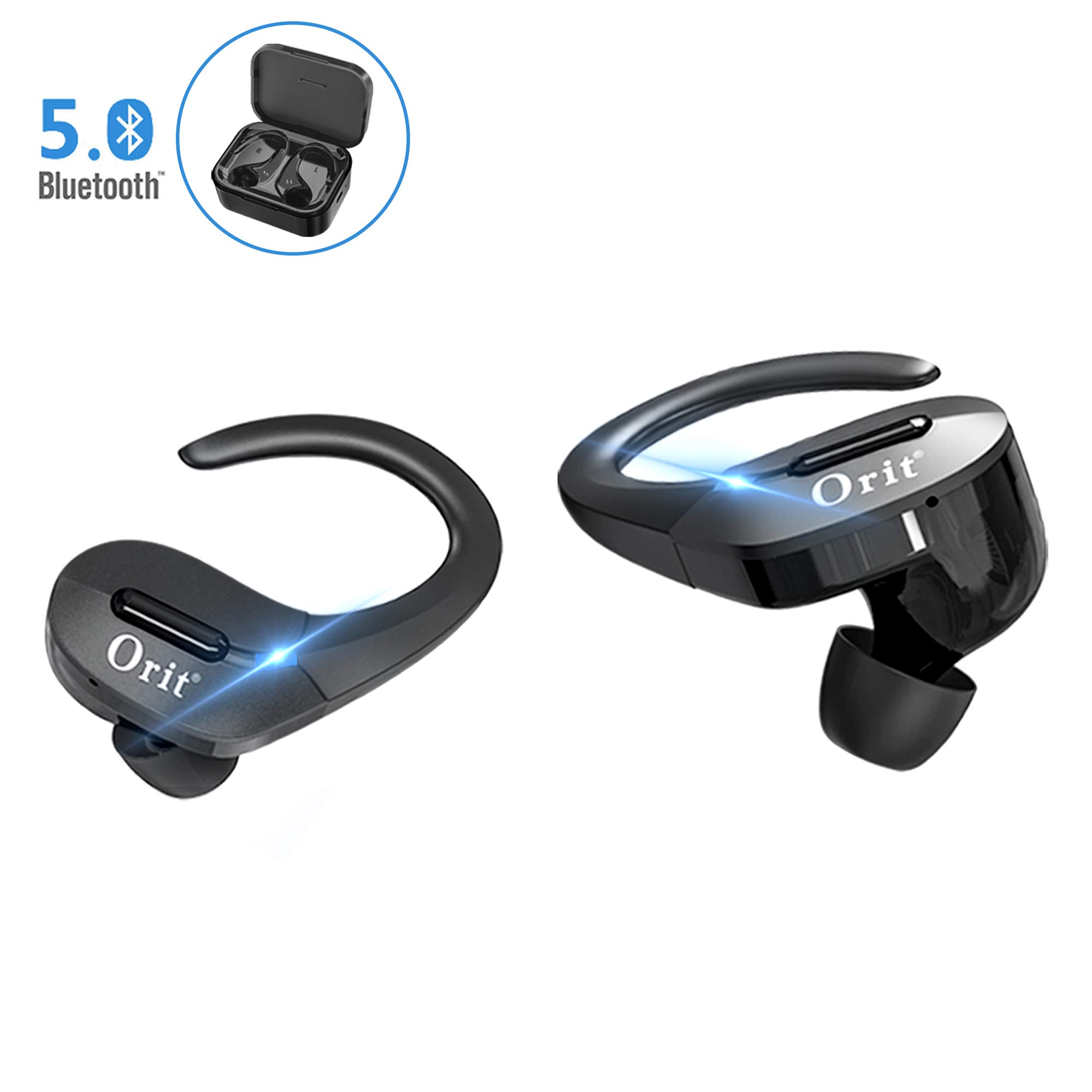
Wireless Earbuds Bluetooth 5.0, Sports Bluetooth Headphones 50H Playtime in-Ear TWS Stereo HiFi Sound Bluetooth Earbuds Wireless Earphones with Charging Case (Black)
Current Price
$53.99
Average
$53.99
Min Price
$53.99
Max Price
$53.99
Description
Notes:
1. Please keep or use it under normal temperature.
2. Do not throw it away casually or put it into t fire.
3. Do not disassemble, repair or modify it by your yourself.
4. Do not use harsh chemicals strong detergents to clean the earphone. 5. Do not use the earphone during a thunderstorm.
I、Stereo Mode:
The earphones can be automatically power on and paired when they are taken out of the charging box(Voice prompt # Power on, Ready to pair, Paring completed #). At this time, activate the mobile phone Bluetooth to search #GL019#(Voice prompt # Device connected #).
II、Mono Mode:
The earphone can be automatically power on and paired when it is taken out of the charging box(Voice prompt # Power on, Ready to pair, Paring completed #). At this time, activate the mobile phone Bluetooth to search #GL019 #(Voice prompt # Device connected #)
Notes:
If the earphone is not taken out from the charging box, long-press the MFB button for about 3 seconds to power on, and then activate the mobile phone Bluetooth to search #GL019 #.
If the earphones cannot pair each other:
In power-off mode, press and hold the two earphones MFB button for about 12 seconds simultaneously (At the same time, the light indicates: blue light on - red and blue lights are alternately flashing- red light on). Then put the earphones to the charging box, they can pair each other when taken out.
1. Please keep or use it under normal temperature.
2. Do not throw it away casually or put it into t fire.
3. Do not disassemble, repair or modify it by your yourself.
4. Do not use harsh chemicals strong detergents to clean the earphone. 5. Do not use the earphone during a thunderstorm.
I、Stereo Mode:
The earphones can be automatically power on and paired when they are taken out of the charging box(Voice prompt # Power on, Ready to pair, Paring completed #). At this time, activate the mobile phone Bluetooth to search #GL019#(Voice prompt # Device connected #).
II、Mono Mode:
The earphone can be automatically power on and paired when it is taken out of the charging box(Voice prompt # Power on, Ready to pair, Paring completed #). At this time, activate the mobile phone Bluetooth to search #GL019 #(Voice prompt # Device connected #)
Notes:
If the earphone is not taken out from the charging box, long-press the MFB button for about 3 seconds to power on, and then activate the mobile phone Bluetooth to search #GL019 #.
If the earphones cannot pair each other:
In power-off mode, press and hold the two earphones MFB button for about 12 seconds simultaneously (At the same time, the light indicates: blue light on - red and blue lights are alternately flashing- red light on). Then put the earphones to the charging box, they can pair each other when taken out.
Price will be lower
in next 2 weeks
in next 2 weeks
According to the data, price will be lower in next two weeks, so not waste your money and track better price!

Similar products