Description
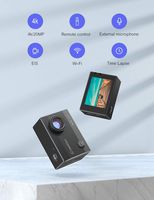
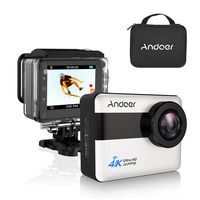
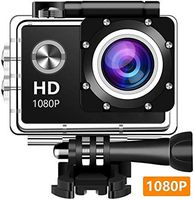
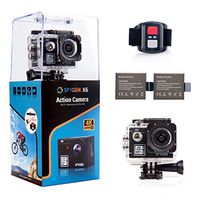
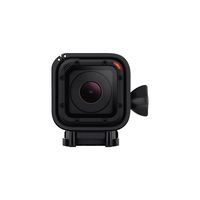
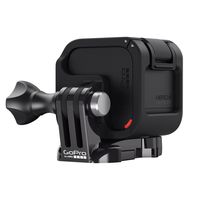
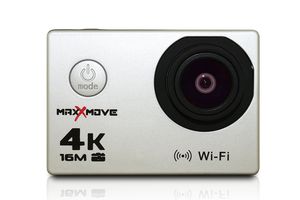
The MaxXmove Rize H4 4K Action Camera takes and records high-resolution photos and videos and is made to withstand rigorous action sport and outdoor conditions. The Rize H4 captures full 4K (3840x2160) 30 frames per second video and is equipped with a 170 Degree high-definition fisheye wide-angle lens for immersive cinema-quality footage. As a still photo camera, the Rize produces 16 megapixel shots with amazing clarity and brighter color accuracy. Built in with a 2-inch full color LCD display and Wi-Fi, the Rize delivers instant playback for all your content. With a waterproof case, the Rize can operate to depths of 100 feet. Preset with multiple video recording and photo shooting modes, the Rize can adapt for any action shooting situation. Features 4K (3840x2160) 30fps Resolution 16 Megapixel Image Resolution 2.0” Full Color LCD Display Waterproof protection up to depths of 100 feet with waterproof case 170 Degree HD Wide-angle lens 4X Digital zoom Slow motion capability Loop recording functionality White balance Multiple video recording modes - General video, Recycling video (2 min, 3 min, 5 min), Time lapse video (0.5 sec, 1 sec, 2 sec, 5 sec, 10 sec, 30 sec, 60 sec) Multiple photo shooting modes - Single shot / Self-timer (3 sec, 5 sec, 10 sec, 20 sec) / Auto shooting (3 sec, 10 sec, 15 sec, 20 sec, 30 sec) HDMI high-definition output for connecting multiple devices Wi-Fi enabled Supports Windows XP / 7 / 8 / 9 / 10 / SP3 / Vista, Mac OS 10.5 and above, iOS, and Android
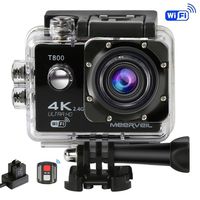
MaxXmove MXM-AC-RIZEH4-S 30fps 4K Action Camera, Silver
Price is below average
Current Price
$49
Average
$76.56
Min Price
$39
Max Price
$110
Price dynamics
36%
Description
The MaxXmove Rize H4 4K Action Camera takes and records high-resolution photos and videos and is made to withstand rigorous action sport and outdoor conditions. The Rize H4 captures full 4K (3840x2160) 30 frames per second video and is equipped with a 170 Degree high-definition fisheye wide-angle lens for immersive cinema-quality footage. As a still photo camera, the Rize produces 16 megapixel shots with amazing clarity and brighter color accuracy. Built in with a 2-inch full color LCD display and Wi-Fi, the Rize delivers instant playback for all your content. With a waterproof case, the Rize can operate to depths of 100 feet. Preset with multiple video recording and photo shooting modes, the Rize can adapt for any action shooting situation. Features 4K (3840x2160) 30fps Resolution 16 Megapixel Image Resolution 2.0” Full Color LCD Display Waterproof protection up to depths of 100 feet with waterproof case 170 Degree HD Wide-angle lens 4X Digital zoom Slow motion capability Loop recording functionality White balance Multiple video recording modes - General video, Recycling video (2 min, 3 min, 5 min), Time lapse video (0.5 sec, 1 sec, 2 sec, 5 sec, 10 sec, 30 sec, 60 sec) Multiple photo shooting modes - Single shot / Self-timer (3 sec, 5 sec, 10 sec, 20 sec) / Auto shooting (3 sec, 10 sec, 15 sec, 20 sec, 30 sec) HDMI high-definition output for connecting multiple devices Wi-Fi enabled Supports Windows XP / 7 / 8 / 9 / 10 / SP3 / Vista, Mac OS 10.5 and above, iOS, and Android
Price will be lower
in next 2 weeks
in next 2 weeks
According to the data, price will be lower in next two weeks, so not waste your money and track better price!
Product review & video
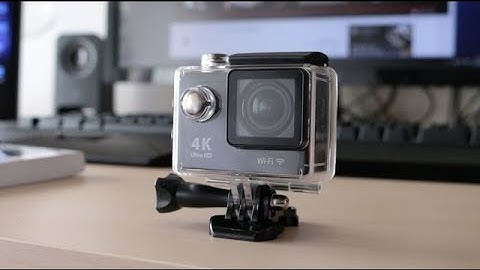
yeah you what's up guys Samuel here from Tech Journal and today I thought I'll make a video on the 4k action cam since I've been getting a lot of comments and questions like how to use it how do you connect it to the app and a lot more so this is got to be kind of like a tutorial guide on this camera so let's just jump right into it all right first things first you just bought your camera so what do you do next okay before anything you need to make sure you have a micro SD card so you can save pictures and videos once you've acquired that insert the card on the side and turn on the camera by holding the mode or power button on the front if it doesn't turn on you might want to charge it's a plug in a micro USB cable on the side to a USB power adapter or your computer and let it charge and there should be a blue indicator on once it's finish that liyan occator should go away so that's how

Similar products