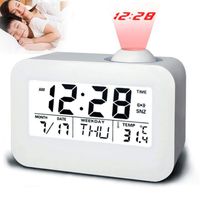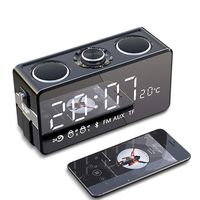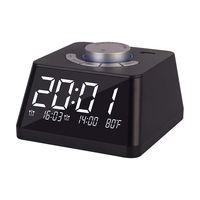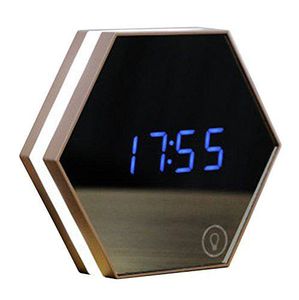
Description
How to set:
Setting The Date & Time
1.Press "SET" for 3 seconds then the "year" will flash, press "up" or "down" to set the year.
2.When you finish setting the year time, press "SET" to set the month time.
3.And then the ¡°hour¡± will flash, press "up" and "down" to set the hour time.
4.When you finish setting the hour time , press "SET" to set the minute time.
5.To save the setting, you should press "SET" when you finish the time setting.
Setting the Alarm
1.After setting the date & time, press "SET" to set the "alarm" display. It flashes and press the "SET" again, and then set the alarm time. You can set 3 different time at the same time.
2.You should see the alarm display clearly, maybe you don't want it rings on the weekends. So you can control it by setting the alarm mode.
Turn off the Alarm
You need to reset the status of the alarm clock. Just let it show the pattern described in the direction.
Brightness Setting
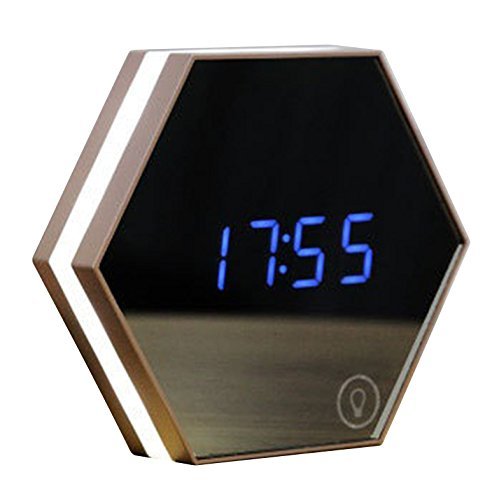
Long press "up" for 3 seconds or press the lower right corner to change the brightness. You can choose the appropriate brightness according to the light.
Notes:
1.It can set 3 alarm time every time.
2.The sound lasts for one minute every time, but you can turn it off by pressing any button.
3.When the screen flashes endlessly, it means that the built-in battery power is insufficient. You'd better to charge it and make sure not to power off
4.Use the battery replacement with wrong model may result in some explosion hazard.
Specification:
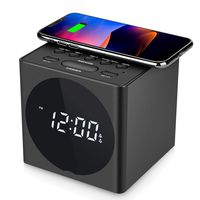
Material: glass + ABS
Product size: 13.7*13.7*3.5cm
Package size: 14.8*14.5*4.4cm
Product weight: 387g(including DC5V-USB rechargeable line*1m)
Actual weight: 240g
Input:DC5V 500mA
Package Contents:
1 x Soondar Alarm clock
1 x Rechargeable cable
1 x English manual
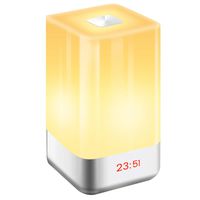
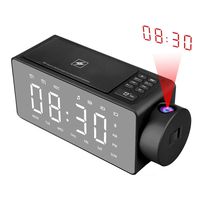
Soondar Multifunctional Travel Alarm Clock with Mirror Night Light & Temperature - Rechargeable Battery Included
Current Price
$20.99
Average
$20.99
Min Price
$20.99
Max Price
$20.99
Price dynamics
0%
Description
How to set:
Setting The Date & Time
1.Press "SET" for 3 seconds then the "year" will flash, press "up" or "down" to set the year.
2.When you finish setting the year time, press "SET" to set the month time.
3.And then the ¡°hour¡± will flash, press "up" and "down" to set the hour time.
4.When you finish setting the hour time , press "SET" to set the minute time.
5.To save the setting, you should press "SET" when you finish the time setting.
Setting the Alarm
1.After setting the date & time, press "SET" to set the "alarm" display. It flashes and press the "SET" again, and then set the alarm time. You can set 3 different time at the same time.
2.You should see the alarm display clearly, maybe you don't want it rings on the weekends. So you can control it by setting the alarm mode.
Turn off the Alarm
You need to reset the status of the alarm clock. Just let it show the pattern described in the direction.
Brightness Setting
Long press "up" for 3 seconds or press the lower right corner to change the brightness. You can choose the appropriate brightness according to the light.
Notes:
1.It can set 3 alarm time every time.
2.The sound lasts for one minute every time, but you can turn it off by pressing any button.
3.When the screen flashes endlessly, it means that the built-in battery power is insufficient. You'd better to charge it and make sure not to power off
4.Use the battery replacement with wrong model may result in some explosion hazard.
Specification:
Material: glass + ABS
Product size: 13.7*13.7*3.5cm
Package size: 14.8*14.5*4.4cm
Product weight: 387g(including DC5V-USB rechargeable line*1m)
Actual weight: 240g
Input:DC5V 500mA
Package Contents:
1 x Soondar Alarm clock
1 x Rechargeable cable
1 x English manual
Price will be lower
in next 2 weeks
in next 2 weeks
According to the data, price will be lower in next two weeks, so not waste your money and track better price!
Similar products