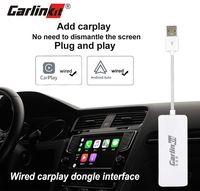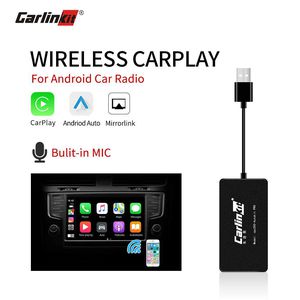
Description
How to use the product:
1. Install the Apk for the product in your Android car head unit.
2. Plug the product into the USB port of Android car head unit.
3. Pair and connect iPhone's bluetooth with car's bluetooth (iPhone supports usb cable connection too);
Android phone still need to connect by usb cable.
4. Car's screen will enter CarPlay interface.
Notice
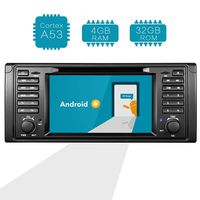
1, Original screen car does not supported, this product only works with Android system screen .
2, Install APK before purchasing; to see whether install succeed. http://121.40.123.198:8080/AutoKit/AutoKit.apk
How to install the APK in the Android car ?
Download address:http://121.40.123.198:8080/AutoKit/AutoKit.apk
-- Prepare a USB flash drive, download APK file to the USB flash drive
-- Insert the USB flash drive into the USB port of the navigation machine,find the file management menu,
select the APK file to install it. After installation, the navigation interface comes out with an icon.
-- Plug our dongle box into the USB of the navigation, then plug in your cellphone data cable
(Original factory cellphone cable would be better), wait a few seconds to connect.
Please receive the product and upgrade the apk version and dongle box version to the latest version online!
How to update this product?
1. enter CarPlay "Setting" first,
2. Chooes "Check updates",
3. and then chooes "Software version", the software upgrade version first,
4. select "Box versio" (firmware), update it.
Note: Since the compatibility of each car is different, so there is a small part of the car need to manually adjust the settings in the apk to work perfectly. For specific operations, please refer to the alternate manual. For detailed operation, you can ask the seller at any time, and the seller's after-sales team will help you solve the problem!!
1. Install the Apk for the product in your Android car head unit.
2. Plug the product into the USB port of Android car head unit.
3. Pair and connect iPhone's bluetooth with car's bluetooth (iPhone supports usb cable connection too);
Android phone still need to connect by usb cable.
4. Car's screen will enter CarPlay interface.
Notice
1, Original screen car does not supported, this product only works with Android system screen .
2, Install APK before purchasing; to see whether install succeed. http://121.40.123.198:8080/AutoKit/AutoKit.apk
How to install the APK in the Android car ?
Download address:http://121.40.123.198:8080/AutoKit/AutoKit.apk
-- Prepare a USB flash drive, download APK file to the USB flash drive
-- Insert the USB flash drive into the USB port of the navigation machine,find the file management menu,
select the APK file to install it. After installation, the navigation interface comes out with an icon.
-- Plug our dongle box into the USB of the navigation, then plug in your cellphone data cable
(Original factory cellphone cable would be better), wait a few seconds to connect.
Please receive the product and upgrade the apk version and dongle box version to the latest version online!
How to update this product?
1. enter CarPlay "Setting" first,
2. Chooes "Check updates",
3. and then chooes "Software version", the software upgrade version first,
4. select "Box versio" (firmware), update it.
Note: Since the compatibility of each car is different, so there is a small part of the car need to manually adjust the settings in the apk to work perfectly. For specific operations, please refer to the alternate manual. For detailed operation, you can ask the seller at any time, and the seller's after-sales team will help you solve the problem!!
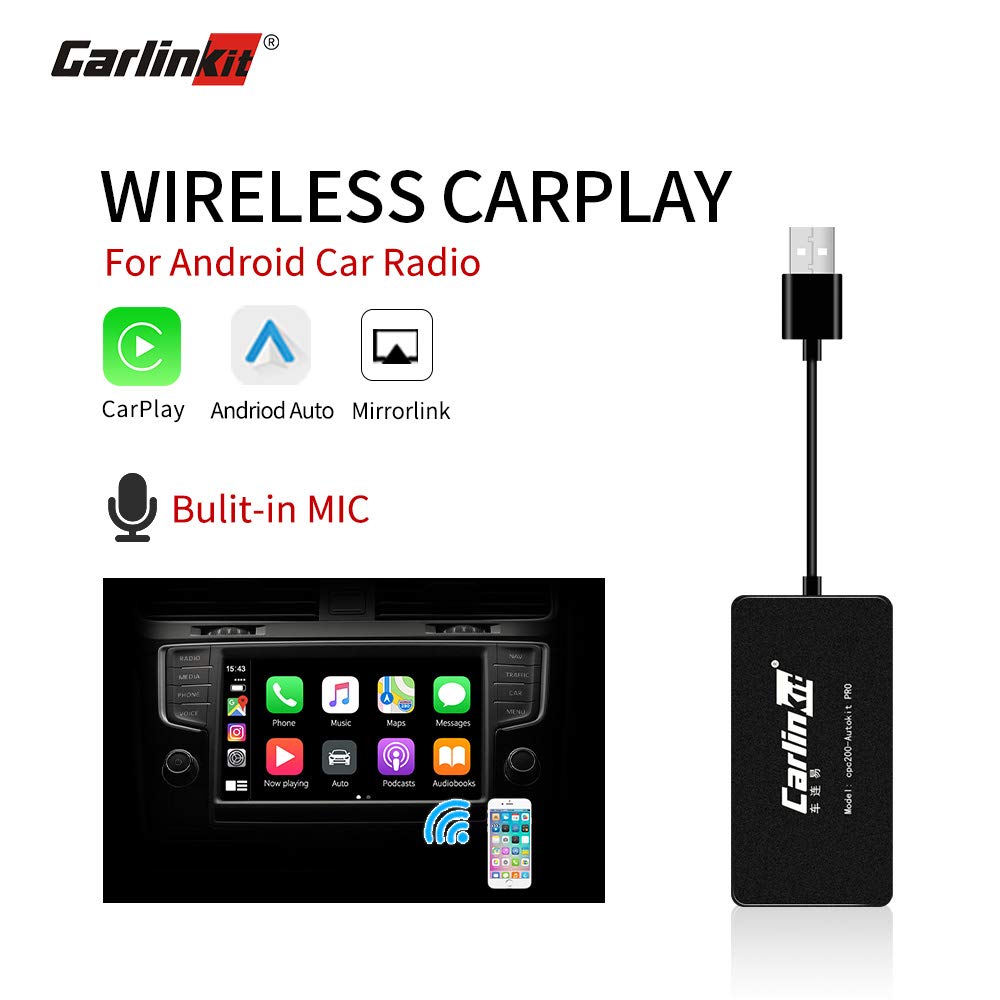
Carlinkit Wireless Carplay Dongle USB Adapter with Mic for Android Head Unit (Android Navigation Player) with Android Auto USB Smart Link, Bluetooth/Support iOS13 Split Screen/Car Stereo
Current Price
$97.99
Average
$96.17
Min Price
$79.99
Max Price
$99.99
Price dynamics
2%
Description
How to use the product:
1. Install the Apk for the product in your Android car head unit.
2. Plug the product into the USB port of Android car head unit.
3. Pair and connect iPhone's bluetooth with car's bluetooth (iPhone supports usb cable connection too);
Android phone still need to connect by usb cable.
4. Car's screen will enter CarPlay interface.
Notice
1, Original screen car does not supported, this product only works with Android system screen .
2, Install APK before purchasing; to see whether install succeed. http://121.40.123.198:8080/AutoKit/AutoKit.apk
How to install the APK in the Android car ?
Download address:http://121.40.123.198:8080/AutoKit/AutoKit.apk
-- Prepare a USB flash drive, download APK file to the USB flash drive
-- Insert the USB flash drive into the USB port of the navigation machine,find the file management menu,
select the APK file to install it. After installation, the navigation interface comes out with an icon.
-- Plug our dongle box into the USB of the navigation, then plug in your cellphone data cable
(Original factory cellphone cable would be better), wait a few seconds to connect.
Please receive the product and upgrade the apk version and dongle box version to the latest version online!
How to update this product?
1. enter CarPlay "Setting" first,
2. Chooes "Check updates",
3. and then chooes "Software version", the software upgrade version first,
4. select "Box versio" (firmware), update it.
Note: Since the compatibility of each car is different, so there is a small part of the car need to manually adjust the settings in the apk to work perfectly. For specific operations, please refer to the alternate manual. For detailed operation, you can ask the seller at any time, and the seller's after-sales team will help you solve the problem!!
1. Install the Apk for the product in your Android car head unit.
2. Plug the product into the USB port of Android car head unit.
3. Pair and connect iPhone's bluetooth with car's bluetooth (iPhone supports usb cable connection too);
Android phone still need to connect by usb cable.
4. Car's screen will enter CarPlay interface.
Notice
1, Original screen car does not supported, this product only works with Android system screen .
2, Install APK before purchasing; to see whether install succeed. http://121.40.123.198:8080/AutoKit/AutoKit.apk
How to install the APK in the Android car ?
Download address:http://121.40.123.198:8080/AutoKit/AutoKit.apk
-- Prepare a USB flash drive, download APK file to the USB flash drive
-- Insert the USB flash drive into the USB port of the navigation machine,find the file management menu,
select the APK file to install it. After installation, the navigation interface comes out with an icon.
-- Plug our dongle box into the USB of the navigation, then plug in your cellphone data cable
(Original factory cellphone cable would be better), wait a few seconds to connect.
Please receive the product and upgrade the apk version and dongle box version to the latest version online!
How to update this product?
1. enter CarPlay "Setting" first,
2. Chooes "Check updates",
3. and then chooes "Software version", the software upgrade version first,
4. select "Box versio" (firmware), update it.
Note: Since the compatibility of each car is different, so there is a small part of the car need to manually adjust the settings in the apk to work perfectly. For specific operations, please refer to the alternate manual. For detailed operation, you can ask the seller at any time, and the seller's after-sales team will help you solve the problem!!
Price will be lower
in next 2 weeks
in next 2 weeks
According to the data, price will be lower in next two weeks, so not waste your money and track better price!
Product review & video
hi guys max perez here today we're going to go over these two items the digital octopus wireless pro and the wired pro both great systems to convert your android head unit into apple carplay or android auto so the first thing we're gonna do is identify your system make sure that you have android installed just because your car has a screen a touch screen does not mean it's android uh the first the best way to tell if it's android-based is by going into your main menu on the on your head unit and see if you have either google chrome the google app or the play store so these are three uh giveaways that would that would tell you that this is a google-based phone uh you will need the google chrome because uh we need a web browser so we can go ahead and download the app that needs to go on the system you will not find this in the google store or any other store it has to be downloaded from t

Similar products