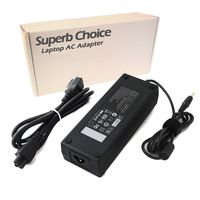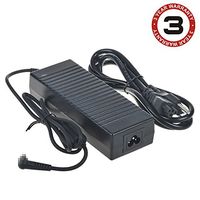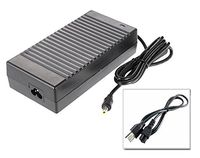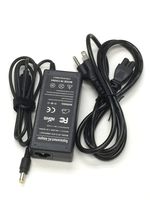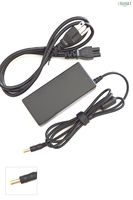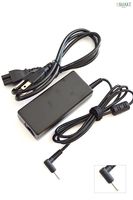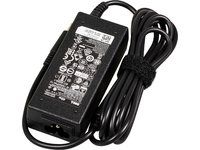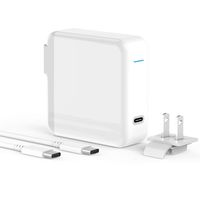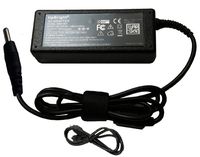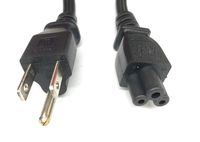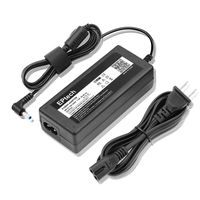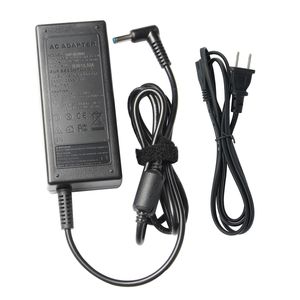
Description
Specifications:
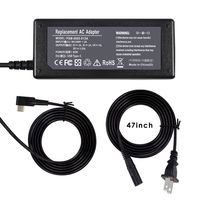
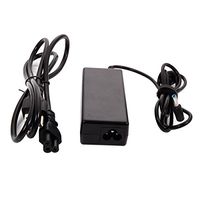
Input:100 - 240V 50-60Hz
Output:19.5V 3.33A Power:65W
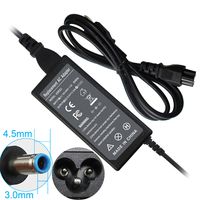
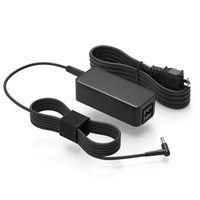
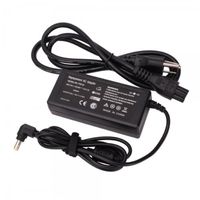
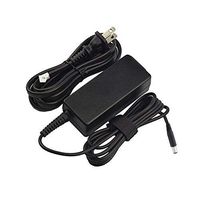
interface:4.5mm*3.0mm Blue Tip
Compatible P/N:
709985-001 710412-001 709985-002 714657-001 709985-004 677770-002 677770-003 709985-003PPP009A PPP009D
Compatible laptop model:
HP EliteBook 700 Series Notebook PC
725-G3 725-G4 745-G3 745-G4 755-G3 755-G4
HP EliteBook 800 Series Notebook PC
820-G4 820-G5 830-G5 840-G3 840-G4 840-G5 850-G3 850-G4 850-G5
HP EliteBook 1000 Series Notebook PC
1020-G1 1020-G2 1030-G1 1030-G2 1030-G3 1040-G1 1040-G2 1040-G3 1040-G4 1040-G5
HP ProBook 400 Series Notebook PC
440-G3 440-G4 440-G5 450-G3 450-G4 450-G5 455-G3 455-G4 455-G5 470-G3 470-G4 470-G5
HP ProBook 600 Series Notebook PC
640-G2 640-G3 640-G4 645-G2 645-G3 645-G4 650-G2 650-G3 650-G4
HP Notebook 200 Series Notebook PC
240-G1 240-G2 240-G3 240-G4 240-G5
245-G1 245-G2 245-G3 245-G4 245-G5
250-G1 250-G2 250-G3 250-G4 250-G5
255-G1 255-G2 255-G3 255-G4 255-G5
HP Notebook 300 Series Notebook PC
350-G1 350-G2 355-G2
To avoid possible injury, Please read it carefully:
1.Keep the battery pack away from fire.
2.Do not expose it to water or rain.
3.Do not attempt to disassemble it.
4.Do not short-circuit it.
5.Keep it away from children.
Notes:
1.Please press [Ctrl + F] to serach your type.
2.If you are not sure, pls contact us by email, we would always be here to help you.
Input:100 - 240V 50-60Hz
Output:19.5V 3.33A Power:65W
interface:4.5mm*3.0mm Blue Tip
Compatible P/N:
709985-001 710412-001 709985-002 714657-001 709985-004 677770-002 677770-003 709985-003PPP009A PPP009D
Compatible laptop model:
HP EliteBook 700 Series Notebook PC
725-G3 725-G4 745-G3 745-G4 755-G3 755-G4
HP EliteBook 800 Series Notebook PC
820-G4 820-G5 830-G5 840-G3 840-G4 840-G5 850-G3 850-G4 850-G5
HP EliteBook 1000 Series Notebook PC
1020-G1 1020-G2 1030-G1 1030-G2 1030-G3 1040-G1 1040-G2 1040-G3 1040-G4 1040-G5
HP ProBook 400 Series Notebook PC
440-G3 440-G4 440-G5 450-G3 450-G4 450-G5 455-G3 455-G4 455-G5 470-G3 470-G4 470-G5
HP ProBook 600 Series Notebook PC
640-G2 640-G3 640-G4 645-G2 645-G3 645-G4 650-G2 650-G3 650-G4
HP Notebook 200 Series Notebook PC
240-G1 240-G2 240-G3 240-G4 240-G5
245-G1 245-G2 245-G3 245-G4 245-G5
250-G1 250-G2 250-G3 250-G4 250-G5
255-G1 255-G2 255-G3 255-G4 255-G5
HP Notebook 300 Series Notebook PC
350-G1 350-G2 355-G2
To avoid possible injury, Please read it carefully:
1.Keep the battery pack away from fire.
2.Do not expose it to water or rain.
3.Do not attempt to disassemble it.
4.Do not short-circuit it.
5.Keep it away from children.
Notes:
1.Please press [Ctrl + F] to serach your type.
2.If you are not sure, pls contact us by email, we would always be here to help you.
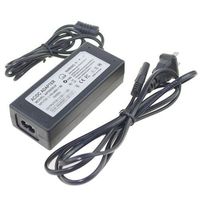
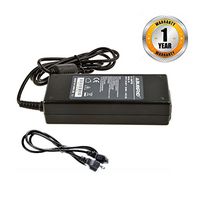
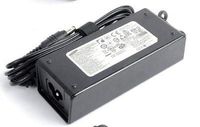
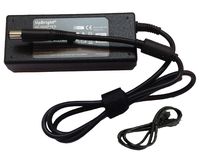
AC Adapter Charger for HP EliteBook 840 G3 G4 G5 850 G4 G5 G3 820 725 745 755 X360 Folio 1020 1030 1040 G1 G3 Probook 640 645 650 G2 G3 G4 430 440 450 455 470 G3 G4 G5 Laptop Power Supply Cord
Current Price
$11.99
Average
$10.53
Min Price
$9.88
Max Price
$11.99
Price dynamics
12%
Description
Specifications:
Input:100 - 240V 50-60Hz
Output:19.5V 3.33A Power:65W
interface:4.5mm*3.0mm Blue Tip
Compatible P/N:
709985-001 710412-001 709985-002 714657-001 709985-004 677770-002 677770-003 709985-003PPP009A PPP009D
Compatible laptop model:
HP EliteBook 700 Series Notebook PC
725-G3 725-G4 745-G3 745-G4 755-G3 755-G4
HP EliteBook 800 Series Notebook PC
820-G4 820-G5 830-G5 840-G3 840-G4 840-G5 850-G3 850-G4 850-G5
HP EliteBook 1000 Series Notebook PC
1020-G1 1020-G2 1030-G1 1030-G2 1030-G3 1040-G1 1040-G2 1040-G3 1040-G4 1040-G5
HP ProBook 400 Series Notebook PC
440-G3 440-G4 440-G5 450-G3 450-G4 450-G5 455-G3 455-G4 455-G5 470-G3 470-G4 470-G5
HP ProBook 600 Series Notebook PC
640-G2 640-G3 640-G4 645-G2 645-G3 645-G4 650-G2 650-G3 650-G4
HP Notebook 200 Series Notebook PC
240-G1 240-G2 240-G3 240-G4 240-G5
245-G1 245-G2 245-G3 245-G4 245-G5
250-G1 250-G2 250-G3 250-G4 250-G5
255-G1 255-G2 255-G3 255-G4 255-G5
HP Notebook 300 Series Notebook PC
350-G1 350-G2 355-G2
To avoid possible injury, Please read it carefully:
1.Keep the battery pack away from fire.
2.Do not expose it to water or rain.
3.Do not attempt to disassemble it.
4.Do not short-circuit it.
5.Keep it away from children.
Notes:
1.Please press [Ctrl + F] to serach your type.
2.If you are not sure, pls contact us by email, we would always be here to help you.
Input:100 - 240V 50-60Hz
Output:19.5V 3.33A Power:65W
interface:4.5mm*3.0mm Blue Tip
Compatible P/N:
709985-001 710412-001 709985-002 714657-001 709985-004 677770-002 677770-003 709985-003PPP009A PPP009D
Compatible laptop model:
HP EliteBook 700 Series Notebook PC
725-G3 725-G4 745-G3 745-G4 755-G3 755-G4
HP EliteBook 800 Series Notebook PC
820-G4 820-G5 830-G5 840-G3 840-G4 840-G5 850-G3 850-G4 850-G5
HP EliteBook 1000 Series Notebook PC
1020-G1 1020-G2 1030-G1 1030-G2 1030-G3 1040-G1 1040-G2 1040-G3 1040-G4 1040-G5
HP ProBook 400 Series Notebook PC
440-G3 440-G4 440-G5 450-G3 450-G4 450-G5 455-G3 455-G4 455-G5 470-G3 470-G4 470-G5
HP ProBook 600 Series Notebook PC
640-G2 640-G3 640-G4 645-G2 645-G3 645-G4 650-G2 650-G3 650-G4
HP Notebook 200 Series Notebook PC
240-G1 240-G2 240-G3 240-G4 240-G5
245-G1 245-G2 245-G3 245-G4 245-G5
250-G1 250-G2 250-G3 250-G4 250-G5
255-G1 255-G2 255-G3 255-G4 255-G5
HP Notebook 300 Series Notebook PC
350-G1 350-G2 355-G2
To avoid possible injury, Please read it carefully:
1.Keep the battery pack away from fire.
2.Do not expose it to water or rain.
3.Do not attempt to disassemble it.
4.Do not short-circuit it.
5.Keep it away from children.
Notes:
1.Please press [Ctrl + F] to serach your type.
2.If you are not sure, pls contact us by email, we would always be here to help you.
Price will be lower
in next 2 weeks
in next 2 weeks
According to the data, price will be lower in next two weeks, so not waste your money and track better price!
Product review & video
[Music] thus your computer refused to charge via USB C well then this is tutorial for you basically if you go to your computer and you plug it in with USB C you should see some LED lights lighting up there or here however this is not the case for this computer even though I plug it unplug it it will not charge doesn't matter so what can we do about it well we need to reset the battery so usually how you reset the battery is you take your on/off key you push it down and you hold it you hold it push down for about 15 to 20 seconds there then you release it you can see this light LED lighting up there which means it is resetting it's a little bit different on different models and now if you look I don't know you probably can't see it but there is a smaller light lighting up there and there it's actually charging now so now we can start the computer and I will show you that it is actually c


Similar products