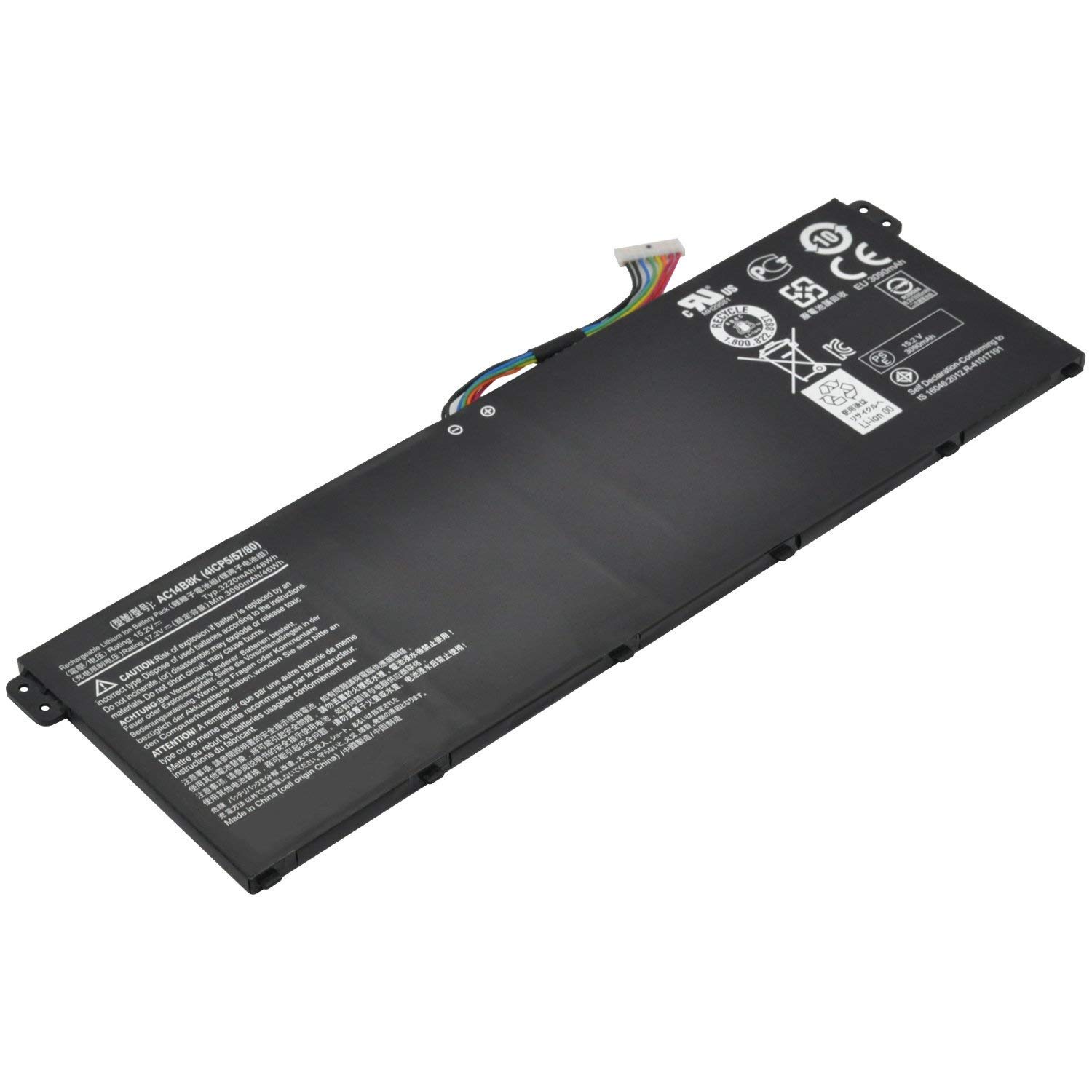
Specification:
Battery Type: Li-ion
Voltage: 15.2V
Capacity: 48WH
Certificate: CE,RoHS,FCC
Condition: 100% New from Manufacturer, Grade A Cell, 12 Months Warranty
Compatible Part Numbers:
KT.0040G.004, AC14B8K, KT0030G.004, 4ICP5/57/80
Fit laptop models:
Acer Aspire E3-111, E3-112, E3-112M, ES1-511, ES1-512
Acer Aspire V3-111, V3-111P, V5-122, V5-122P, V5-132, V5-132P Series.
Acer Chromebook 11 CB3-111, CB3-111-C8UB, 13 CB5-311 Series
Acer Chromebook 15 CB3-531 C910 Series
Acer TravelMate B115-M, B115-MP Series. vGateway NE512 Series
NOTE:
Please check your battery part number and Tablet Models to ensure you are getting the correct battery for your tablet! /"Ctrl/" + /"F/" to find your models
Laptop battery instruction manual:
1. The new battery need to charge and discharge 3-4 cycles before, takes about 7-8 hours in order to activate lithium ion fully to maximun space.
2. Pls don't discharge to the computer power off, otherwise it may be damaged easily and may not be charged fully.
3. If you connect external power to use for a long time, please remove the battery.
4. If you do not use battery for a long time, make sure to charge more than 80% electricity every month.
Buy with confidence!
12-Month Warranty
Ship next business day
24 x 7 Email Support







![New L12L4E01 G400S G500S Laptop Battery Compatible with Lenovo IdeaPad G405S G510S G505S G510S S410P S510P Touch Z710 Eraser G50-80 Series L12M4A02 L12M4E01 L12S4A02 [14.4V 2600mAh] Notebook Battery](https://use4coins.com/thumbs/unsafe/fit-in/200x200/https://images-na.ssl-images-amazon.com/images/I/71V-xwYDU3L.jpg)