Description
Alitutumao Replacement Astro Gaming Aux Cable Cord with Multi Function Inline Mute Volume Control Inline Mic Compatible with Astro A10 A40 Gaming Headsets
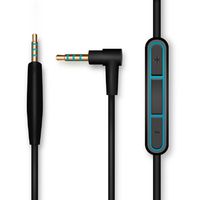
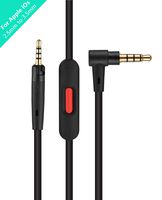
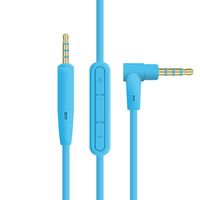
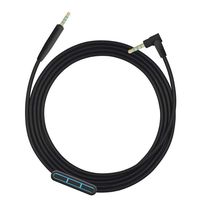
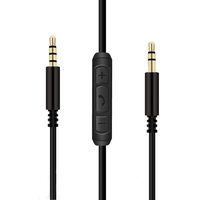
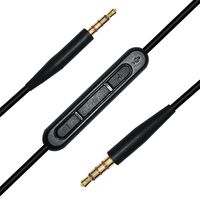
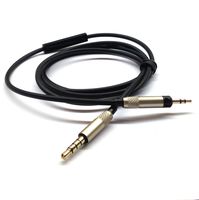
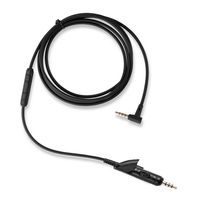
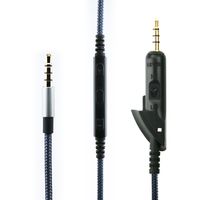
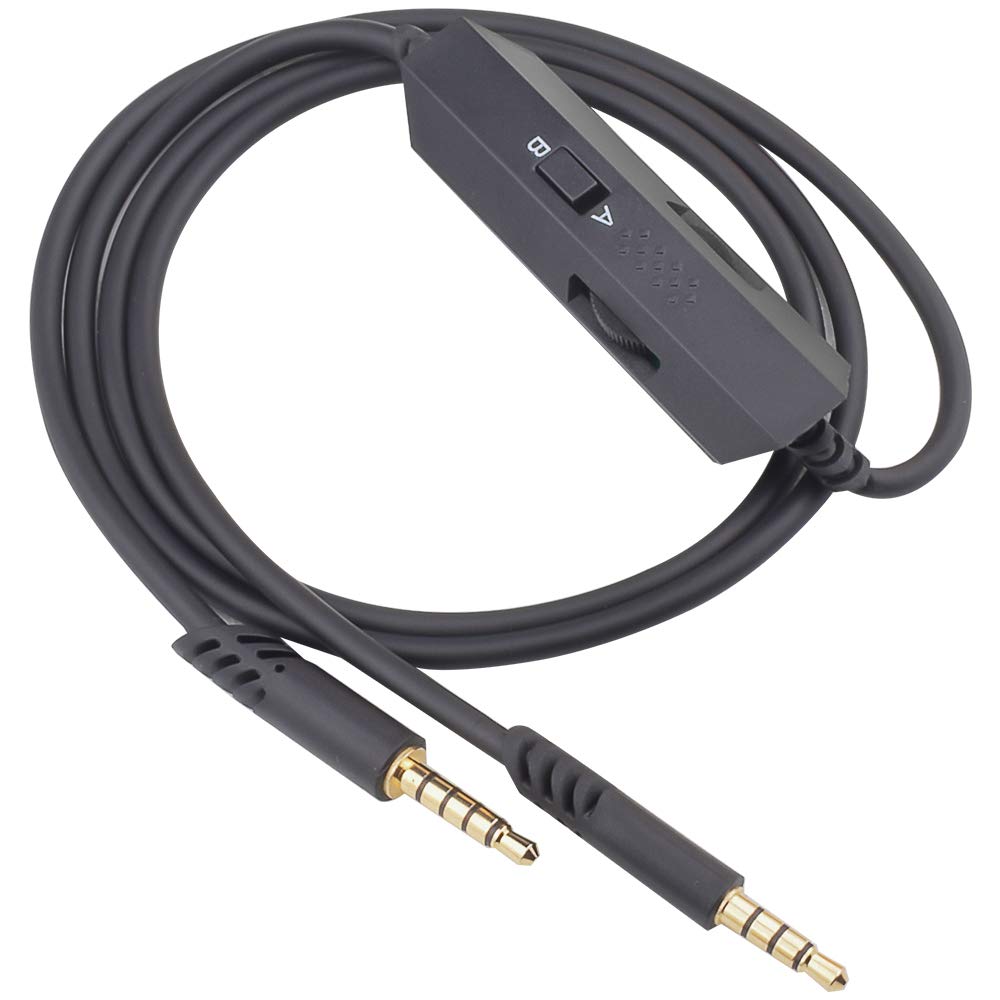
This replacement Astro gaming aux cable includes a volume wheel, inline mic, a mute button and a call pickup/hangup button. Perfect for those looking to use the A40 with a phone or music device on the go: adjust your music volume and control your phone calls all via the cable. The inline mic has 2 settings - A to enable the A40's microphone, while B enables the inline mic in the cable itself. Note: in order to control your device with the cable, the switch needs to be in the B position.
Features:
This cable will allow you to use your Astro A10 or A40 for Xbox One, PlayStation 4 PS4, Nintendo Switch and PC Gaming.
Two Modes: A&B: For gaming, we recommend mode A, the switch at the back of the inline control module. When using mode A, you can mute or un-mute your headset microphone by sliding up or down the mute switch (front control). The wheel control is used to adjust your music or chat volume.
Mode B (at the back of the inline control module) is ideal when your Astro A40 or A10 is connected to your smartphone with 3.5mm jack. The button below the inline mute switch can be used to pickup or hangup a call. When using your Astro A10 or A40 to listen to music, the call pickup/hangup button can be used to pause or un-pause your music. Mode B also enables the inline microphone.
Cable has Multi Function Inline Mute Volume Control Button Microphone, have mute button. This Astro A10 cord is compatible with both Astro 10 and A40 gaming headsets..
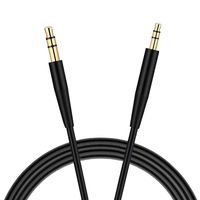
3.5mm to 3.5mm Gold Plated Jack Astro A10 Cord: A 3.5mm 4 pole .The other is a 3.5mm 5 pole. The 5 pole connection with the headset, and the 4 pole connection Xbox One, PS4, Smartphone or MixAmp or the PC Splitter.
Cable length: 100cm (about 3.3ft). Color: Black
This replacement Astro gaming aux cable includes a volume wheel, inline mic, a mute button and a call pickup/hangup button. Perfect for those looking to use the A40 with a phone or music device on the go: adjust your music volume and control your phone calls all via the cable. The inline mic has 2 settings - A to enable the A40's microphone, while B enables the inline mic in the cable itself. Note: in order to control your device with the cable, the switch needs to be in the B position.
Features:
This cable will allow you to use your Astro A10 or A40 for Xbox One, PlayStation 4 PS4, Nintendo Switch and PC Gaming.
Two Modes: A&B: For gaming, we recommend mode A, the switch at the back of the inline control module. When using mode A, you can mute or un-mute your headset microphone by sliding up or down the mute switch (front control). The wheel control is used to adjust your music or chat volume.
Mode B (at the back of the inline control module) is ideal when your Astro A40 or A10 is connected to your smartphone with 3.5mm jack. The button below the inline mute switch can be used to pickup or hangup a call. When using your Astro A10 or A40 to listen to music, the call pickup/hangup button can be used to pause or un-pause your music. Mode B also enables the inline microphone.
Cable has Multi Function Inline Mute Volume Control Button Microphone, have mute button. This Astro A10 cord is compatible with both Astro 10 and A40 gaming headsets..
3.5mm to 3.5mm Gold Plated Jack Astro A10 Cord: A 3.5mm 4 pole .The other is a 3.5mm 5 pole. The 5 pole connection with the headset, and the 4 pole connection Xbox One, PS4, Smartphone or MixAmp or the PC Splitter.
Cable length: 100cm (about 3.3ft). Color: Black
Alitutumao A&B Modes Replacement Astro A10 Cord Inline Mute Astro A40 Cord Aux Cable with Volume Control and Mic Compatible with Astro A10 A40 A30 A50 Headsets to Xbox One PS4 PC Gaming Mobile MixAmp
Price is below average
Current Price
$16.99
Average
$19.99
Min Price
$16.99
Max Price
$25.98
Price dynamics
15%
Description
Alitutumao Replacement Astro Gaming Aux Cable Cord with Multi Function Inline Mute Volume Control Inline Mic Compatible with Astro A10 A40 Gaming Headsets
This replacement Astro gaming aux cable includes a volume wheel, inline mic, a mute button and a call pickup/hangup button. Perfect for those looking to use the A40 with a phone or music device on the go: adjust your music volume and control your phone calls all via the cable. The inline mic has 2 settings - A to enable the A40's microphone, while B enables the inline mic in the cable itself. Note: in order to control your device with the cable, the switch needs to be in the B position.
Features:
This cable will allow you to use your Astro A10 or A40 for Xbox One, PlayStation 4 PS4, Nintendo Switch and PC Gaming.
Two Modes: A&B: For gaming, we recommend mode A, the switch at the back of the inline control module. When using mode A, you can mute or un-mute your headset microphone by sliding up or down the mute switch (front control). The wheel control is used to adjust your music or chat volume.
Mode B (at the back of the inline control module) is ideal when your Astro A40 or A10 is connected to your smartphone with 3.5mm jack. The button below the inline mute switch can be used to pickup or hangup a call. When using your Astro A10 or A40 to listen to music, the call pickup/hangup button can be used to pause or un-pause your music. Mode B also enables the inline microphone.
Cable has Multi Function Inline Mute Volume Control Button Microphone, have mute button. This Astro A10 cord is compatible with both Astro 10 and A40 gaming headsets..
3.5mm to 3.5mm Gold Plated Jack Astro A10 Cord: A 3.5mm 4 pole .The other is a 3.5mm 5 pole. The 5 pole connection with the headset, and the 4 pole connection Xbox One, PS4, Smartphone or MixAmp or the PC Splitter.
Cable length: 100cm (about 3.3ft). Color: Black
This replacement Astro gaming aux cable includes a volume wheel, inline mic, a mute button and a call pickup/hangup button. Perfect for those looking to use the A40 with a phone or music device on the go: adjust your music volume and control your phone calls all via the cable. The inline mic has 2 settings - A to enable the A40's microphone, while B enables the inline mic in the cable itself. Note: in order to control your device with the cable, the switch needs to be in the B position.
Features:
This cable will allow you to use your Astro A10 or A40 for Xbox One, PlayStation 4 PS4, Nintendo Switch and PC Gaming.
Two Modes: A&B: For gaming, we recommend mode A, the switch at the back of the inline control module. When using mode A, you can mute or un-mute your headset microphone by sliding up or down the mute switch (front control). The wheel control is used to adjust your music or chat volume.
Mode B (at the back of the inline control module) is ideal when your Astro A40 or A10 is connected to your smartphone with 3.5mm jack. The button below the inline mute switch can be used to pickup or hangup a call. When using your Astro A10 or A40 to listen to music, the call pickup/hangup button can be used to pause or un-pause your music. Mode B also enables the inline microphone.
Cable has Multi Function Inline Mute Volume Control Button Microphone, have mute button. This Astro A10 cord is compatible with both Astro 10 and A40 gaming headsets..
3.5mm to 3.5mm Gold Plated Jack Astro A10 Cord: A 3.5mm 4 pole .The other is a 3.5mm 5 pole. The 5 pole connection with the headset, and the 4 pole connection Xbox One, PS4, Smartphone or MixAmp or the PC Splitter.
Cable length: 100cm (about 3.3ft). Color: Black
Price will be lower
in next 2 weeks
in next 2 weeks
According to the data, price will be lower in next two weeks, so not waste your money and track better price!
Product review & video
everybody welcome back to ryan's house today's video is about replacing your astro inline mute cable before we get into that i know a lot of you guys are asking about my video or about my review my tutorial of the astro hdmi to optical converter and listen guys i thought it was going to be uh relatively quick yes or no on that we're trying to see if it would support 1440p at 120 hertz because other hdmi to optical converters only supported up to 60 hertz unfortunately i did run into a problem the converter would only support either 1440p or 120 hertz that's really weird that it can't do both of them at the same time so i have been going back and forth with the astral support team they've pretty much been saying try doing this and then i pretty much tell them i already tried so we've just kind of been going back and forth like that a few times we left it at they ask me for my address so

Similar products