Description
This Wireless wifi camera can connect to your wifi, but still NEED to plug in OUTLET to get power.Not Battery Run.
Additional power cord may be needed for installation if the camera is not close to outlet.
Anakk wireless wifi IP Camera Key function:
Pre-installed Micro SD Card slot(not including SD card,need to intall one to record the video
IR Night Vision automatically activated, up to 20 meters
Motion Detection and Push Alerts for Android/iOS phones.
IP 66 weatherproof material.
Can works singly; also works with ONVIF NVR.
Features:
Pixels: 1MP,720P
Video Standard: H.264
Strong Waterproof Housing: IP66
Free Mobile APP/ PC Client remote access
Protocol HTTP/RTSP/FTP/SMTP/DHCP/NTP, etc.
Network Port 1-RJ45, 100Mbps, Reset Button
Package Includes:
* 1x 1MP 720P IP Camera
* 1x Network Cable Waterproof Lid for Mounting
* 1x Quick User Guide
* 1x Power Adapter
The SD card slot is under the bottom of the camera(Open the rubber cover you will see it)
How to connect this T Series camera to your home WiFi. Here are steps:
You don't have to connect this camera to your router with an internet cable.
1.Connect the camera with power adapter.
2.Connect your phone to the camera's hotspot(wifi:IPCAM-xxxxxx, default password: 01234567).
(If find no IPCAM-xxxxx signal: please press the reset button about 10 seconds, the camera will reboot to original status)
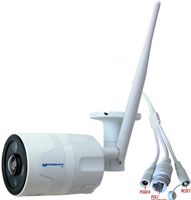
The reset button is on 1 of the 3 cables of the camera
. 3.Download Camhi app on your cell phone and run Camhi app
4.Click "Add Camera "---"Search camera from LAN " .The camera's UID No. will come out then click it. Click OK. Then can see the camera's video.
5.Click the Setting Icon on the right side, select"WiFi setting" and manage wifi to choose your WiFi & entering your WiFi password, click "Save". About 15-20 seconds later, you will see the camera on line
Additional power cord may be needed for installation if the camera is not close to outlet.
Anakk wireless wifi IP Camera Key function:
Pre-installed Micro SD Card slot(not including SD card,need to intall one to record the video
IR Night Vision automatically activated, up to 20 meters
Motion Detection and Push Alerts for Android/iOS phones.
IP 66 weatherproof material.
Can works singly; also works with ONVIF NVR.
Features:
Pixels: 1MP,720P
Video Standard: H.264
Strong Waterproof Housing: IP66
Free Mobile APP/ PC Client remote access
Protocol HTTP/RTSP/FTP/SMTP/DHCP/NTP, etc.
Network Port 1-RJ45, 100Mbps, Reset Button
Package Includes:
* 1x 1MP 720P IP Camera
* 1x Network Cable Waterproof Lid for Mounting
* 1x Quick User Guide
* 1x Power Adapter
The SD card slot is under the bottom of the camera(Open the rubber cover you will see it)
How to connect this T Series camera to your home WiFi. Here are steps:
You don't have to connect this camera to your router with an internet cable.
1.Connect the camera with power adapter.
2.Connect your phone to the camera's hotspot(wifi:IPCAM-xxxxxx, default password: 01234567).
(If find no IPCAM-xxxxx signal: please press the reset button about 10 seconds, the camera will reboot to original status)
The reset button is on 1 of the 3 cables of the camera
. 3.Download Camhi app on your cell phone and run Camhi app
4.Click "Add Camera "---"Search camera from LAN " .The camera's UID No. will come out then click it. Click OK. Then can see the camera's video.
5.Click the Setting Icon on the right side, select"WiFi setting" and manage wifi to choose your WiFi & entering your WiFi password, click "Save". About 15-20 seconds later, you will see the camera on line
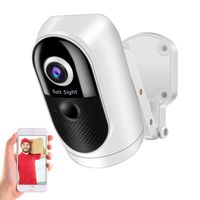
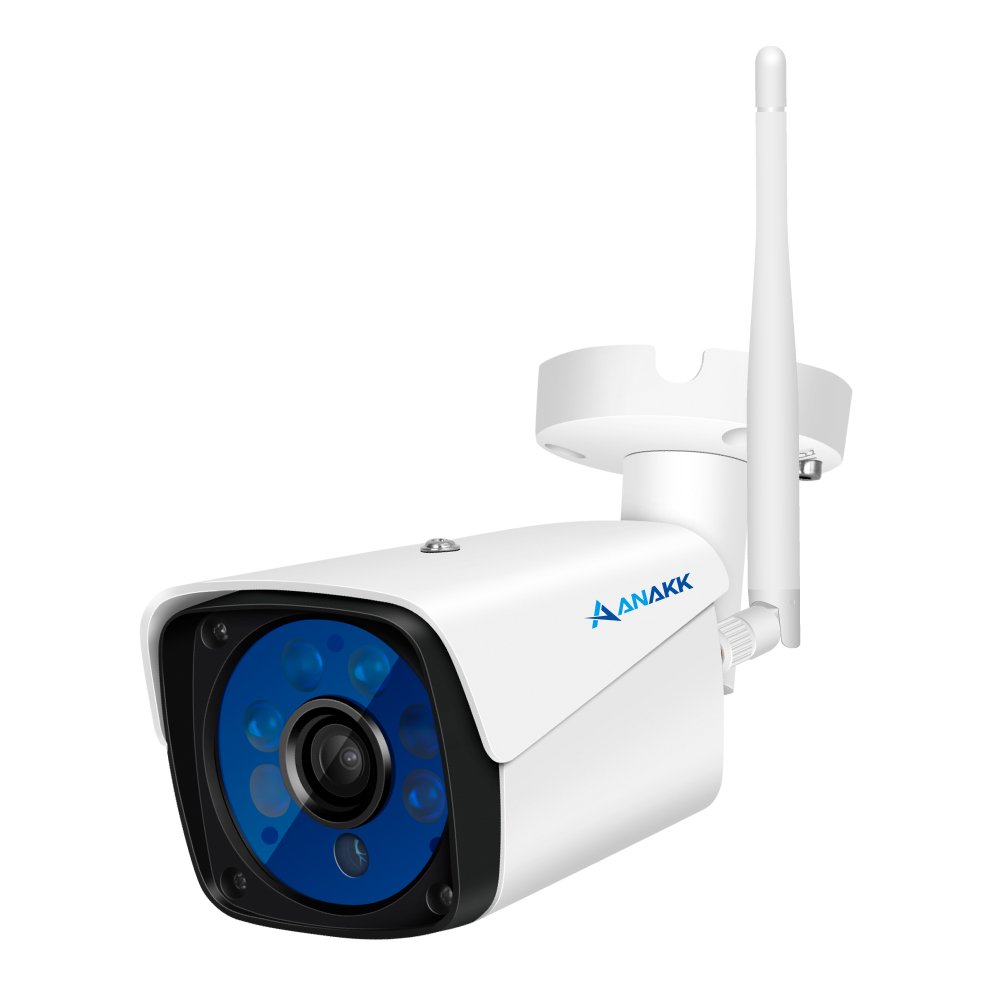
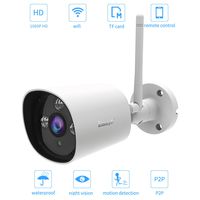
Anakk Wireless WiFi Security Camera 720P Home Surveillance IP Camera with Night Vision Motion Detection 3.6mm Lens Outdoor IP66 Waterproof SD Card Slot
Price is below average
Current Price
$36.5
Average
$51.35
Min Price
$36.5
Max Price
$95.9
Price dynamics
29%
Description
This Wireless wifi camera can connect to your wifi, but still NEED to plug in OUTLET to get power.Not Battery Run.
Additional power cord may be needed for installation if the camera is not close to outlet.
Anakk wireless wifi IP Camera Key function:
Pre-installed Micro SD Card slot(not including SD card,need to intall one to record the video
IR Night Vision automatically activated, up to 20 meters
Motion Detection and Push Alerts for Android/iOS phones.
IP 66 weatherproof material.
Can works singly; also works with ONVIF NVR.
Features:
Pixels: 1MP,720P
Video Standard: H.264
Strong Waterproof Housing: IP66
Free Mobile APP/ PC Client remote access
Protocol HTTP/RTSP/FTP/SMTP/DHCP/NTP, etc.
Network Port 1-RJ45, 100Mbps, Reset Button
Package Includes:
* 1x 1MP 720P IP Camera
* 1x Network Cable Waterproof Lid for Mounting
* 1x Quick User Guide
* 1x Power Adapter
The SD card slot is under the bottom of the camera(Open the rubber cover you will see it)
How to connect this T Series camera to your home WiFi. Here are steps:
You don't have to connect this camera to your router with an internet cable.
1.Connect the camera with power adapter.
2.Connect your phone to the camera's hotspot(wifi:IPCAM-xxxxxx, default password: 01234567).
(If find no IPCAM-xxxxx signal: please press the reset button about 10 seconds, the camera will reboot to original status)
The reset button is on 1 of the 3 cables of the camera
. 3.Download Camhi app on your cell phone and run Camhi app
4.Click "Add Camera "---"Search camera from LAN " .The camera's UID No. will come out then click it. Click OK. Then can see the camera's video.
5.Click the Setting Icon on the right side, select"WiFi setting" and manage wifi to choose your WiFi & entering your WiFi password, click "Save". About 15-20 seconds later, you will see the camera on line
Additional power cord may be needed for installation if the camera is not close to outlet.
Anakk wireless wifi IP Camera Key function:
Pre-installed Micro SD Card slot(not including SD card,need to intall one to record the video
IR Night Vision automatically activated, up to 20 meters
Motion Detection and Push Alerts for Android/iOS phones.
IP 66 weatherproof material.
Can works singly; also works with ONVIF NVR.
Features:
Pixels: 1MP,720P
Video Standard: H.264
Strong Waterproof Housing: IP66
Free Mobile APP/ PC Client remote access
Protocol HTTP/RTSP/FTP/SMTP/DHCP/NTP, etc.
Network Port 1-RJ45, 100Mbps, Reset Button
Package Includes:
* 1x 1MP 720P IP Camera
* 1x Network Cable Waterproof Lid for Mounting
* 1x Quick User Guide
* 1x Power Adapter
The SD card slot is under the bottom of the camera(Open the rubber cover you will see it)
How to connect this T Series camera to your home WiFi. Here are steps:
You don't have to connect this camera to your router with an internet cable.
1.Connect the camera with power adapter.
2.Connect your phone to the camera's hotspot(wifi:IPCAM-xxxxxx, default password: 01234567).
(If find no IPCAM-xxxxx signal: please press the reset button about 10 seconds, the camera will reboot to original status)
The reset button is on 1 of the 3 cables of the camera
. 3.Download Camhi app on your cell phone and run Camhi app
4.Click "Add Camera "---"Search camera from LAN " .The camera's UID No. will come out then click it. Click OK. Then can see the camera's video.
5.Click the Setting Icon on the right side, select"WiFi setting" and manage wifi to choose your WiFi & entering your WiFi password, click "Save". About 15-20 seconds later, you will see the camera on line
Price will be lower
in next 2 weeks
in next 2 weeks
According to the data, price will be lower in next two weeks, so not waste your money and track better price!
Similar products