Description
If you thought your phone was smart, you should see the new Android tablets! Based on Android 3 Honeycomb, these tablets provide all the computing power you'll need on a device light enough to carry wherever you go. Get the most out of your Android 3.0 Honeycomb tablet with Android Tablets Made Simple learn all the key features, understand what's new, and utilize dozens of time-saving tips and tricks. Android Tablets Made Simple includes over 500 pages of easy-to-read instructions and over 1,000 carefully annotated screen shots to guide you to Android tablet mastery. You'll never be left wondering, "How did they do that" This book guides you through: Finding and purchasing the right Android tablet Understanding the Android Honeycomb interface Downloading and using tablet apps What you'll learn Connect your tablet to wireless networks, including 3G, 4G, and Wi-Fi Make video calls to your friends and colleagues Download and read eBooks, newspapers, and magazines in your new compact library Connect with friends and coworkers through e-mail and social networks Unleash your creative side with photo editing and drawing tools Troubleshoot minor problems with your tablet without having to wait on hold with tech support Who this book is for This book is for new and potential owners of Android-based tablets running Android 3 (Honeycomb) and above. These devices include the Motorola Xoom, the Galaxy Tab 4G, and devices by Toshiba, Asus, and others. Table of ContentsA Day in the Life With a Tablet (inside cover) Quick Start Guide Introduction What Is Android? Choosing the Right Tablet Getting Started Typing, Copy, and Search Syncing Your Tablet With Google Setting up Other Accounts Understanding Connection: Wi-Fi, 3G, and 4G Icons and Widgets, and Tabs Email and Instant Messaging Managing Contacts Working With Calendars Using Maps Browsing the Web The Android Market Alternative App Markets Social Media Video Conferencing
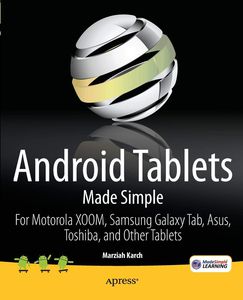
Android Tablets Made Simple: For Motorola XOOM, Samsung Galaxy Tab, Asus, Toshiba and Other Tablets
Current Price
$35.99
Average
$15.25
Min Price
$1.32
Max Price
$37.99
Price dynamics
58%
Description
If you thought your phone was smart, you should see the new Android tablets! Based on Android 3 Honeycomb, these tablets provide all the computing power you'll need on a device light enough to carry wherever you go. Get the most out of your Android 3.0 Honeycomb tablet with Android Tablets Made Simple learn all the key features, understand what's new, and utilize dozens of time-saving tips and tricks. Android Tablets Made Simple includes over 500 pages of easy-to-read instructions and over 1,000 carefully annotated screen shots to guide you to Android tablet mastery. You'll never be left wondering, "How did they do that" This book guides you through: Finding and purchasing the right Android tablet Understanding the Android Honeycomb interface Downloading and using tablet apps What you'll learn Connect your tablet to wireless networks, including 3G, 4G, and Wi-Fi Make video calls to your friends and colleagues Download and read eBooks, newspapers, and magazines in your new compact library Connect with friends and coworkers through e-mail and social networks Unleash your creative side with photo editing and drawing tools Troubleshoot minor problems with your tablet without having to wait on hold with tech support Who this book is for This book is for new and potential owners of Android-based tablets running Android 3 (Honeycomb) and above. These devices include the Motorola Xoom, the Galaxy Tab 4G, and devices by Toshiba, Asus, and others. Table of ContentsA Day in the Life With a Tablet (inside cover) Quick Start Guide Introduction What Is Android? Choosing the Right Tablet Getting Started Typing, Copy, and Search Syncing Your Tablet With Google Setting up Other Accounts Understanding Connection: Wi-Fi, 3G, and 4G Icons and Widgets, and Tabs Email and Instant Messaging Managing Contacts Working With Calendars Using Maps Browsing the Web The Android Market Alternative App Markets Social Media Video Conferencing
Price will be lower
in next 2 weeks
in next 2 weeks
According to the data, price will be lower in next two weeks, so not waste your money and track better price!
Product review & video
hi guys is Kay from tech figure today I'm going to be looking at updating my old Android tablet from Android KitKat to Android nugget this should hopefully give it a more zippier performance as currently it's a bit cumbersome and sluggish on KitKat as you'll see the process is fairly straightforward once you have downloaded all the prerequisite files to upgrade to Android nugget I'm going to need to route my tablet so to check the current status of my tablet I'm going to use an app called root checker basic and I'll click the verify root status and there you go I don't currently have root access so to begin the upgrade process we're going to need to download the four files which I'll have links to in the description below to install these four files we're going to need to bypass the Android security so we're going to need to go to settings security and click on allow installation from a


Similar products