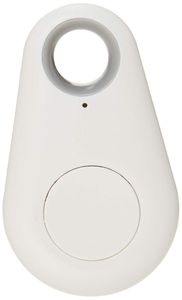
Description
How to Use It
1. Download the App
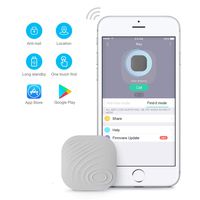
Please CTracking through scanning the QR code on the user manual and read the instruction carefully.
2. Switch On/Off
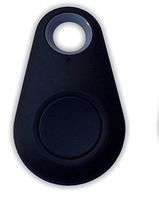
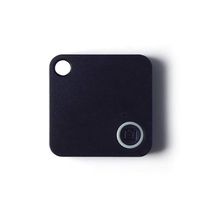
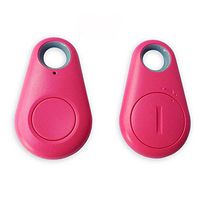
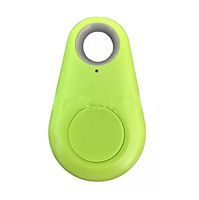
Switch on: Press and hold the button on iTag for 3 seconds until you heard the Beep twice
Switch off: Press and hold the button on iTag for 3 seconds until the long "Beep" sound.
3. Connection
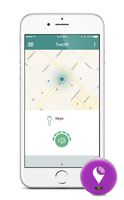
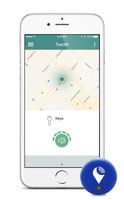
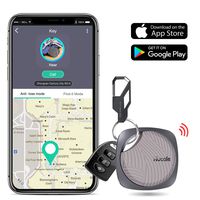
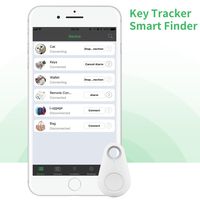
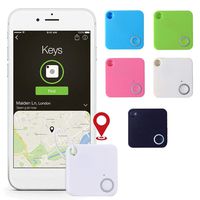
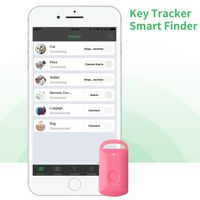
1) The iTag will connect the smart phone automatically when power on, if it shows "disconnected" on the App, please click the "Connect" button to connect it again;
2) Click the finding button to find more connectable iTag devices and add to the device list;
3) The item which you don't need, or slide this item to left on "device list" interface, click "-" to remove it from the device list.
4. Battery Replacement
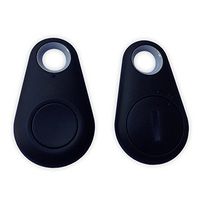
The battery is in the back of the tag. Please Use a coin as a key and twist it right to open the battery cover,then replace the CR2032 battery which is easy to get in the market.After replacement, put the cover back and close it left also with the coin.
Humanized and Considerate Customer Service
1. We are sincere and devoted to our product as well as providing better shopping experience for you.
2. We promise 90-day products exchange and money back service for you.
3. If you have any questions,please feel free to contact with us and we'll provide better and better service for you.
4. Thank you for your trust and support .Welcome to our store and give us your feeling and suggestion for us.
1. Download the App
Please CTracking through scanning the QR code on the user manual and read the instruction carefully.
2. Switch On/Off
Switch on: Press and hold the button on iTag for 3 seconds until you heard the Beep twice
Switch off: Press and hold the button on iTag for 3 seconds until the long "Beep" sound.
3. Connection
1) The iTag will connect the smart phone automatically when power on, if it shows "disconnected" on the App, please click the "Connect" button to connect it again;
2) Click the finding button to find more connectable iTag devices and add to the device list;
3) The item which you don't need, or slide this item to left on "device list" interface, click "-" to remove it from the device list.
4. Battery Replacement
The battery is in the back of the tag. Please Use a coin as a key and twist it right to open the battery cover,then replace the CR2032 battery which is easy to get in the market.After replacement, put the cover back and close it left also with the coin.
Humanized and Considerate Customer Service
1. We are sincere and devoted to our product as well as providing better shopping experience for you.
2. We promise 90-day products exchange and money back service for you.
3. If you have any questions,please feel free to contact with us and we'll provide better and better service for you.
4. Thank you for your trust and support .Welcome to our store and give us your feeling and suggestion for us.
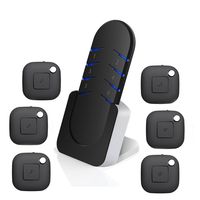
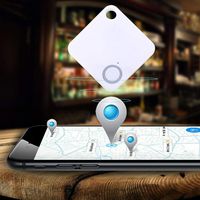
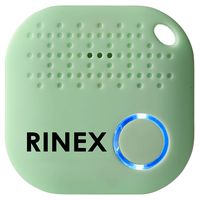
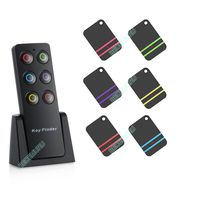
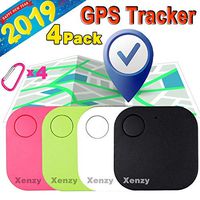
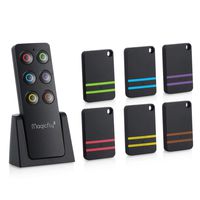
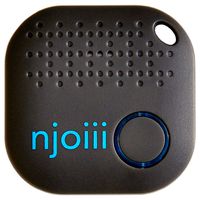
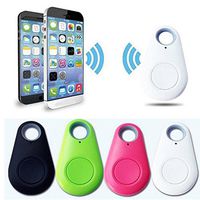
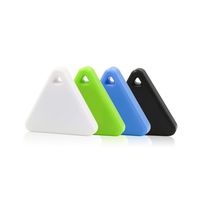
Anti Theft Device, Smart FinderVERDURE Bluetooth Pet Kid Car Wallet Luggage Phone Locator Anti Lost Tracker Alarm Wireless Remote Selfie Seeker for IOS Iphone Android Smartphone
Current Price
$10.89
Average
$10.89
Min Price
$10.89
Max Price
$10.89
Description
How to Use It
1. Download the App
Please CTracking through scanning the QR code on the user manual and read the instruction carefully.
2. Switch On/Off
Switch on: Press and hold the button on iTag for 3 seconds until you heard the Beep twice
Switch off: Press and hold the button on iTag for 3 seconds until the long "Beep" sound.
3. Connection
1) The iTag will connect the smart phone automatically when power on, if it shows "disconnected" on the App, please click the "Connect" button to connect it again;
2) Click the finding button to find more connectable iTag devices and add to the device list;
3) The item which you don't need, or slide this item to left on "device list" interface, click "-" to remove it from the device list.
4. Battery Replacement
The battery is in the back of the tag. Please Use a coin as a key and twist it right to open the battery cover,then replace the CR2032 battery which is easy to get in the market.After replacement, put the cover back and close it left also with the coin.
Humanized and Considerate Customer Service
1. We are sincere and devoted to our product as well as providing better shopping experience for you.
2. We promise 90-day products exchange and money back service for you.
3. If you have any questions,please feel free to contact with us and we'll provide better and better service for you.
4. Thank you for your trust and support .Welcome to our store and give us your feeling and suggestion for us.
1. Download the App
Please CTracking through scanning the QR code on the user manual and read the instruction carefully.
2. Switch On/Off
Switch on: Press and hold the button on iTag for 3 seconds until you heard the Beep twice
Switch off: Press and hold the button on iTag for 3 seconds until the long "Beep" sound.
3. Connection
1) The iTag will connect the smart phone automatically when power on, if it shows "disconnected" on the App, please click the "Connect" button to connect it again;
2) Click the finding button to find more connectable iTag devices and add to the device list;
3) The item which you don't need, or slide this item to left on "device list" interface, click "-" to remove it from the device list.
4. Battery Replacement
The battery is in the back of the tag. Please Use a coin as a key and twist it right to open the battery cover,then replace the CR2032 battery which is easy to get in the market.After replacement, put the cover back and close it left also with the coin.
Humanized and Considerate Customer Service
1. We are sincere and devoted to our product as well as providing better shopping experience for you.
2. We promise 90-day products exchange and money back service for you.
3. If you have any questions,please feel free to contact with us and we'll provide better and better service for you.
4. Thank you for your trust and support .Welcome to our store and give us your feeling and suggestion for us.
Price will be lower
in next 2 weeks
in next 2 weeks
According to the data, price will be lower in next two weeks, so not waste your money and track better price!
Similar products