Description
FAQ Q: Why does the earphones not take a charge from the case or turn on when taken out of the case? Confirm the charging case has power (indidcator flashes at least one time). Ensure all charging contacts (both earbuds and case) are clean and clear from foreign materia. Although its probability is low, the earphones may be defective, You will get replacement without any hassles. Q: How do I pair earbuds with my Device? Fully charge the earbuds and case before first use; Take out earbuds from the case and put them in your ears. They will auto turn on and entry pairing mode; Turn on Bluetooth on your device, Select EP800-L on the available devices list; Waits for another pairing request appears, click "Pair" to complete the pairing process. Q: How to reset when there is a possible glitch? Take out the earbuds from the case, and manually turn them off (Tap and hold on touchpad for 5 seconds) Delete EP800-L and EP800-R from the list of paired devices. Turn off the Bluetooth. Touch and Hold Simultaneously on Touchpad of Both Earbuds for 8 seconds, and Release when the LED indicators flash steady pink light. Tap twice on the touchpad of both earbuds. When the left earbud slowly flash blue , right earbud flash red and blue rapidly, Reset is Completed. Q: Both earphones are turned on but only the one side is playing sound, how could I fix this? During daily use, the earbuds may sustain a lot of interference or accidental touch with hands. These may cause the two earbuds to unpair. Place both earbuds back in the case, then take them both out and try again. If this doesn't fix the problem try resetting the earbuds. Q: Why is the touchpad not working occasionally? Make sure you're touching the correct position of the earpiece and that there is no moisture or dust on it or on your
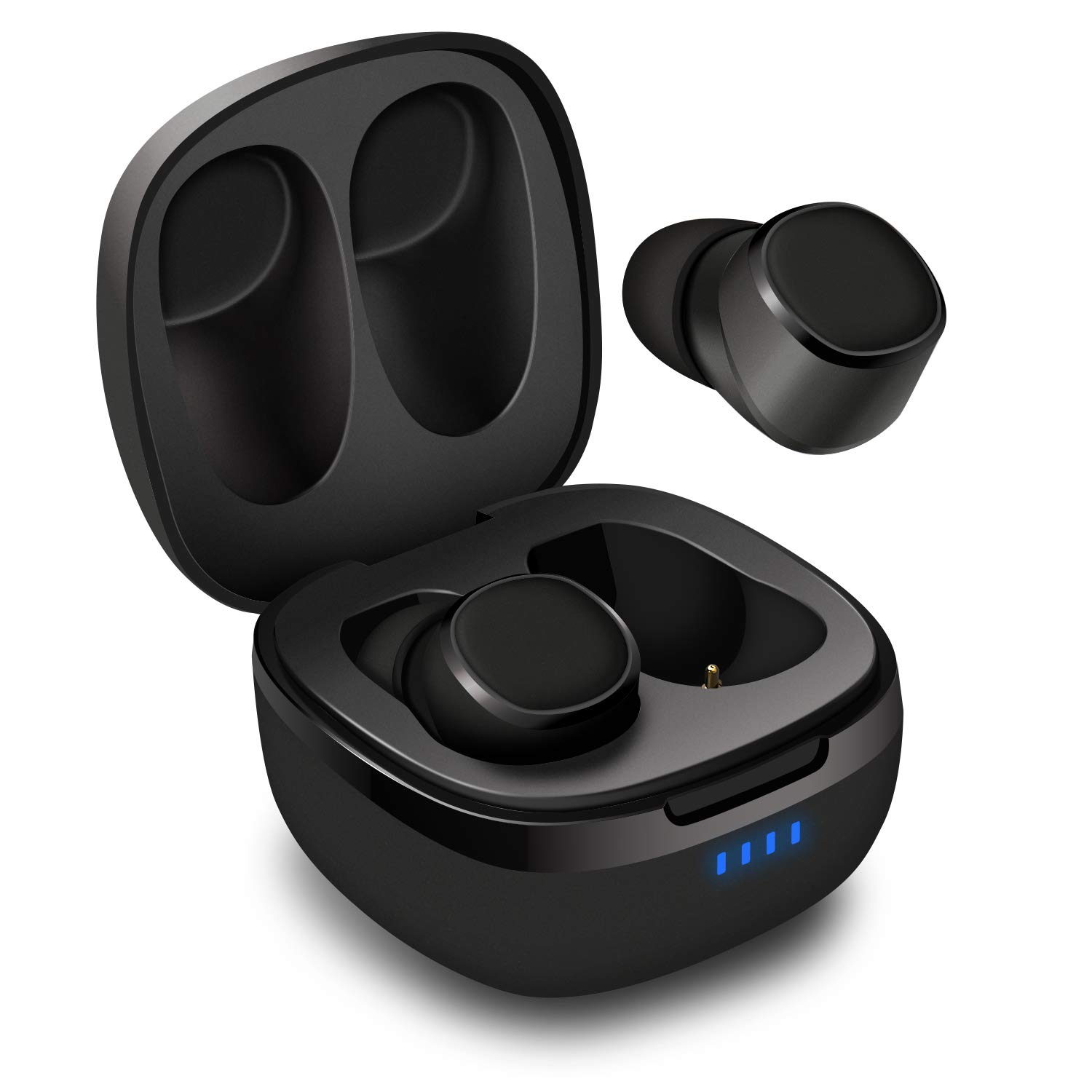
August EP800 TWS Earbuds - Bluetooth 5.0 Wireless Sports Earphones - IPX6 Waterproof/DSP Noise Reduction with Microphone / 25h Playtime/Stereo TWS Mini in Ear Earphones with Portable Charging Case
Current Price
$34.95
Average
$33.46
Min Price
$29.95
Max Price
$38.95
Price dynamics
4%
Description
FAQ Q: Why does the earphones not take a charge from the case or turn on when taken out of the case? Confirm the charging case has power (indidcator flashes at least one time). Ensure all charging contacts (both earbuds and case) are clean and clear from foreign materia. Although its probability is low, the earphones may be defective, You will get replacement without any hassles. Q: How do I pair earbuds with my Device? Fully charge the earbuds and case before first use; Take out earbuds from the case and put them in your ears. They will auto turn on and entry pairing mode; Turn on Bluetooth on your device, Select EP800-L on the available devices list; Waits for another pairing request appears, click "Pair" to complete the pairing process. Q: How to reset when there is a possible glitch? Take out the earbuds from the case, and manually turn them off (Tap and hold on touchpad for 5 seconds) Delete EP800-L and EP800-R from the list of paired devices. Turn off the Bluetooth. Touch and Hold Simultaneously on Touchpad of Both Earbuds for 8 seconds, and Release when the LED indicators flash steady pink light. Tap twice on the touchpad of both earbuds. When the left earbud slowly flash blue , right earbud flash red and blue rapidly, Reset is Completed. Q: Both earphones are turned on but only the one side is playing sound, how could I fix this? During daily use, the earbuds may sustain a lot of interference or accidental touch with hands. These may cause the two earbuds to unpair. Place both earbuds back in the case, then take them both out and try again. If this doesn't fix the problem try resetting the earbuds. Q: Why is the touchpad not working occasionally? Make sure you're touching the correct position of the earpiece and that there is no moisture or dust on it or on your
Price will be lower
in next 2 weeks
in next 2 weeks
According to the data, price will be lower in next two weeks, so not waste your money and track better price!

Similar products