Description
TECHNICAL SPECIFICATIONS
☑ Bluetooth Profiles Support: A2DP, Headset, Hands-Free
☑ Connect with Two Smart Phones at Once
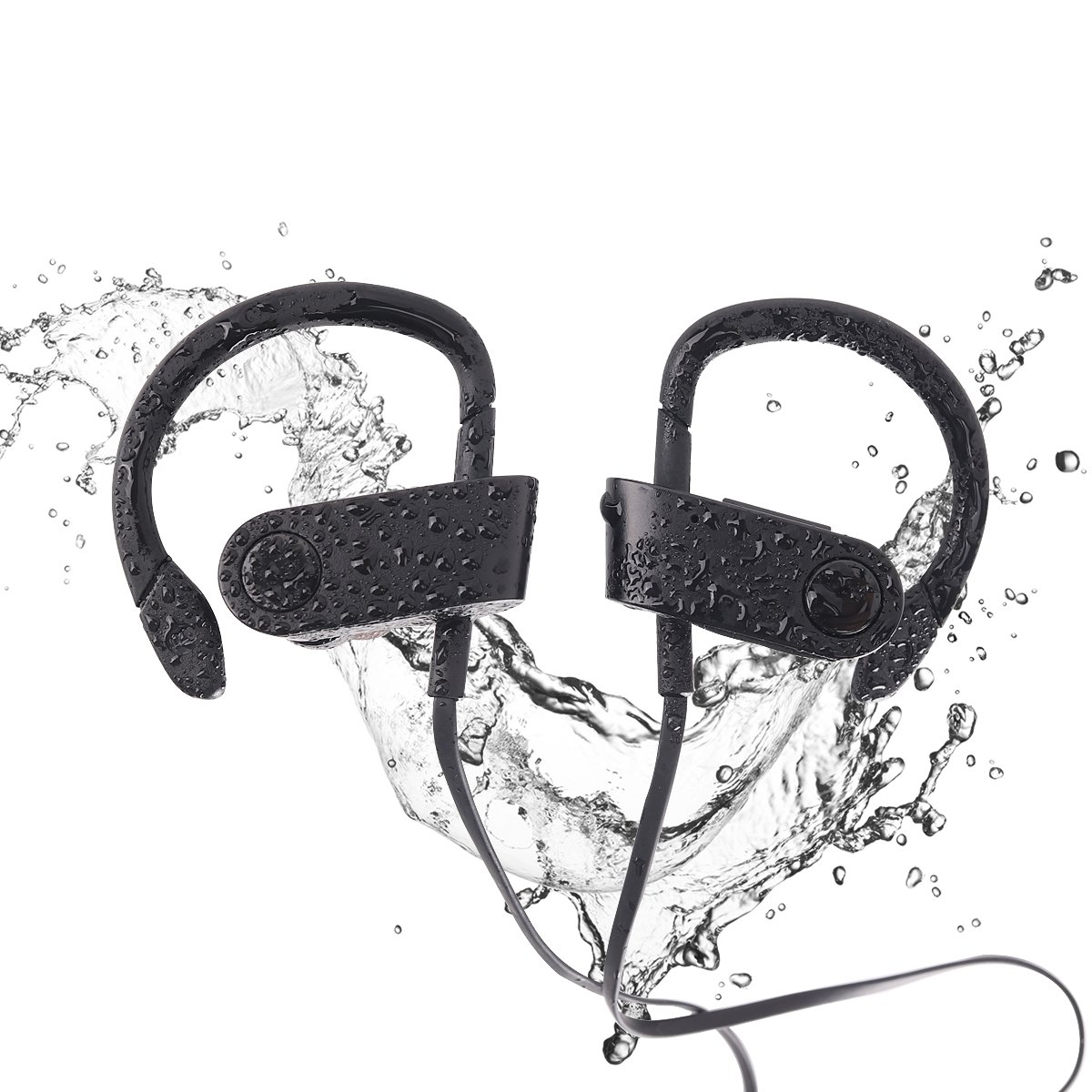
☑ IPX7 Waterproof Rating
☑ Effective Distance: 30 feet or 10 meters
☑ Duration of charging:Approximately 2 hours
☑ Charging Port: Micro USB
☑ Bluetooth version: V4.1+EDR (CSR Original imported chips)
☑ Call Duration (full charged): Approximately 8 hours
☑ Stand-by time (full charged):Approximately 8.5 days
How to pair fist time Instruction
First time use how to pair, push the multi-function big button for 6 to 7 seconds until led light flashing blue and red, this indicates that earphone is in pairing mode. Add to the bluetooth setting in your cell phone. Look for "Bluetooth-music" named device, if prompt for password enter "0000" (four zeros). Repeat if necessary.
Detailed Instructions on how to connect to a second device
Pairing with the first device as normal. Once paired, turn off the bluetooth on the first device. Then pair with the second device.
When you heard "Connected" from the earbud, that means you are paired with the second device. Turn on the first device's bluetooth, you don't need to pair any more, just click on connect, you should hear a second time "Connected" from the earbud.
Sound will switch between two devices depends on which on is active, however phone call has priority. Sound will not be active from both devices at the same time only one at a time.
When move out of range, earbud will become disconnected. In order to connect back to both device, you would need to turn off the bluetooth on device that is currently connected and follow the same procedure.
What's in the Box:
☑ 1 x Bluetooth Headphone
☑ 1 x Short Charging Cable
☑ 2 x Ear Tips -S, L
☑ 1 x User Manual
☑ 1 x Carrying Pouch
☑ Bluetooth Profiles Support: A2DP, Headset, Hands-Free
☑ Connect with Two Smart Phones at Once
☑ IPX7 Waterproof Rating
☑ Effective Distance: 30 feet or 10 meters
☑ Duration of charging:Approximately 2 hours
☑ Charging Port: Micro USB
☑ Bluetooth version: V4.1+EDR (CSR Original imported chips)
☑ Call Duration (full charged): Approximately 8 hours
☑ Stand-by time (full charged):Approximately 8.5 days
How to pair fist time Instruction
First time use how to pair, push the multi-function big button for 6 to 7 seconds until led light flashing blue and red, this indicates that earphone is in pairing mode. Add to the bluetooth setting in your cell phone. Look for "Bluetooth-music" named device, if prompt for password enter "0000" (four zeros). Repeat if necessary.
Detailed Instructions on how to connect to a second device
Pairing with the first device as normal. Once paired, turn off the bluetooth on the first device. Then pair with the second device.
When you heard "Connected" from the earbud, that means you are paired with the second device. Turn on the first device's bluetooth, you don't need to pair any more, just click on connect, you should hear a second time "Connected" from the earbud.
Sound will switch between two devices depends on which on is active, however phone call has priority. Sound will not be active from both devices at the same time only one at a time.
When move out of range, earbud will become disconnected. In order to connect back to both device, you would need to turn off the bluetooth on device that is currently connected and follow the same procedure.
What's in the Box:
☑ 1 x Bluetooth Headphone
☑ 1 x Short Charging Cable
☑ 2 x Ear Tips -S, L
☑ 1 x User Manual
☑ 1 x Carrying Pouch
Blobfish Bluetooth Headphones Wireless Sports Earbuds with Mic Stereo Headset IPX7 Waterproof Sweatproof 8 Hours Play time Noise Cancelling Great for Sport Workout Running Gym
Price is below average
Current Price
$10.69
Average
$24.04
Min Price
$10.69
Max Price
$69.99
Price dynamics
56%
Description
TECHNICAL SPECIFICATIONS
☑ Bluetooth Profiles Support: A2DP, Headset, Hands-Free
☑ Connect with Two Smart Phones at Once
☑ IPX7 Waterproof Rating
☑ Effective Distance: 30 feet or 10 meters
☑ Duration of charging:Approximately 2 hours
☑ Charging Port: Micro USB
☑ Bluetooth version: V4.1+EDR (CSR Original imported chips)
☑ Call Duration (full charged): Approximately 8 hours
☑ Stand-by time (full charged):Approximately 8.5 days
How to pair fist time Instruction
First time use how to pair, push the multi-function big button for 6 to 7 seconds until led light flashing blue and red, this indicates that earphone is in pairing mode. Add to the bluetooth setting in your cell phone. Look for "Bluetooth-music" named device, if prompt for password enter "0000" (four zeros). Repeat if necessary.
Detailed Instructions on how to connect to a second device
Pairing with the first device as normal. Once paired, turn off the bluetooth on the first device. Then pair with the second device.
When you heard "Connected" from the earbud, that means you are paired with the second device. Turn on the first device's bluetooth, you don't need to pair any more, just click on connect, you should hear a second time "Connected" from the earbud.
Sound will switch between two devices depends on which on is active, however phone call has priority. Sound will not be active from both devices at the same time only one at a time.
When move out of range, earbud will become disconnected. In order to connect back to both device, you would need to turn off the bluetooth on device that is currently connected and follow the same procedure.
What's in the Box:
☑ 1 x Bluetooth Headphone
☑ 1 x Short Charging Cable
☑ 2 x Ear Tips -S, L
☑ 1 x User Manual
☑ 1 x Carrying Pouch
☑ Bluetooth Profiles Support: A2DP, Headset, Hands-Free
☑ Connect with Two Smart Phones at Once
☑ IPX7 Waterproof Rating
☑ Effective Distance: 30 feet or 10 meters
☑ Duration of charging:Approximately 2 hours
☑ Charging Port: Micro USB
☑ Bluetooth version: V4.1+EDR (CSR Original imported chips)
☑ Call Duration (full charged): Approximately 8 hours
☑ Stand-by time (full charged):Approximately 8.5 days
How to pair fist time Instruction
First time use how to pair, push the multi-function big button for 6 to 7 seconds until led light flashing blue and red, this indicates that earphone is in pairing mode. Add to the bluetooth setting in your cell phone. Look for "Bluetooth-music" named device, if prompt for password enter "0000" (four zeros). Repeat if necessary.
Detailed Instructions on how to connect to a second device
Pairing with the first device as normal. Once paired, turn off the bluetooth on the first device. Then pair with the second device.
When you heard "Connected" from the earbud, that means you are paired with the second device. Turn on the first device's bluetooth, you don't need to pair any more, just click on connect, you should hear a second time "Connected" from the earbud.
Sound will switch between two devices depends on which on is active, however phone call has priority. Sound will not be active from both devices at the same time only one at a time.
When move out of range, earbud will become disconnected. In order to connect back to both device, you would need to turn off the bluetooth on device that is currently connected and follow the same procedure.
What's in the Box:
☑ 1 x Bluetooth Headphone
☑ 1 x Short Charging Cable
☑ 2 x Ear Tips -S, L
☑ 1 x User Manual
☑ 1 x Carrying Pouch
Price will be lower
in next 2 weeks
in next 2 weeks
According to the data, price will be lower in next two weeks, so not waste your money and track better price!

Similar products