Description
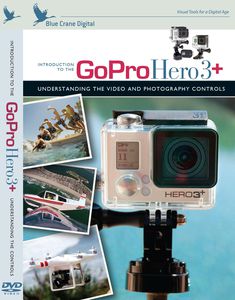
Shoot like a professional with your new GoPro Hero3+! This camera can produce stunning videos and photos, but understanding the menus, camera functions and mounting options takes time. Our training system streamlines the learning process so you can get outside and start shooting. Your host, Chris Park, demonstrates how to set up the GoPro and use it in a series of real-world examples. His tips on settings, mounts, and accessories will help you get the best results from the camera. The topics in this presentation are organized in chapters, allowing you to move at your own pace and return later to explore individual subjects. Topics include: , Understanding the menu system , Video quality settings , Photo image quality , Wireless remote pairing , Using the GoPro App , Advanced settings with Protune , One Button Mode , Looping video , ...and much more! This DVD is for photographers who want an introduction to the GoPro's controls and settings, as well as an understanding of how to combine specific shooting options for the best results. Chris Park has been a professional photographer and videographer for more than ten years. His focus on capturing artists and athletes in motion will provide the viewer with a unique look into shooting with a GoPro. Running Time: 78 minutes NTSC: All Regions Blue Crane Digital Copyright 2014
Blue Crane Digital Introduction to the GoPro Hero3+ Training DVD
Current Price
$10.9
Average
$6.85
Min Price
$3.47
Max Price
$12.99
Price dynamics
37%
Description
Shoot like a professional with your new GoPro Hero3+! This camera can produce stunning videos and photos, but understanding the menus, camera functions and mounting options takes time. Our training system streamlines the learning process so you can get outside and start shooting. Your host, Chris Park, demonstrates how to set up the GoPro and use it in a series of real-world examples. His tips on settings, mounts, and accessories will help you get the best results from the camera. The topics in this presentation are organized in chapters, allowing you to move at your own pace and return later to explore individual subjects. Topics include: , Understanding the menu system , Video quality settings , Photo image quality , Wireless remote pairing , Using the GoPro App , Advanced settings with Protune , One Button Mode , Looping video , ...and much more! This DVD is for photographers who want an introduction to the GoPro's controls and settings, as well as an understanding of how to combine specific shooting options for the best results. Chris Park has been a professional photographer and videographer for more than ten years. His focus on capturing artists and athletes in motion will provide the viewer with a unique look into shooting with a GoPro. Running Time: 78 minutes NTSC: All Regions Blue Crane Digital Copyright 2014
Price will be lower
in next 2 weeks
in next 2 weeks
According to the data, price will be lower in next two weeks, so not waste your money and track better price!
Product review & video
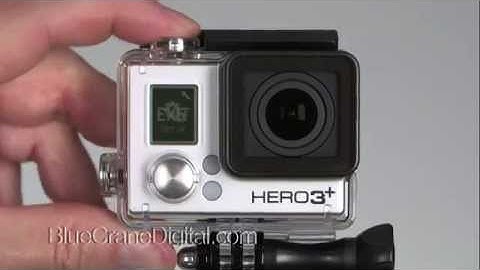
your GoPros menu system is set up like a tree each icon leads to branches of sub menus and settings this kind of our organization makes sense since it only has two buttons however it's very easy to accidentally cycle past menu icons or press the wrong button we're going to introduce you to the menu system by showing you how to set up the default mode at powerup we chose this particular setting because it's a handy shortcut that can save you time you may have noticed that every time you turn on the camera it is automatically set to the video shooting mode this can be annoying if you're shooting photos and need to shut down the camera between setups you have to reset the shooting mode every time you power up the camera change the default mode at powerup setting and the camera will maintain your preferred shooting mode to begin press mode until you see the wrench icon for the settings menu

Similar products