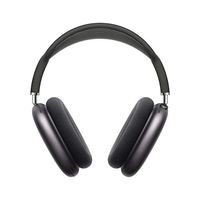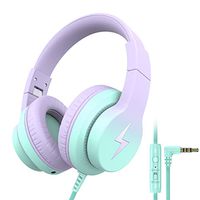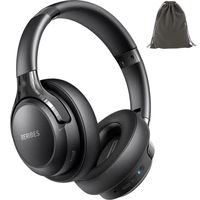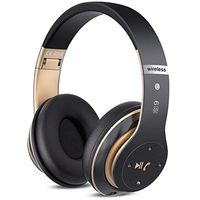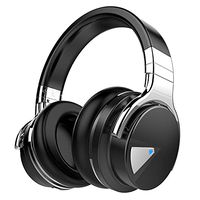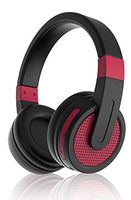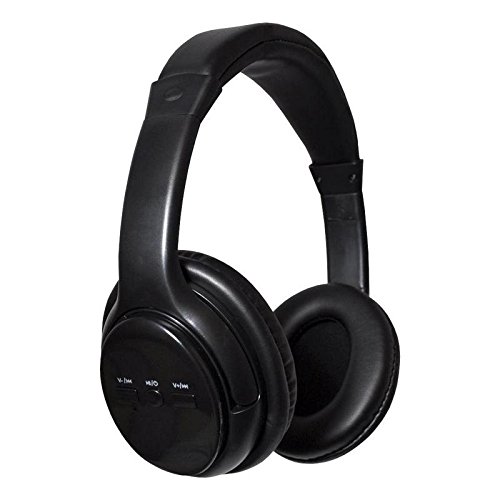
Description
Pairing your AC Bluetooth Headphones
1.) Turn Bluetooth on from your device
2.) Press and hold the middle power button on the headphone for 3 seconds or unitl the LED light flashes red and blue 3.) You should see the name AC Headphones in the pairing options on your device
4.) Select AC Headphones and once you are succcessfully paired, you will hear a beep on our headohones Earbud Features
Automatic Pairing once you have successfully paired your earbuds for the first time, simply press and turn your earbuds on by pressing and holding the buttons Energy saving features with on and off buttons from your Earbuds Manage your Calls from your AC Headphones 1.) One click to Answer 2.) Double click to reject an incoming call 3.) Double click to call last number dialed Manage your Songs and Media from your Headphones 1.) Click middle button for Stop or Pause 2.) Press backward button to go to a previous song or the forward button to skip to the next song 3.) Easily control the volume using the backward and forward buttons by holding it for 3 seconds
1.) Turn Bluetooth on from your device
2.) Press and hold the middle power button on the headphone for 3 seconds or unitl the LED light flashes red and blue 3.) You should see the name AC Headphones in the pairing options on your device
4.) Select AC Headphones and once you are succcessfully paired, you will hear a beep on our headohones Earbud Features
Automatic Pairing once you have successfully paired your earbuds for the first time, simply press and turn your earbuds on by pressing and holding the buttons Energy saving features with on and off buttons from your Earbuds Manage your Calls from your AC Headphones 1.) One click to Answer 2.) Double click to reject an incoming call 3.) Double click to call last number dialed Manage your Songs and Media from your Headphones 1.) Click middle button for Stop or Pause 2.) Press backward button to go to a previous song or the forward button to skip to the next song 3.) Easily control the volume using the backward and forward buttons by holding it for 3 seconds
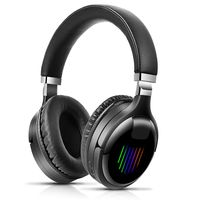
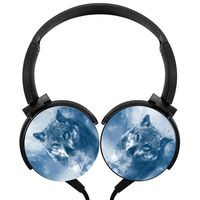
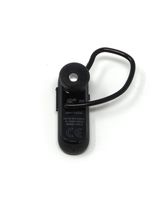
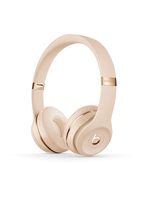
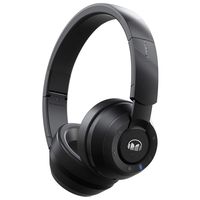
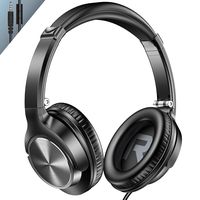
Bluetooth Headphones w/Microphone Built in, Over Ear Wireless Headphones for Music, Streaming, Movies, Cell Phone, Tablet, PC, Smartphone, Gym
Current Price
$26.99
Average
$24.74
Min Price
$14.99
Max Price
$39.99
Price dynamics
8%
Description
Pairing your AC Bluetooth Headphones
1.) Turn Bluetooth on from your device
2.) Press and hold the middle power button on the headphone for 3 seconds or unitl the LED light flashes red and blue 3.) You should see the name AC Headphones in the pairing options on your device
4.) Select AC Headphones and once you are succcessfully paired, you will hear a beep on our headohones Earbud Features
Automatic Pairing once you have successfully paired your earbuds for the first time, simply press and turn your earbuds on by pressing and holding the buttons Energy saving features with on and off buttons from your Earbuds Manage your Calls from your AC Headphones 1.) One click to Answer 2.) Double click to reject an incoming call 3.) Double click to call last number dialed Manage your Songs and Media from your Headphones 1.) Click middle button for Stop or Pause 2.) Press backward button to go to a previous song or the forward button to skip to the next song 3.) Easily control the volume using the backward and forward buttons by holding it for 3 seconds
1.) Turn Bluetooth on from your device
2.) Press and hold the middle power button on the headphone for 3 seconds or unitl the LED light flashes red and blue 3.) You should see the name AC Headphones in the pairing options on your device
4.) Select AC Headphones and once you are succcessfully paired, you will hear a beep on our headohones Earbud Features
Automatic Pairing once you have successfully paired your earbuds for the first time, simply press and turn your earbuds on by pressing and holding the buttons Energy saving features with on and off buttons from your Earbuds Manage your Calls from your AC Headphones 1.) One click to Answer 2.) Double click to reject an incoming call 3.) Double click to call last number dialed Manage your Songs and Media from your Headphones 1.) Click middle button for Stop or Pause 2.) Press backward button to go to a previous song or the forward button to skip to the next song 3.) Easily control the volume using the backward and forward buttons by holding it for 3 seconds
Price will be lower
in next 2 weeks
in next 2 weeks
According to the data, price will be lower in next two weeks, so not waste your money and track better price!
Product review & video
(whimsical music) - Hey everybody, David and David here from PayetteForward.com and UpPhone.com, and in this video, we're gonna tell you about the best over the
ear headphones of 2021. We've got 10 pairs of
headphones on the table and we bought these all ourselves. - Right, you can trust our reviews, unlike some of the others
that you see on the internet or from other YouTubers
who may receive some of these products for
free, and before we do. We had to buy 'em with
our own gosh darn money for $550.
- Yeah, we had to wait for everyone else. So we tested all these headphones; we had a playlist of eight songs. Test for bass, you know, sound quality and surround clarity.
- Yeah, dynamics, yep. Soundscapes.
- Yes. - Also, we tested for
comfort and durability, we looked at the case,
we looked at the quality. We're actually redoing this video because AirPods Max just came out, and so we just


Similar products