After-sales services
One-month money back
Six-month replacement
1 year wanrranty
Q&A
♥ Can I set up folders for each artist and select to play from?
You don't need to set up folder for each artist, because the player will automatically sorts all songs by artist album and genre. All you need to do is organize the song information (such as artists, albums, and genres) correctly. Besides, additional three playlists are available for you to classify your songs.
♥ How do I put music and videos on it from my Mac or phone?
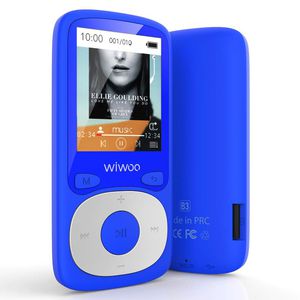
Just connect the player with your computer via USB cable. 2-3 seconds later, you will find a new disk named 'wiwoo B3' and then drag the files to the disk. You can also copy data directly from your phone to the player, if your phone supports OTG (OTG cable is not in the package).
♥ Can I use Bluetooth speakers/headphones when I have a wired headphone plugged in for an antenna?
A: Yes, you can. However, please note that the plugged headphones are worked as a radio antenna, and Bluetooth headsets are not a substitute for it.
♥ After I recharge it, will it go back to the last song that was played or start at the beginning of the song list?
It will go back to the last song, because of breakpoint memory, which also applies to video.
♥ I have a Bluetooth headphone 5.0, can it compatible with this mp3 player, or only support up to Bluetooth 4.0?
According to our tests, it is compatible with Bluetooth 4.0 and 5.0. Considering the current messy Bluetooth standard, we recommend that you use branded TWS earbuds to conncet.
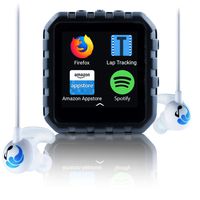
♥ Can I use the headphones to adjust the volume or the next song?
Yes, you can.
♥ How to adjust the volume to 15 or above?
A safety warning appears when you adjust the volume to 15 or higher. When he appears, you only need to press the 'confirm' button to adjust the volume freely.
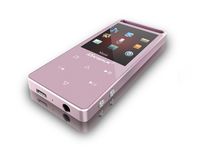
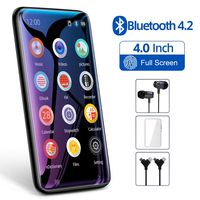
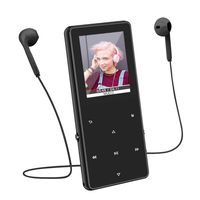
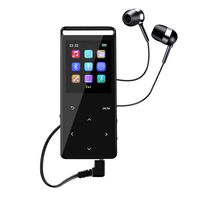
Bluetooth MP3 Player with FM Radio, 16GB Portable HiFi Lossless Sound Music Player with Voice Recorder, Armband, Headphones by Wiwoo
After-sales services
One-month money back
Six-month replacement
1 year wanrranty
Q&A
♥ Can I set up folders for each artist and select to play from?
You don't need to set up folder for each artist, because the player will automatically sorts all songs by artist album and genre. All you need to do is organize the song information (such as artists, albums, and genres) correctly. Besides, additional three playlists are available for you to classify your songs.
♥ How do I put music and videos on it from my Mac or phone?
Just connect the player with your computer via USB cable. 2-3 seconds later, you will find a new disk named 'wiwoo B3' and then drag the files to the disk. You can also copy data directly from your phone to the player, if your phone supports OTG (OTG cable is not in the package).
♥ Can I use Bluetooth speakers/headphones when I have a wired headphone plugged in for an antenna?
A: Yes, you can. However, please note that the plugged headphones are worked as a radio antenna, and Bluetooth headsets are not a substitute for it.
♥ After I recharge it, will it go back to the last song that was played or start at the beginning of the song list?
It will go back to the last song, because of breakpoint memory, which also applies to video.
♥ I have a Bluetooth headphone 5.0, can it compatible with this mp3 player, or only support up to Bluetooth 4.0?
According to our tests, it is compatible with Bluetooth 4.0 and 5.0. Considering the current messy Bluetooth standard, we recommend that you use branded TWS earbuds to conncet.
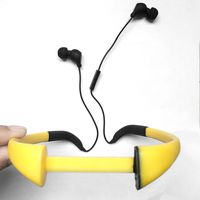
♥ Can I use the headphones to adjust the volume or the next song?
Yes, you can.
♥ How to adjust the volume to 15 or above?
A safety warning appears when you adjust the volume to 15 or higher. When he appears, you only need to press the 'confirm' button to adjust the volume freely.
in next 2 weeks