Description
Application of Brady's PermaShield labels is very easy. Simply print the label, then put the label in place and cover with the clear polyester (B-966B) overlaminate. B-428 is designed to withstand numerous solvents and variable temperatures when applied to various surfaces. Designed for applications, like rating and serial plates, that utilize barcodes, alphanumerics, graphic symbols and logos and require nameplate-like quality. Print technology: Thermal transfer. Material type: Metallized Polyester (3 mil film). Finish: Matte. Adhesive: Permanent acrylic. Recommended Ribbons: Brady Series R4300, Brady Series R6200 (alternate). Regulatory/Agency Approvals: UL: B-428 is a UL Recognized Component when printed with the Brady Series R4300 Ribbon. See UL file MH17154 for specific details. UL information can be accessed online at UL.com. Search in Certifications area. CSA: B-428 is a CSA Accepted material when printed with the Brady Series R4300 Ribbon or R6200 Ribbon. See CSA Acceptance Record LS 41833 for specific details. CSA information can be accessed online at directories.csa-international.org. DIN VDE 0472 Part 815: Brady B-428 meets the requirements of a halogen-free material per DIN VDE 0472 part 815. (Statement based on review of product construction and confirmatory halogen content test run at an independent test laboratory.) Brady B-428 is RoHS compliant to 2005/618/EC MCV amendment to RoHS Directive 2002/95/EC. protocols that will qualify a product's fitness for use, in their actual applications.
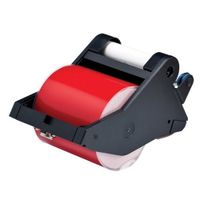
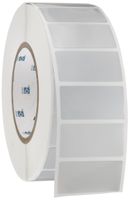
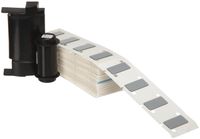
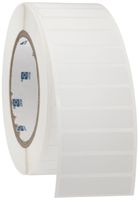
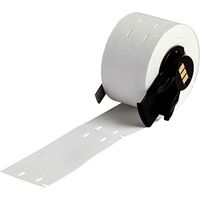
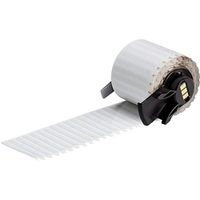
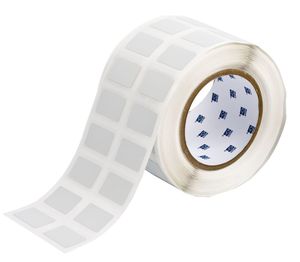
Brady THT-22-428-2 1.25" Width x 0.75" Height, B-428 and B-966B Metallized Polyester with Overlaminate, Matte Finish Silver PermaShield Thermal Transfer Printable Label (2000 per Roll)
Current Price
$266.97
Average
$235.95
Min Price
$56.22
Max Price
$357.67
Price dynamics
12%
Description
Application of Brady's PermaShield labels is very easy. Simply print the label, then put the label in place and cover with the clear polyester (B-966B) overlaminate. B-428 is designed to withstand numerous solvents and variable temperatures when applied to various surfaces. Designed for applications, like rating and serial plates, that utilize barcodes, alphanumerics, graphic symbols and logos and require nameplate-like quality. Print technology: Thermal transfer. Material type: Metallized Polyester (3 mil film). Finish: Matte. Adhesive: Permanent acrylic. Recommended Ribbons: Brady Series R4300, Brady Series R6200 (alternate). Regulatory/Agency Approvals: UL: B-428 is a UL Recognized Component when printed with the Brady Series R4300 Ribbon. See UL file MH17154 for specific details. UL information can be accessed online at UL.com. Search in Certifications area. CSA: B-428 is a CSA Accepted material when printed with the Brady Series R4300 Ribbon or R6200 Ribbon. See CSA Acceptance Record LS 41833 for specific details. CSA information can be accessed online at directories.csa-international.org. DIN VDE 0472 Part 815: Brady B-428 meets the requirements of a halogen-free material per DIN VDE 0472 part 815. (Statement based on review of product construction and confirmatory halogen content test run at an independent test laboratory.) Brady B-428 is RoHS compliant to 2005/618/EC MCV amendment to RoHS Directive 2002/95/EC. protocols that will qualify a product's fitness for use, in their actual applications.
Price will be lower
in next 2 weeks
in next 2 weeks
According to the data, price will be lower in next two weeks, so not waste your money and track better price!
Product review & video
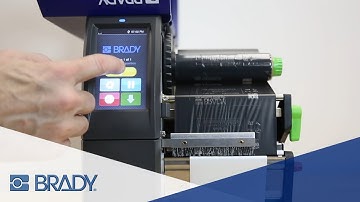
[Music] the Brady printer.i 7100 peel model printer is required for several special types of printing and is unique from the standard model because it ships with a smooth peel bar that has no serrated teeth as well as a lower assist roller with pinch roller and a take-up axle these enable the printer to do three types of printing standard printing standard printing with internal rewind of printed labels and peel and present printing with either manual button press label advance or automatic label advance [Music] this video will show how to use a peel model printer to peel and present with manual advance mode to do this you will need to change the settings on your printer and in your print driver first use the touchscreen interface to activate print on demand click the gear icon to access the settings menu then select setup then printing then check print on demand go back to the home scr