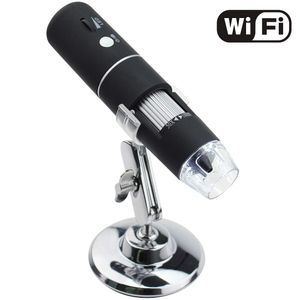
Description
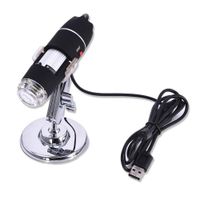
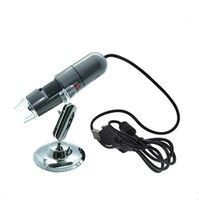
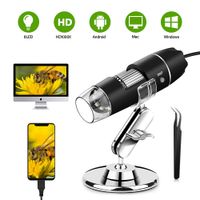
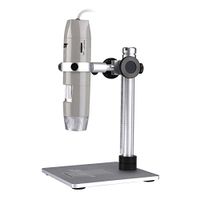
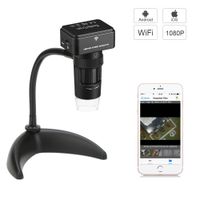
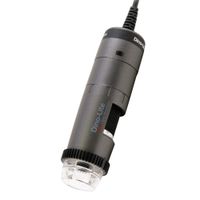
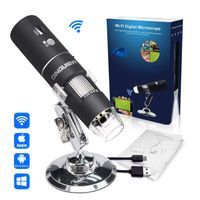
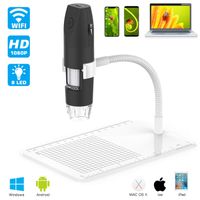
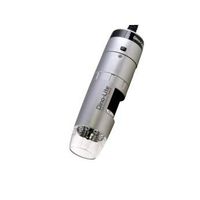
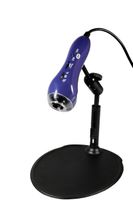
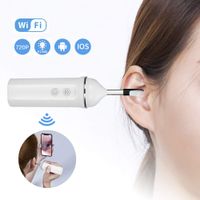
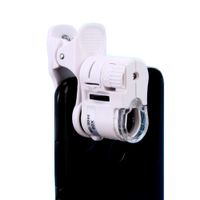
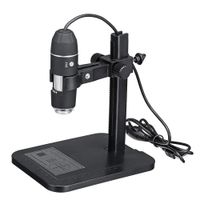
Handheld HD WIFI Wireless Digital Microscope USB 50X to 1000X Zoom Magnification Mini Endoscope Inspection Camera
Specifications:
√Pixels: 2,000,000 pixels
√Enlarge multiple: 50-1000X
√Video Pixels: 1920*1080P, 1280*720P, 640*480P
√Imaging distance: manual adjustment(3-60mm)
√WIFI connection: 10M(open environment)
√Image format: JPG
√USB Interface Type: USB2.0
√Power supply: USB (5V DC)
√Video Format: MP4/AVI
√Dynamic Frames: 15f/s under 600 LUX Brightness
How to use?
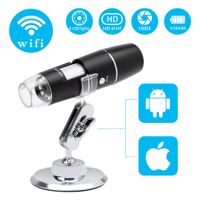
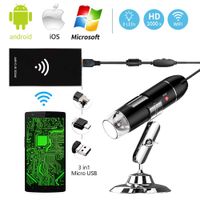
WIFI connection for Android and IOS;
1. Download the software "Max-see" from Google Play or APP Store;
2. Long press power button to turn on the microscope;
3. Connect the wifi "Max-see"(no password) which emits from the microscope;
4. Run the app and it is easy to use.
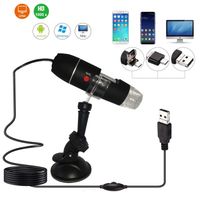
The USB connection on PC or Laptop
For Windows system
1. Download the app from link www.inskam.com/download/camera.zip, and install it in your PC;
2. Connect the microscope to your computer;
3. Long press the power button to turn on the microscope;
4. Run the app and it is ready to go.
For MAC system
1. Turn on the microscope and connect it to MAC terminal through the data cable;
2. Open the "Photo Booth" software in the Apple App;
3. Click on the Camera and select the GENERAL-UVC#2(default).
Specifications:
√Pixels: 2,000,000 pixels
√Enlarge multiple: 50-1000X
√Video Pixels: 1920*1080P, 1280*720P, 640*480P
√Imaging distance: manual adjustment(3-60mm)
√WIFI connection: 10M(open environment)
√Image format: JPG
√USB Interface Type: USB2.0
√Power supply: USB (5V DC)
√Video Format: MP4/AVI
√Dynamic Frames: 15f/s under 600 LUX Brightness
How to use?
WIFI connection for Android and IOS;
1. Download the software "Max-see" from Google Play or APP Store;
2. Long press power button to turn on the microscope;
3. Connect the wifi "Max-see"(no password) which emits from the microscope;
4. Run the app and it is easy to use.
The USB connection on PC or Laptop
For Windows system
1. Download the app from link www.inskam.com/download/camera.zip, and install it in your PC;
2. Connect the microscope to your computer;
3. Long press the power button to turn on the microscope;
4. Run the app and it is ready to go.
For MAC system
1. Turn on the microscope and connect it to MAC terminal through the data cable;
2. Open the "Photo Booth" software in the Apple App;
3. Click on the Camera and select the GENERAL-UVC#2(default).
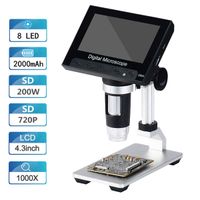
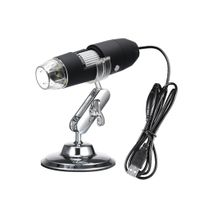
Wireless Digital WiFi USB Microscope 50X To 1000X Magnification Mini Handheld Endoscope Inspection Camera with 8 LEDs with Metal Stand, Compatible with iPhone, iPad, Android Smartphone, Mac, Windows
Current Price
$45.99
Average
$41.72
Min Price
$31.19
Max Price
$45.99
Price dynamics
9%
Description
Handheld HD WIFI Wireless Digital Microscope USB 50X to 1000X Zoom Magnification Mini Endoscope Inspection Camera
Specifications:
√Pixels: 2,000,000 pixels
√Enlarge multiple: 50-1000X
√Video Pixels: 1920*1080P, 1280*720P, 640*480P
√Imaging distance: manual adjustment(3-60mm)
√WIFI connection: 10M(open environment)
√Image format: JPG
√USB Interface Type: USB2.0
√Power supply: USB (5V DC)
√Video Format: MP4/AVI
√Dynamic Frames: 15f/s under 600 LUX Brightness
How to use?
WIFI connection for Android and IOS;
1. Download the software "Max-see" from Google Play or APP Store;
2. Long press power button to turn on the microscope;
3. Connect the wifi "Max-see"(no password) which emits from the microscope;
4. Run the app and it is easy to use.
The USB connection on PC or Laptop
For Windows system
1. Download the app from link www.inskam.com/download/camera.zip, and install it in your PC;
2. Connect the microscope to your computer;
3. Long press the power button to turn on the microscope;
4. Run the app and it is ready to go.
For MAC system
1. Turn on the microscope and connect it to MAC terminal through the data cable;
2. Open the "Photo Booth" software in the Apple App;
3. Click on the Camera and select the GENERAL-UVC#2(default).
Specifications:
√Pixels: 2,000,000 pixels
√Enlarge multiple: 50-1000X
√Video Pixels: 1920*1080P, 1280*720P, 640*480P
√Imaging distance: manual adjustment(3-60mm)
√WIFI connection: 10M(open environment)
√Image format: JPG
√USB Interface Type: USB2.0
√Power supply: USB (5V DC)
√Video Format: MP4/AVI
√Dynamic Frames: 15f/s under 600 LUX Brightness
How to use?
WIFI connection for Android and IOS;
1. Download the software "Max-see" from Google Play or APP Store;
2. Long press power button to turn on the microscope;
3. Connect the wifi "Max-see"(no password) which emits from the microscope;
4. Run the app and it is easy to use.
The USB connection on PC or Laptop
For Windows system
1. Download the app from link www.inskam.com/download/camera.zip, and install it in your PC;
2. Connect the microscope to your computer;
3. Long press the power button to turn on the microscope;
4. Run the app and it is ready to go.
For MAC system
1. Turn on the microscope and connect it to MAC terminal through the data cable;
2. Open the "Photo Booth" software in the Apple App;
3. Click on the Camera and select the GENERAL-UVC#2(default).
Price will be lower
in next 2 weeks
in next 2 weeks
According to the data, price will be lower in next two weeks, so not waste your money and track better price!
Product review & video
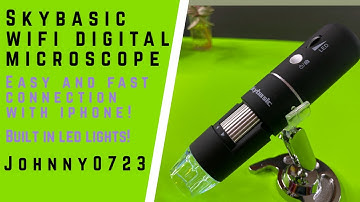
hi everyone I'm here to show you the sky basic Wi-Fi digital microscope look how small this box is compared to traditional microscopes this is nice and lightweight and portable wireless of course and this is what it looks like it features a video recording and 1080p it also can take pictures it's got 8 LED lights at the tip to light up your subject and it has up to a thousand X magnification I'm not sure if you will really get a thousand X magnification but as long as we come close to it that should be fine you can see it supports Android phones iPhones Windows and Mac computers I picked this up on Amazon for $41.99 at the time of this filming and there is a coupon for 25% off this does have four stars and over 440 customer reviews so it's got to be awesome let me go ahead and open this up and let's take a look all right so the first thing I see is the stand this does feel a little heft