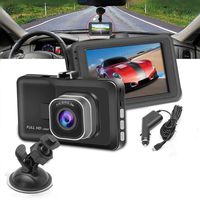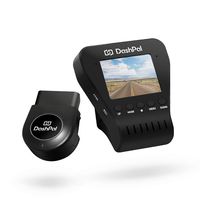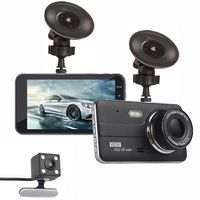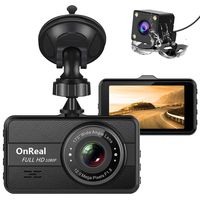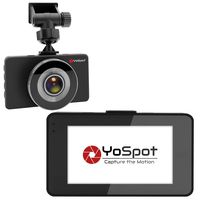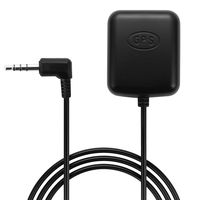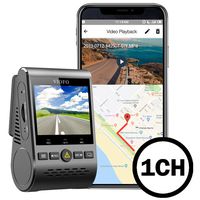
Description
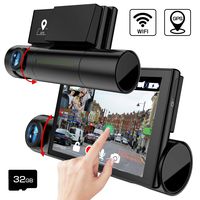
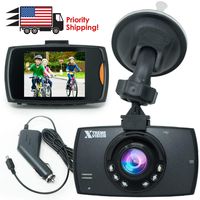
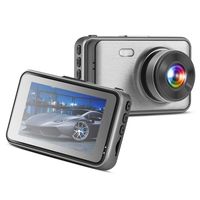
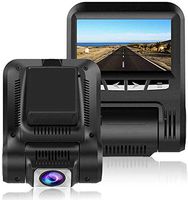
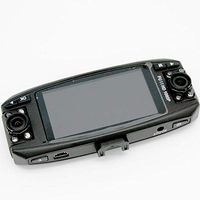
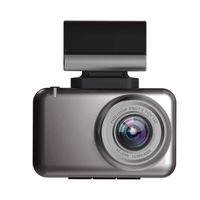
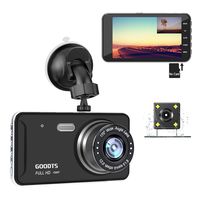
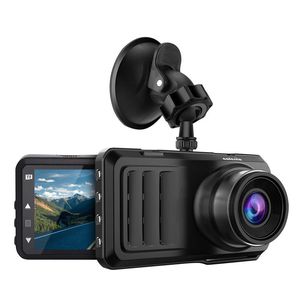
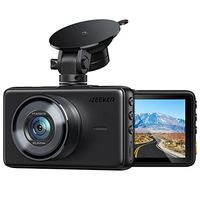
Car Dash Cam,Caferria 1296P HD Car Video Driving Recorder,3 Inch IPS LCD Screen Dash Cam
Four Mainly Function:
1.Devices Connected to Computers:
Connected to computer via USB,there are three modes:
Mass Storage: Can read and write a variety of data in the memory card, including the locked video files.
PC Camera: Can be used as a PC camera, real-time network video chat.
Recording Mode: The device can be powered by USB data cable.
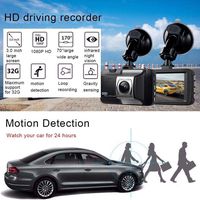
2.Motion Detection:
When the object moves in front of the lens, it will automatically start recording,usually set to 30 seconds.
3.Parking Monitor: (optional)
Parking monitor function make the dash recorder camera turn on automatically when there is an unusual movement around or in your car so the evidence saved.
Dash Cam Specifications:
LCD Screen: 3 inch IPS,1296P Display
Language:Support multi-languages
Continuous Loop Recording: 1/3/5 mins
Memory Card: TF(Max 32GB,above CLASS10))
File Format: MOV
Photo Format: JPEG
Camera Quality: 1M/2M/5M/8M
Power Interfece: 5V 2A
USB Function: USB-Disk/PC Camera
ADAS:Track offset,collision warning
Notes:
1.Due to the video storage requires a high-speed card, so that it must be above CLASS10!
2.In order to protect the video files in case of emergency, the locked video files will not be overwritten by other files.
3.When the memory card is filled with lock file, we will be prompted to wrong information.
4.You can not delete the locked file,you can use the following methods:
A. First unlock and then delete
B. Format the memory card to clear these files
C. Connect to computer to delete these files
Four Mainly Function:
1.Devices Connected to Computers:
Connected to computer via USB,there are three modes:
Mass Storage: Can read and write a variety of data in the memory card, including the locked video files.
PC Camera: Can be used as a PC camera, real-time network video chat.
Recording Mode: The device can be powered by USB data cable.
2.Motion Detection:
When the object moves in front of the lens, it will automatically start recording,usually set to 30 seconds.
3.Parking Monitor: (optional)
Parking monitor function make the dash recorder camera turn on automatically when there is an unusual movement around or in your car so the evidence saved.
Dash Cam Specifications:
LCD Screen: 3 inch IPS,1296P Display
Language:Support multi-languages
Continuous Loop Recording: 1/3/5 mins
Memory Card: TF(Max 32GB,above CLASS10))
File Format: MOV
Photo Format: JPEG
Camera Quality: 1M/2M/5M/8M
Power Interfece: 5V 2A
USB Function: USB-Disk/PC Camera
ADAS:Track offset,collision warning
Notes:
1.Due to the video storage requires a high-speed card, so that it must be above CLASS10!
2.In order to protect the video files in case of emergency, the locked video files will not be overwritten by other files.
3.When the memory card is filled with lock file, we will be prompted to wrong information.
4.You can not delete the locked file,you can use the following methods:
A. First unlock and then delete
B. Format the memory card to clear these files
C. Connect to computer to delete these files
Caferria Dash Cam 1296P FHD Dashboard Car Camera DVR Driving Recorder 3" LCD Screen 170°Wide Angle, G-Sensor, Night Vision, WDR, Parking Monitor, Loop Recording, Motion Detection
Current Price
$42.99
Average
$41.8
Min Price
$29.99
Max Price
$59.99
Price dynamics
3%
Description
Car Dash Cam,Caferria 1296P HD Car Video Driving Recorder,3 Inch IPS LCD Screen Dash Cam
Four Mainly Function:
1.Devices Connected to Computers:
Connected to computer via USB,there are three modes:
Mass Storage: Can read and write a variety of data in the memory card, including the locked video files.
PC Camera: Can be used as a PC camera, real-time network video chat.
Recording Mode: The device can be powered by USB data cable.
2.Motion Detection:
When the object moves in front of the lens, it will automatically start recording,usually set to 30 seconds.
3.Parking Monitor: (optional)
Parking monitor function make the dash recorder camera turn on automatically when there is an unusual movement around or in your car so the evidence saved.
Dash Cam Specifications:
LCD Screen: 3 inch IPS,1296P Display
Language:Support multi-languages
Continuous Loop Recording: 1/3/5 mins
Memory Card: TF(Max 32GB,above CLASS10))
File Format: MOV
Photo Format: JPEG
Camera Quality: 1M/2M/5M/8M
Power Interfece: 5V 2A
USB Function: USB-Disk/PC Camera
ADAS:Track offset,collision warning
Notes:
1.Due to the video storage requires a high-speed card, so that it must be above CLASS10!
2.In order to protect the video files in case of emergency, the locked video files will not be overwritten by other files.
3.When the memory card is filled with lock file, we will be prompted to wrong information.
4.You can not delete the locked file,you can use the following methods:
A. First unlock and then delete
B. Format the memory card to clear these files
C. Connect to computer to delete these files
Four Mainly Function:
1.Devices Connected to Computers:
Connected to computer via USB,there are three modes:
Mass Storage: Can read and write a variety of data in the memory card, including the locked video files.
PC Camera: Can be used as a PC camera, real-time network video chat.
Recording Mode: The device can be powered by USB data cable.
2.Motion Detection:
When the object moves in front of the lens, it will automatically start recording,usually set to 30 seconds.
3.Parking Monitor: (optional)
Parking monitor function make the dash recorder camera turn on automatically when there is an unusual movement around or in your car so the evidence saved.
Dash Cam Specifications:
LCD Screen: 3 inch IPS,1296P Display
Language:Support multi-languages
Continuous Loop Recording: 1/3/5 mins
Memory Card: TF(Max 32GB,above CLASS10))
File Format: MOV
Photo Format: JPEG
Camera Quality: 1M/2M/5M/8M
Power Interfece: 5V 2A
USB Function: USB-Disk/PC Camera
ADAS:Track offset,collision warning
Notes:
1.Due to the video storage requires a high-speed card, so that it must be above CLASS10!
2.In order to protect the video files in case of emergency, the locked video files will not be overwritten by other files.
3.When the memory card is filled with lock file, we will be prompted to wrong information.
4.You can not delete the locked file,you can use the following methods:
A. First unlock and then delete
B. Format the memory card to clear these files
C. Connect to computer to delete these files
Price will be lower
in next 2 weeks
in next 2 weeks
According to the data, price will be lower in next two weeks, so not waste your money and track better price!
Product review & video
hey everyone Digital David here today I'm gonna be unboxing and reviewing the pesty okar dashcam they did send me this product review but any opinion expressed this video is strictly my own that being said if you're interested in this product the link to it will be in my video description below please go ahead check it out do your shopping from there here's how it comes packaged to you straight from Amazon in a really nice retail box retail packaging showing you create product photography and all of its key features it's got motion detection loop recording built-in speakers and a built-in microphone then on this side it walks you through everything it can do HD recording as a 3 inch HD display 170 degree wide angle field of view rear view loop recording g-sensor and audio recording then the back shows you a lot of its specs as well so now let's go ahead and open it up here are all the p


Similar products