Description
Product Features:
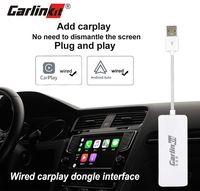
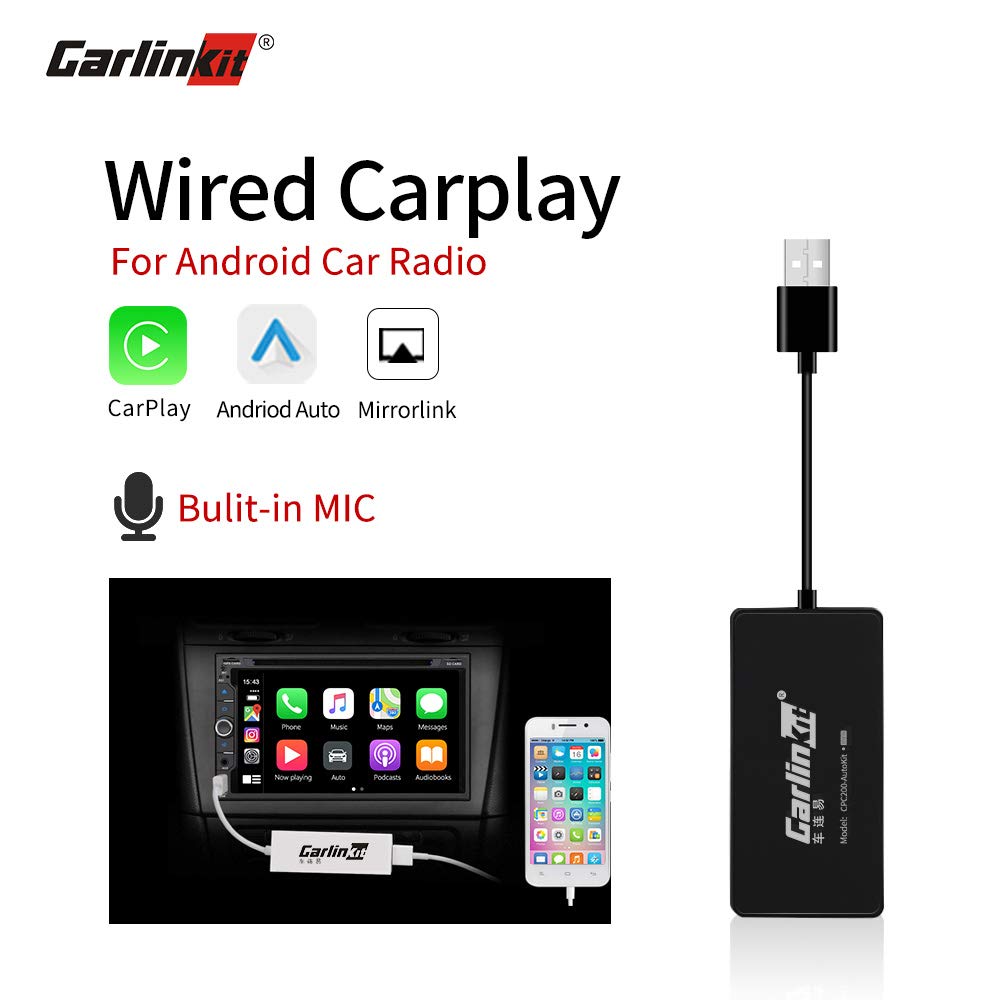
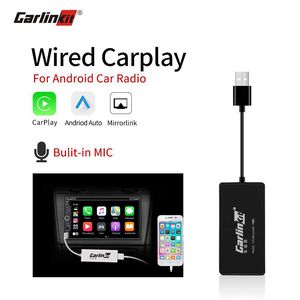
1. Apple CarPlay (Apple Phone)
2. Android Android Auto (Android phone)
3. Mirroring (Apple / Android phone)
4. Support steering wheel button learning
5. Support built-in to the car (single port USB interface does not affect the original car U disk
read)
Parameter:
Model:CPC200-BoxKit(with mic)
Input: 5V 1A
output:5V/0.8A
power:0.25W
Fit for:Android 4.0 and above
WINCE 6.0(partial)
Adaptation resolution:800*480、1024*600、1280*720
1920*1080、1080*1920、600*600、1280*480、768*1024
Compatible platform version
*Car terminal (Android)
Allwinner (A10 A20 A33 A63 A64 T3 T8 Android 4.1-8.0
Rockchip 3066 3188 PX3 PX5 PX6
Autochips AC8217 AC8227 AC8317 AC8327
Atom X3/Qualcomm S4, Freescale MX 535 MX6, Mst786
*MTK 6735, FYT SC8830
WINCE platform
Mstar 785, Sirf A6, Primall, ARK 1680
Autochips MT3353 MT3360 MT3370 Samsung S5PV210
*The above list is the verified and debugged platform
How to use the product:
1. Install the Apk for the product in your Android head unit.
2. Plug the product into the USB port of Android head unit.
3. And then connect the original USB cable of cell phone into the USB port of the product.
4. The car radio will enter CarPlay interface.
( installation instructions at the bottom of this page)
1. Apple CarPlay (Apple Phone)
2. Android Android Auto (Android phone)
3. Mirroring (Apple / Android phone)
4. Support steering wheel button learning
5. Support built-in to the car (single port USB interface does not affect the original car U disk
read)
Parameter:
Model:CPC200-BoxKit(with mic)
Input: 5V 1A
output:5V/0.8A
power:0.25W
Fit for:Android 4.0 and above
WINCE 6.0(partial)
Adaptation resolution:800*480、1024*600、1280*720
1920*1080、1080*1920、600*600、1280*480、768*1024
Compatible platform version
*Car terminal (Android)
Allwinner (A10 A20 A33 A63 A64 T3 T8 Android 4.1-8.0
Rockchip 3066 3188 PX3 PX5 PX6
Autochips AC8217 AC8227 AC8317 AC8327
Atom X3/Qualcomm S4, Freescale MX 535 MX6, Mst786
*MTK 6735, FYT SC8830
WINCE platform
Mstar 785, Sirf A6, Primall, ARK 1680
Autochips MT3353 MT3360 MT3370 Samsung S5PV210
*The above list is the verified and debugged platform
How to use the product:
1. Install the Apk for the product in your Android head unit.
2. Plug the product into the USB port of Android head unit.
3. And then connect the original USB cable of cell phone into the USB port of the product.
4. The car radio will enter CarPlay interface.
( installation instructions at the bottom of this page)
Carlinkit Wired Carplay Dongle USB Adapter with MIC, Android Auto Stereo Mini Receiver Box for Android Head Unit(Android Navigation Player), Navigation Mirroring, Support iOS13, Black
Current Price
$67.99
Average
$60.56
Min Price
$51.99
Max Price
$67.99
Price dynamics
11%
Description
Product Features:
1. Apple CarPlay (Apple Phone)
2. Android Android Auto (Android phone)
3. Mirroring (Apple / Android phone)
4. Support steering wheel button learning
5. Support built-in to the car (single port USB interface does not affect the original car U disk
read)
Parameter:
Model:CPC200-BoxKit(with mic)
Input: 5V 1A
output:5V/0.8A
power:0.25W
Fit for:Android 4.0 and above
WINCE 6.0(partial)
Adaptation resolution:800*480、1024*600、1280*720
1920*1080、1080*1920、600*600、1280*480、768*1024
Compatible platform version
*Car terminal (Android)
Allwinner (A10 A20 A33 A63 A64 T3 T8 Android 4.1-8.0
Rockchip 3066 3188 PX3 PX5 PX6
Autochips AC8217 AC8227 AC8317 AC8327
Atom X3/Qualcomm S4, Freescale MX 535 MX6, Mst786
*MTK 6735, FYT SC8830
WINCE platform
Mstar 785, Sirf A6, Primall, ARK 1680
Autochips MT3353 MT3360 MT3370 Samsung S5PV210
*The above list is the verified and debugged platform
How to use the product:
1. Install the Apk for the product in your Android head unit.
2. Plug the product into the USB port of Android head unit.
3. And then connect the original USB cable of cell phone into the USB port of the product.
4. The car radio will enter CarPlay interface.
( installation instructions at the bottom of this page)
1. Apple CarPlay (Apple Phone)
2. Android Android Auto (Android phone)
3. Mirroring (Apple / Android phone)
4. Support steering wheel button learning
5. Support built-in to the car (single port USB interface does not affect the original car U disk
read)
Parameter:
Model:CPC200-BoxKit(with mic)
Input: 5V 1A
output:5V/0.8A
power:0.25W
Fit for:Android 4.0 and above
WINCE 6.0(partial)
Adaptation resolution:800*480、1024*600、1280*720
1920*1080、1080*1920、600*600、1280*480、768*1024
Compatible platform version
*Car terminal (Android)
Allwinner (A10 A20 A33 A63 A64 T3 T8 Android 4.1-8.0
Rockchip 3066 3188 PX3 PX5 PX6
Autochips AC8217 AC8227 AC8317 AC8327
Atom X3/Qualcomm S4, Freescale MX 535 MX6, Mst786
*MTK 6735, FYT SC8830
WINCE platform
Mstar 785, Sirf A6, Primall, ARK 1680
Autochips MT3353 MT3360 MT3370 Samsung S5PV210
*The above list is the verified and debugged platform
How to use the product:
1. Install the Apk for the product in your Android head unit.
2. Plug the product into the USB port of Android head unit.
3. And then connect the original USB cable of cell phone into the USB port of the product.
4. The car radio will enter CarPlay interface.
( installation instructions at the bottom of this page)
Price will be lower
in next 2 weeks
in next 2 weeks
According to the data, price will be lower in next two weeks, so not waste your money and track better price!
Product review & video
hi guys max perez here today we're going to go over these two items the digital octopus wireless pro and the wired pro both great systems to convert your android head unit into apple carplay or android auto so the first thing we're gonna do is identify your system make sure that you have android installed just because your car has a screen a touch screen does not mean it's android uh the first the best way to tell if it's android-based is by going into your main menu on the on your head unit and see if you have either google chrome the google app or the play store so these are three uh giveaways that would that would tell you that this is a google-based phone uh you will need the google chrome because uh we need a web browser so we can go ahead and download the app that needs to go on the system you will not find this in the google store or any other store it has to be downloaded from t

Similar products