Description
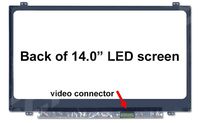
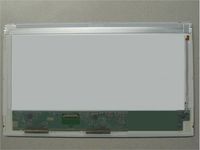
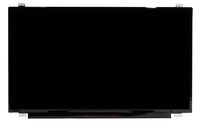
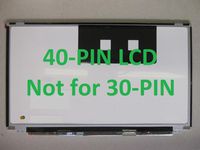
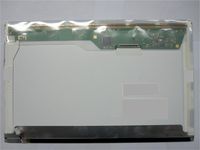
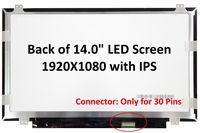
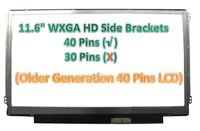
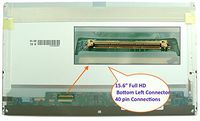
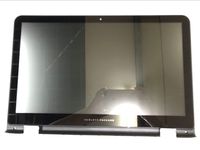
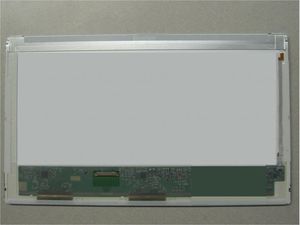
Same Day Shipping for Orders Place Before 4PM EST. Important Note! It is absolutely necessary to know the SIZE, RESOLUTION and BACKLIGHT TYPE in order to purchase the correct screen for a particular laptop. Size: 14.0" LED Screen Resolution: WXGA (1366x768) Backlight Type: LED ( Inverter not Required ) Video Signal Connection: 40-pin Please, do not hesitate to email us your laptop make/model details if you are in need of assistance. Our customers are constantly amazed at how fast we reply. Certain laptop models come in different screen sizes, resolutions and backlights. For instance, Dell M1330 may have LED or CCFL backlight. IBM-Lenovo ThinkPad T60 was released with either 15.4" or 15" or 14.1" screen size and these screens are not interchangeable. Macbook Pro 15.4" screens come in different resolutions and they are not interchangeable as well. It is absolutely imperative that size, resolution and backlight of the original screen are the same as of the selected screen for purchase. Please examine carefully the screen description. If you are still unsure please, please ask us. You may also upload pictures of the back of your original screen that you are replacing. Please focus on labels (so the numbers are legible) and connectors and also include full shot of the back of the screen. Manufacturers typically do not publish screen compatibility information and even if they do there are occasional mistakes in their manuals and specifications on their websites. Therefore the only sure way to get 100% correct screen is to check the size, resolution, and backlight. NOTE: Screens for Dell laptops must be chosen by the laptop model number ( i.e. Inspiron 1525 ). Choosing by the original screen model number can lead to wrong selection. For this listing, We will ship you a brand new OEM Compatible LCD Screen Replacement manufactured either by Samsung, LG, Chi Mei, Chunghwa, Sharp, or AUOptronics.
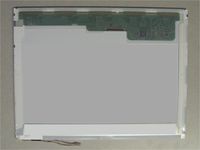
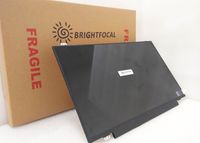
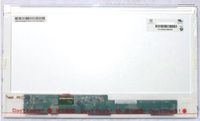
Chi Mei N140BGE-L11 Laptop LCD Screen 14.0" WXGA HD LED ( Compatible Replacement )
Price is below average
Current Price
$50.98
Average
$50.99
Min Price
$50.98
Max Price
$51
Price dynamics
0%
Description
Same Day Shipping for Orders Place Before 4PM EST. Important Note! It is absolutely necessary to know the SIZE, RESOLUTION and BACKLIGHT TYPE in order to purchase the correct screen for a particular laptop. Size: 14.0" LED Screen Resolution: WXGA (1366x768) Backlight Type: LED ( Inverter not Required ) Video Signal Connection: 40-pin Please, do not hesitate to email us your laptop make/model details if you are in need of assistance. Our customers are constantly amazed at how fast we reply. Certain laptop models come in different screen sizes, resolutions and backlights. For instance, Dell M1330 may have LED or CCFL backlight. IBM-Lenovo ThinkPad T60 was released with either 15.4" or 15" or 14.1" screen size and these screens are not interchangeable. Macbook Pro 15.4" screens come in different resolutions and they are not interchangeable as well. It is absolutely imperative that size, resolution and backlight of the original screen are the same as of the selected screen for purchase. Please examine carefully the screen description. If you are still unsure please, please ask us. You may also upload pictures of the back of your original screen that you are replacing. Please focus on labels (so the numbers are legible) and connectors and also include full shot of the back of the screen. Manufacturers typically do not publish screen compatibility information and even if they do there are occasional mistakes in their manuals and specifications on their websites. Therefore the only sure way to get 100% correct screen is to check the size, resolution, and backlight. NOTE: Screens for Dell laptops must be chosen by the laptop model number ( i.e. Inspiron 1525 ). Choosing by the original screen model number can lead to wrong selection. For this listing, We will ship you a brand new OEM Compatible LCD Screen Replacement manufactured either by Samsung, LG, Chi Mei, Chunghwa, Sharp, or AUOptronics.
Price will be lower
in next 2 weeks
in next 2 weeks
According to the data, price will be lower in next two weeks, so not waste your money and track better price!
Product review & video
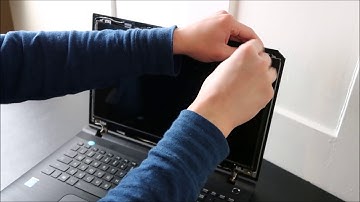
hey guys bringing you another do-it-yourself computer video today in this video I'm going to show you how to remove your LCD from your computer as well as how to access your LCD cable both ends the LCD end and the end that connects to the motherboard if you're trying to troubleshoot why your screen isn't working disconnecting and reconnecting the LCD cable can help sometimes if it came loose or maybe you're at this video because you just broke LCD and you're looking for help and swapping it out so either way this video should be helpful check out the frequently asked questions below in the description if you have if you run into anything that you're unsure of or that wasn't covered here if you don't see your question there leave me a comment I do try to get back to you a few times a day at least so the first thing we want to do here is take the bezel off of the screen that's this plasti

Similar products