- HomeElectronicsComputers & AccessoriesComputer Accessories & PeripheralsKeyboards, Mice & AccessoriesKeyboard & Mice AccessoriesKeyboard Skins
Description
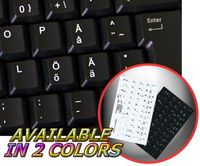
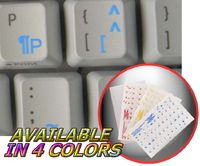
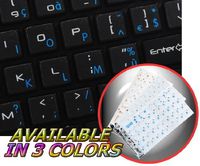
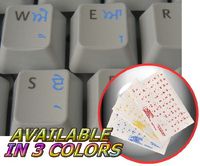
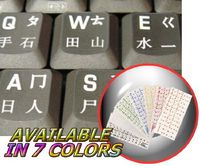
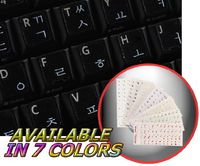
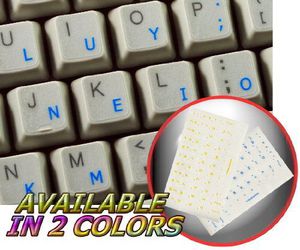
The Colemak keyboard stickers can easily transform your standard keyboard into a customised one within minutes, depending on your own need and preference.
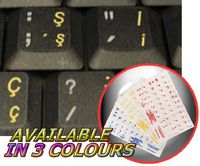
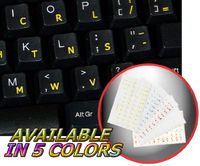
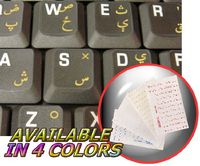
The Colemak layout is spread onto transparent - matt sticker, with one of the following colours (yellow or blue) which are suitable for all kind of keyboards, no matter what colour and hue they are.
Colemak is a modern alternative to the QWERTY and Dvorak layouts. It is designed for efficient and ergonomic touch typing in English that has been designed specifically to be easy to learn for existing QWERTY typists while at the same time being tightly optimised for touch typing and overcoming some of the problems with Dvorak.
Colemak is now the 3rd most popular keyboard layout for touch typing in English, after QWERTY and Dvorak.
Advantages:
Ergonomic and comfortable - Your fingers on QWERTY move 2.2x more than on Colemak. QWERTY has 16x more same hand row jumping than Colemak. There are 35x more words you can type using only the home row on Colemak.
Easy to learn - Allows easy transition from QWERTY. Only 2 keys move between hands. Many common shortcuts (including Ctrl+Z/X/C/V) remain the same. Typing lessons available.
Fast - Most of the typing is done on the strongest and fastest fingers. Low same-finger ratio.
Free - Free software released under the public domain. You don't have to buy a new keyboard, just install a program.
OUR MOTTO IS - QUALITY!
The product listed above is copyrighted, has been manufactured and distributed by Royal Galaxy Ltd. Usage of the images posted, distribution or resale has NOT been authorized by Royal Galaxy Ltd, and is in direct violation of its written terms. Federal law provides severe civil and criminal penalties for the unauthorized usage, distribution or resale of copyrighted product, its listings with all imaged posted. For all requests regarding usage of images of this product, its distribution and resale, please contact us by email.
COLEMAK KEYBOARD STICKERS WITH BLUE LETTERING ON TRANSPARENT BACKGROUND
Current Price
$2.36
Average
$2.36
Min Price
$2.36
Max Price
$2.36
Description
The Colemak keyboard stickers can easily transform your standard keyboard into a customised one within minutes, depending on your own need and preference.
The Colemak layout is spread onto transparent - matt sticker, with one of the following colours (yellow or blue) which are suitable for all kind of keyboards, no matter what colour and hue they are.
Colemak is a modern alternative to the QWERTY and Dvorak layouts. It is designed for efficient and ergonomic touch typing in English that has been designed specifically to be easy to learn for existing QWERTY typists while at the same time being tightly optimised for touch typing and overcoming some of the problems with Dvorak.
Colemak is now the 3rd most popular keyboard layout for touch typing in English, after QWERTY and Dvorak.
Advantages:
Ergonomic and comfortable - Your fingers on QWERTY move 2.2x more than on Colemak. QWERTY has 16x more same hand row jumping than Colemak. There are 35x more words you can type using only the home row on Colemak.
Easy to learn - Allows easy transition from QWERTY. Only 2 keys move between hands. Many common shortcuts (including Ctrl+Z/X/C/V) remain the same. Typing lessons available.
Fast - Most of the typing is done on the strongest and fastest fingers. Low same-finger ratio.
Free - Free software released under the public domain. You don't have to buy a new keyboard, just install a program.
OUR MOTTO IS - QUALITY!
The product listed above is copyrighted, has been manufactured and distributed by Royal Galaxy Ltd. Usage of the images posted, distribution or resale has NOT been authorized by Royal Galaxy Ltd, and is in direct violation of its written terms. Federal law provides severe civil and criminal penalties for the unauthorized usage, distribution or resale of copyrighted product, its listings with all imaged posted. For all requests regarding usage of images of this product, its distribution and resale, please contact us by email.
Price will be lower
in next 2 weeks
in next 2 weeks
According to the data, price will be lower in next two weeks, so not waste your money and track better price!
Product review & video
[Music] subscribe to bootstrap station if you haven't and today we are going to change the keyboard layout in android like blue rack coolmac and other keyboard layouts like we have in laptops so install zboard link in the description if you haven't then go to the settings of your android mobile search for key key for keyboard or you can search for input method just find the settings of your g board google keyboard and here you see this g board click on it and go to the preferences and go to the language click on add keyboard and in here choose your language i'll be going for english language and in here i'll be choosing english us and here you can see that we have a lot of keyboard layouts right so i'll be just adding durack here click on dual rack and click on done and now you have dorac as the third option okay so let us test it now go back and make sure the current keyboard is select