Description
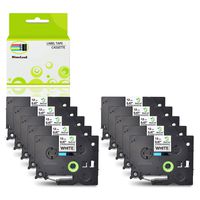
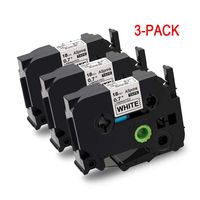
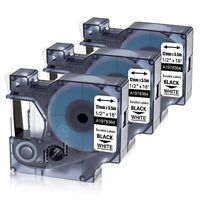
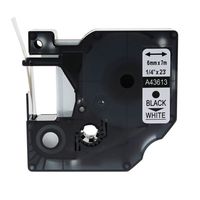
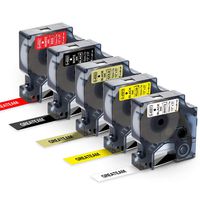
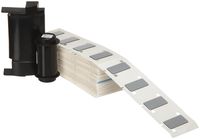
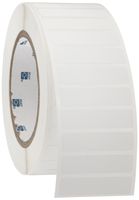
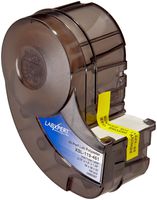
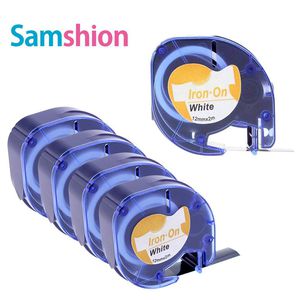
5-Pack Iron on Fabric Labels Compatible Dymo 18771 Iron on Labels for Clothing Work with Dymo LT LetraTag Printers T-100H LT-100T LT-110T QX50 2000 Plus Black Print on White Clothes Labels, 1/2 Inch
Material:Textile labels
Print color:Black
Ribbon colour:White
Label Size: 1/2 inch wide x 6.5 feet long
Compatible with DYMO LetraTag label maker:
LetraTag XR
LetraTag Plus LT100H
LetraTag Plus LT100T
LetraTag QX50
Instructions
1. Insert the iron-on label cassette into the LetraTag. Input desired text, print your label
2. Uncover the black ribbon, place the font face up on the place where you need to iron it. Put a piece of paper or cloth on top of the label.
3. Remove any wrinkles from fabric by ironing the section where you want to place the label.
4. Set dry iron on medium high temperature (290° to 370° F, or 130° to 170° C).
5. Press the iron on the label for 10 seconds. Be careful not to move the iron as this may dislodge the label from its position.
6.Repeat 3 times with a focus on the label corners, allowing sufficient cooling between each repetition.
Avoid attaching labels to the following garments:
Cloth with long strands of thread, such as pile
Material with an uneven surface
Materials treated for water resistance
Heat sensitive materials
Dark materials, as they may change color
Silk,Wool, or 100% Polyester
The washable labels can be applied to:
Iron on labels for clothing nursing home, hospital
Iron on labels for clothing personalized
Iron on labels for laundry
Iron on labels for kids clothing
Fabric labels for handmade items
Material:Textile labels
Print color:Black
Ribbon colour:White
Label Size: 1/2 inch wide x 6.5 feet long
Compatible with DYMO LetraTag label maker:
LetraTag XR
LetraTag Plus LT100H
LetraTag Plus LT100T
LetraTag QX50
Instructions
1. Insert the iron-on label cassette into the LetraTag. Input desired text, print your label
2. Uncover the black ribbon, place the font face up on the place where you need to iron it. Put a piece of paper or cloth on top of the label.
3. Remove any wrinkles from fabric by ironing the section where you want to place the label.
4. Set dry iron on medium high temperature (290° to 370° F, or 130° to 170° C).
5. Press the iron on the label for 10 seconds. Be careful not to move the iron as this may dislodge the label from its position.
6.Repeat 3 times with a focus on the label corners, allowing sufficient cooling between each repetition.
Avoid attaching labels to the following garments:
Cloth with long strands of thread, such as pile
Material with an uneven surface
Materials treated for water resistance
Heat sensitive materials
Dark materials, as they may change color
Silk,Wool, or 100% Polyester
The washable labels can be applied to:
Iron on labels for clothing nursing home, hospital
Iron on labels for clothing personalized
Iron on labels for laundry
Iron on labels for kids clothing
Fabric labels for handmade items
5-Pack Iron on Fabric Labels Replace Dymo Iron on Labels 18771 Compatible with Dymo LT LetraTag Printers, 1/2 Inch x 6.5 Feet, Black Print on White Clothes Labels for DYMO LetraTag LT-100H
Price is below average
Current Price
$18.96
Average
$18.99
Min Price
$17.99
Max Price
$20.29
Price dynamics
0%
Description
5-Pack Iron on Fabric Labels Compatible Dymo 18771 Iron on Labels for Clothing Work with Dymo LT LetraTag Printers T-100H LT-100T LT-110T QX50 2000 Plus Black Print on White Clothes Labels, 1/2 Inch
Material:Textile labels
Print color:Black
Ribbon colour:White
Label Size: 1/2 inch wide x 6.5 feet long
Compatible with DYMO LetraTag label maker:
LetraTag XR
LetraTag Plus LT100H
LetraTag Plus LT100T
LetraTag QX50
Instructions
1. Insert the iron-on label cassette into the LetraTag. Input desired text, print your label
2. Uncover the black ribbon, place the font face up on the place where you need to iron it. Put a piece of paper or cloth on top of the label.
3. Remove any wrinkles from fabric by ironing the section where you want to place the label.
4. Set dry iron on medium high temperature (290° to 370° F, or 130° to 170° C).
5. Press the iron on the label for 10 seconds. Be careful not to move the iron as this may dislodge the label from its position.
6.Repeat 3 times with a focus on the label corners, allowing sufficient cooling between each repetition.
Avoid attaching labels to the following garments:
Cloth with long strands of thread, such as pile
Material with an uneven surface
Materials treated for water resistance
Heat sensitive materials
Dark materials, as they may change color
Silk,Wool, or 100% Polyester
The washable labels can be applied to:
Iron on labels for clothing nursing home, hospital
Iron on labels for clothing personalized
Iron on labels for laundry
Iron on labels for kids clothing
Fabric labels for handmade items
Material:Textile labels
Print color:Black
Ribbon colour:White
Label Size: 1/2 inch wide x 6.5 feet long
Compatible with DYMO LetraTag label maker:
LetraTag XR
LetraTag Plus LT100H
LetraTag Plus LT100T
LetraTag QX50
Instructions
1. Insert the iron-on label cassette into the LetraTag. Input desired text, print your label
2. Uncover the black ribbon, place the font face up on the place where you need to iron it. Put a piece of paper or cloth on top of the label.
3. Remove any wrinkles from fabric by ironing the section where you want to place the label.
4. Set dry iron on medium high temperature (290° to 370° F, or 130° to 170° C).
5. Press the iron on the label for 10 seconds. Be careful not to move the iron as this may dislodge the label from its position.
6.Repeat 3 times with a focus on the label corners, allowing sufficient cooling between each repetition.
Avoid attaching labels to the following garments:
Cloth with long strands of thread, such as pile
Material with an uneven surface
Materials treated for water resistance
Heat sensitive materials
Dark materials, as they may change color
Silk,Wool, or 100% Polyester
The washable labels can be applied to:
Iron on labels for clothing nursing home, hospital
Iron on labels for clothing personalized
Iron on labels for laundry
Iron on labels for kids clothing
Fabric labels for handmade items
Price will be lower
in next 2 weeks
in next 2 weeks
According to the data, price will be lower in next two weeks, so not waste your money and track better price!
Product review & video
so here we have a demo electro tag label maker it's pretty standard model but did you know you can make your own labels for kids clothes so all you do is you purchase tape carriages from all good online retailers and simply pop it in the back so here there's the standard plastic ones that you normally print on so let's remove that and there's the iron-on one so you get quite a lot of tape there then so attach that quite securely inside pop the cover back so type the text that you want printed on the label and print it out normal so I'm going to do two here because I'm going to do two examples hit print so I cut it off as you would do normally what you need to do is remove this black film it's not required it's just purely to transfer the ink to onto the tape and that's not really made clear on the instructions either so let's just print out another it's actually slightly coming off ther