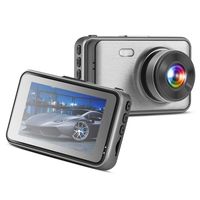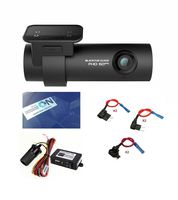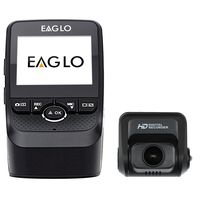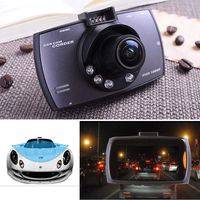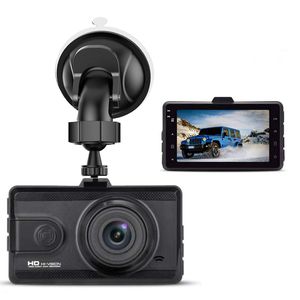
Description
How to install:
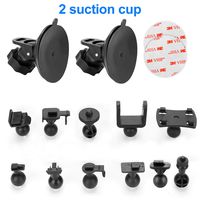
Remove dirt from the windshield and bracket suction cups
before installing the bracket.
1. Install the suction cup on the camera.
2. Place the suction cups in parallel on the windshield of the car.
3. Press the suction cup firmly against the windshield and
push the bracket down firmly
4. Plug the USB car charger into the cigarette lighter socket of the car.
6. Wiring the USB cable along the car's gaps.
7. Place the end of the USB cable a few turns on the rear
view mirror to prevent the recorder from falling.
8. Plug the Micro USB head of the car charger into the camera's USB port
9. Adjust the camera to an appropriate angle to ensure that
the front of the car is visible from the camera screen.
Tips: Please format SD Card ( class 10, 32GB max SDHC
card) on your dash cam before using;
What you should attention:
▪The internal battery is small capacity for backup only. You
need plug the car charger while use it;
▪Please format SD Card (Not Included, Class 10, 32GB max
SDHC card) on your dash cam before using; SD card is
not included, please purchase a memory card separately.
▪It require a name band Class10 or higher micro SD
card,Format your SD card on the camera first before using.
▪Record Do not remove the TF card during the recording
process.
▪For cleaning, wipe gently with a soft cloth. Do not use any
chemicals for cleaning. ▪In case of overheating,
unwanted smoke or unpleasant smell from the device,
unplug it immediately from the power outlet to prevent hazardous fire.
▪More attention you can see user manual.
Remove dirt from the windshield and bracket suction cups
before installing the bracket.
1. Install the suction cup on the camera.
2. Place the suction cups in parallel on the windshield of the car.
3. Press the suction cup firmly against the windshield and
push the bracket down firmly
4. Plug the USB car charger into the cigarette lighter socket of the car.
6. Wiring the USB cable along the car's gaps.
7. Place the end of the USB cable a few turns on the rear
view mirror to prevent the recorder from falling.
8. Plug the Micro USB head of the car charger into the camera's USB port
9. Adjust the camera to an appropriate angle to ensure that
the front of the car is visible from the camera screen.
Tips: Please format SD Card ( class 10, 32GB max SDHC
card) on your dash cam before using;
What you should attention:
▪The internal battery is small capacity for backup only. You
need plug the car charger while use it;
▪Please format SD Card (Not Included, Class 10, 32GB max
SDHC card) on your dash cam before using; SD card is
not included, please purchase a memory card separately.
▪It require a name band Class10 or higher micro SD
card,Format your SD card on the camera first before using.
▪Record Do not remove the TF card during the recording
process.
▪For cleaning, wipe gently with a soft cloth. Do not use any
chemicals for cleaning. ▪In case of overheating,
unwanted smoke or unpleasant smell from the device,
unplug it immediately from the power outlet to prevent hazardous fire.
▪More attention you can see user manual.
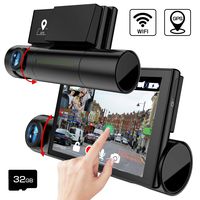
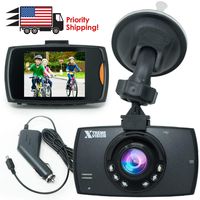
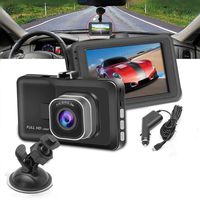
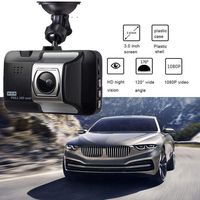
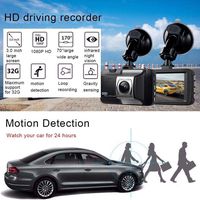
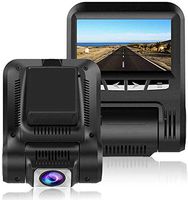
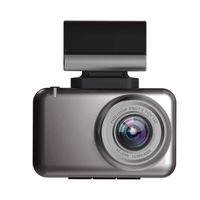
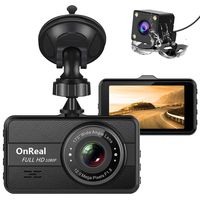
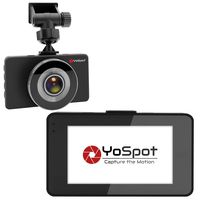
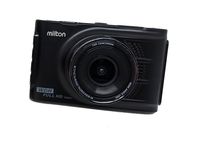
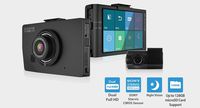
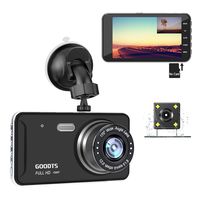
Dash Cam 1080P FHD Car Dash Camera 3 inch Dashboard Camera with Night Vision, 170°Wide Angle, Parking Monitor, Loop Recording
Price is below average
Current Price
$26.99
Average
$33.49
Min Price
$26.99
Max Price
$39.99
Price dynamics
19%
Description
How to install:
Remove dirt from the windshield and bracket suction cups
before installing the bracket.
1. Install the suction cup on the camera.
2. Place the suction cups in parallel on the windshield of the car.
3. Press the suction cup firmly against the windshield and
push the bracket down firmly
4. Plug the USB car charger into the cigarette lighter socket of the car.
6. Wiring the USB cable along the car's gaps.
7. Place the end of the USB cable a few turns on the rear
view mirror to prevent the recorder from falling.
8. Plug the Micro USB head of the car charger into the camera's USB port
9. Adjust the camera to an appropriate angle to ensure that
the front of the car is visible from the camera screen.
Tips: Please format SD Card ( class 10, 32GB max SDHC
card) on your dash cam before using;
What you should attention:
▪The internal battery is small capacity for backup only. You
need plug the car charger while use it;
▪Please format SD Card (Not Included, Class 10, 32GB max
SDHC card) on your dash cam before using; SD card is
not included, please purchase a memory card separately.
▪It require a name band Class10 or higher micro SD
card,Format your SD card on the camera first before using.
▪Record Do not remove the TF card during the recording
process.
▪For cleaning, wipe gently with a soft cloth. Do not use any
chemicals for cleaning. ▪In case of overheating,
unwanted smoke or unpleasant smell from the device,
unplug it immediately from the power outlet to prevent hazardous fire.
▪More attention you can see user manual.
Remove dirt from the windshield and bracket suction cups
before installing the bracket.
1. Install the suction cup on the camera.
2. Place the suction cups in parallel on the windshield of the car.
3. Press the suction cup firmly against the windshield and
push the bracket down firmly
4. Plug the USB car charger into the cigarette lighter socket of the car.
6. Wiring the USB cable along the car's gaps.
7. Place the end of the USB cable a few turns on the rear
view mirror to prevent the recorder from falling.
8. Plug the Micro USB head of the car charger into the camera's USB port
9. Adjust the camera to an appropriate angle to ensure that
the front of the car is visible from the camera screen.
Tips: Please format SD Card ( class 10, 32GB max SDHC
card) on your dash cam before using;
What you should attention:
▪The internal battery is small capacity for backup only. You
need plug the car charger while use it;
▪Please format SD Card (Not Included, Class 10, 32GB max
SDHC card) on your dash cam before using; SD card is
not included, please purchase a memory card separately.
▪It require a name band Class10 or higher micro SD
card,Format your SD card on the camera first before using.
▪Record Do not remove the TF card during the recording
process.
▪For cleaning, wipe gently with a soft cloth. Do not use any
chemicals for cleaning. ▪In case of overheating,
unwanted smoke or unpleasant smell from the device,
unplug it immediately from the power outlet to prevent hazardous fire.
▪More attention you can see user manual.
Price will be lower
in next 2 weeks
in next 2 weeks
According to the data, price will be lower in next two weeks, so not waste your money and track better price!
Product review & video
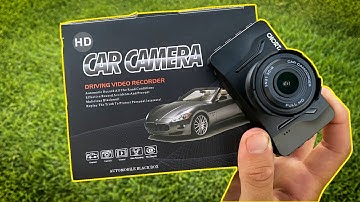
[Music] all right what's up youtube welcome back to the channel in today's video we will be installing this hd car camera as seen on amazon it is uh what is your dash cam for 1080p fhd car crash dash cam blah blah blah blah blah it's 42.99 on amazon i will link in the description i'm going to keep this video as short as possible so you need a camera you need a micro sd here i have a 32 gigabyte camera uh sd card and then i have some uh wire organizers with the adhesive on one side so you can stick them on your windshield to organize all the wires so let's get into the camera um here we have an hd car camera so i've used this once before and i was pretty satisfied with the quality of it so i just had to get another one for my mom's car here we go there's that so first things first we pull out the camera it's pretty cool actually it looks like a little spy camera if you ask me um pull off

Similar products