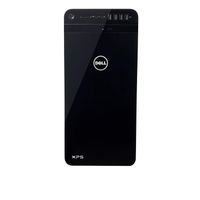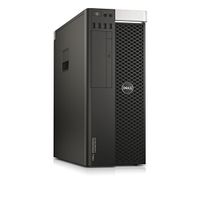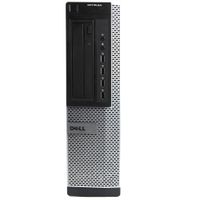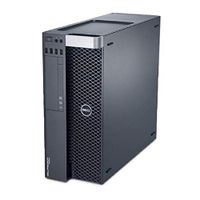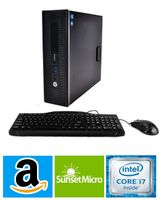
Description
Processor
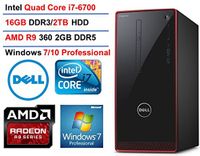
Intel Core 7th Generation i7-7700 Processor (Quad Core, up to 4.20 GHz, 8MB Cache, 65W)
Memory
16GB DDR4
Hard Drive
1TB 7200 rpm SATA 6Gb/s Hard Drive
Optical Drive
Tray load DVD Drive (Reads and Writes to DVD/CD)
Operating System
Windows 10 Pro (64-Bit)
Graphics Card
NVIDIA GeForce GT 730 2GB GDDR3
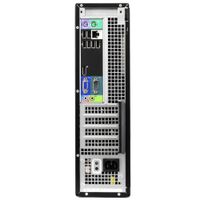
Inputs / Outputs
Ports
2 x USB 3.0 Type-A
4 x USB 2.0 Type-A
Display
1 x HDMI
1 x VGA
Audio
1 x 1/8" (3.5 mm) Headphone/Microphone Combo Jack
1 x 1/8" (3.5 mm) Line-In
1 x 1/8" (3.5 mm) Line-Out
1 x 1/8" (3.5 mm) Microphone Input
Flash Media Slot
1x SD
1x SDHC
1x SDXC
1x MMC
1x MMC+
Wireless
Dell Wireless 1707 Card (802.11BGN + Bluetooth 4.0, 2.4 GHz)
Keyboard & Mouse
Included
Dimensions (WxHxD)
6.1 x 13.9 x 11.9" / 154.9 x 353.1 x 302.3 mm
Weight
13.01 lb / 5.90 kg (Starting weight)
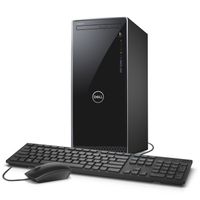
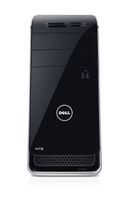
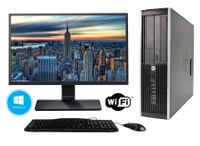
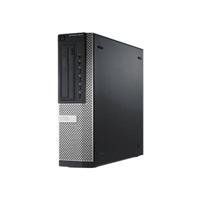
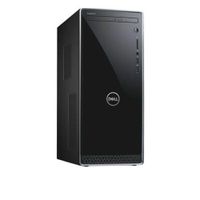
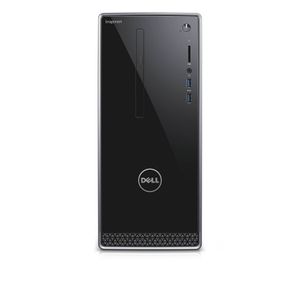
Dell Inspiron 3668 Desktop (Intel Core i7-7700, 16GB Memory, 1 TB HDD, DVD/RW, NVIDIA GeForce GT 730) WIndows 10 Pro (Renewed)
Current Price
$889
Average
$800.6
Min Price
$719
Max Price
$999.77
Price dynamics
10%
Description
Processor
Intel Core 7th Generation i7-7700 Processor (Quad Core, up to 4.20 GHz, 8MB Cache, 65W)
Memory
16GB DDR4
Hard Drive
1TB 7200 rpm SATA 6Gb/s Hard Drive
Optical Drive
Tray load DVD Drive (Reads and Writes to DVD/CD)
Operating System
Windows 10 Pro (64-Bit)
Graphics Card
NVIDIA GeForce GT 730 2GB GDDR3
Inputs / Outputs
Ports
2 x USB 3.0 Type-A
4 x USB 2.0 Type-A
Display
1 x HDMI
1 x VGA
Audio
1 x 1/8" (3.5 mm) Headphone/Microphone Combo Jack
1 x 1/8" (3.5 mm) Line-In
1 x 1/8" (3.5 mm) Line-Out
1 x 1/8" (3.5 mm) Microphone Input
Flash Media Slot
1x SD
1x SDHC
1x SDXC
1x MMC
1x MMC+
Wireless
Dell Wireless 1707 Card (802.11BGN + Bluetooth 4.0, 2.4 GHz)
Keyboard & Mouse
Included
Dimensions (WxHxD)
6.1 x 13.9 x 11.9" / 154.9 x 353.1 x 302.3 mm
Weight
13.01 lb / 5.90 kg (Starting weight)
Price will be lower
in next 2 weeks
in next 2 weeks
According to the data, price will be lower in next two weeks, so not waste your money and track better price!
Product review & video
all right so i'm going to show how to replace the power supply on this dell inspron model 3668 okay so first thing you're going to want to do is remove the two screws here um let's see if i can get them both in frame well that one and this one okay so we're going to remove both these screws i'm not sure what the screwdriver bit is called but oh actually i'm using a ph2 here okay so remove that one screw and then we'll remove the other screw on this side or in this corner all right once you remove those two screws what we're gonna do is lay it on its side here and then there's this pull handle so we're gonna pull this just like that right once you pull that over you're gonna lift this off okay so here you'll see this okay set that aside all alright so here you'll see the hard drive and what you want to do here first is actually remove this front plate so to do that you just pull these pl


Similar products