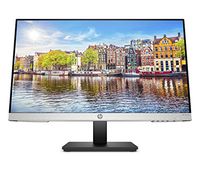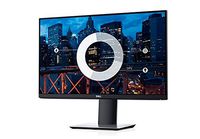
Description
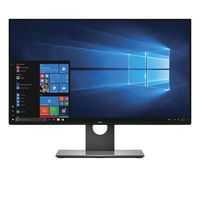
Ultimate connectivity in one: clutter your desk with the included USB-C cable, a single cable solution that transmits power, data, video and audio.
big convenience in one cable: get an easy charge with USB-C, the same cable that connects your device to the monitor. Also, as you Charge your device with up to 65WI of power, Protect it with Dell built-in surge protection.
connect to productivity: easily daisy chain up to two FHD monitors with DisplayPort 1.2 output. (Dual monitors in the above image are mounted on Dell dual monitor stand - MDS19; sold separately.)
smooth transitions: conveniently connect to a variety of laptops, or switch seamlessly between users, thanks to USB-C connectivity for shared workspaces.
product brochure: download the PDF file for the Dell 24 monitor - p2419hc
push your productivity room to work: with a thin profile and the smallest base in its class I, You can free up valuable desk space.
expand your efficiency: The three-sided Ultra Thin bezel design lets you enjoy an uninterrupted view of your content across multiple monitors. And, with dual monitors, you can increase your productivity by up to 18%i.
more ways to multitask: work conveniently across multiple screens and select from predefined templates with the easy Arrange feature on Dell display Manager software. Quickly tile and arrange your applications and get back to work faster with auto-restore, a feature that remembers where you left off.
consistent and rich colors: A wide viewing angle enabled by in-plane Switching technology lets you see vibrant colors—no matter where you sit.clean and clutter-free: focus on your work while hiding away Cable clutter with an improved cable management design.
big convenience in one cable: get an easy charge with USB-C, the same cable that connects your device to the monitor. Also, as you Charge your device with up to 65WI of power, Protect it with Dell built-in surge protection.
connect to productivity: easily daisy chain up to two FHD monitors with DisplayPort 1.2 output. (Dual monitors in the above image are mounted on Dell dual monitor stand - MDS19; sold separately.)
smooth transitions: conveniently connect to a variety of laptops, or switch seamlessly between users, thanks to USB-C connectivity for shared workspaces.
product brochure: download the PDF file for the Dell 24 monitor - p2419hc
push your productivity room to work: with a thin profile and the smallest base in its class I, You can free up valuable desk space.
expand your efficiency: The three-sided Ultra Thin bezel design lets you enjoy an uninterrupted view of your content across multiple monitors. And, with dual monitors, you can increase your productivity by up to 18%i.
more ways to multitask: work conveniently across multiple screens and select from predefined templates with the easy Arrange feature on Dell display Manager software. Quickly tile and arrange your applications and get back to work faster with auto-restore, a feature that remembers where you left off.
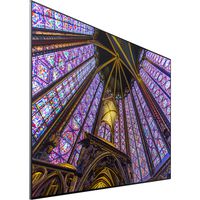
consistent and rich colors: A wide viewing angle enabled by in-plane Switching technology lets you see vibrant colors—no matter where you sit.
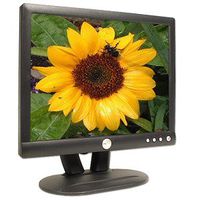
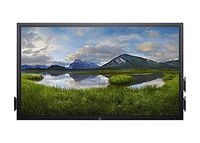
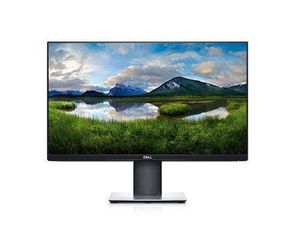
Dell P2419HC - LED Monitor - Full HD (1080P) - 24"
Current Price
$233.99
Average
$232.57
Min Price
$224.34
Max Price
$235.78
Price dynamics
1%
Description
Ultimate connectivity in one: clutter your desk with the included USB-C cable, a single cable solution that transmits power, data, video and audio.
big convenience in one cable: get an easy charge with USB-C, the same cable that connects your device to the monitor. Also, as you Charge your device with up to 65WI of power, Protect it with Dell built-in surge protection.
connect to productivity: easily daisy chain up to two FHD monitors with DisplayPort 1.2 output. (Dual monitors in the above image are mounted on Dell dual monitor stand - MDS19; sold separately.)
smooth transitions: conveniently connect to a variety of laptops, or switch seamlessly between users, thanks to USB-C connectivity for shared workspaces.
product brochure: download the PDF file for the Dell 24 monitor - p2419hc
push your productivity room to work: with a thin profile and the smallest base in its class I, You can free up valuable desk space.
expand your efficiency: The three-sided Ultra Thin bezel design lets you enjoy an uninterrupted view of your content across multiple monitors. And, with dual monitors, you can increase your productivity by up to 18%i.
more ways to multitask: work conveniently across multiple screens and select from predefined templates with the easy Arrange feature on Dell display Manager software. Quickly tile and arrange your applications and get back to work faster with auto-restore, a feature that remembers where you left off.
consistent and rich colors: A wide viewing angle enabled by in-plane Switching technology lets you see vibrant colors—no matter where you sit.clean and clutter-free: focus on your work while hiding away Cable clutter with an improved cable management design.
big convenience in one cable: get an easy charge with USB-C, the same cable that connects your device to the monitor. Also, as you Charge your device with up to 65WI of power, Protect it with Dell built-in surge protection.
connect to productivity: easily daisy chain up to two FHD monitors with DisplayPort 1.2 output. (Dual monitors in the above image are mounted on Dell dual monitor stand - MDS19; sold separately.)
smooth transitions: conveniently connect to a variety of laptops, or switch seamlessly between users, thanks to USB-C connectivity for shared workspaces.
product brochure: download the PDF file for the Dell 24 monitor - p2419hc
push your productivity room to work: with a thin profile and the smallest base in its class I, You can free up valuable desk space.
expand your efficiency: The three-sided Ultra Thin bezel design lets you enjoy an uninterrupted view of your content across multiple monitors. And, with dual monitors, you can increase your productivity by up to 18%i.
more ways to multitask: work conveniently across multiple screens and select from predefined templates with the easy Arrange feature on Dell display Manager software. Quickly tile and arrange your applications and get back to work faster with auto-restore, a feature that remembers where you left off.
consistent and rich colors: A wide viewing angle enabled by in-plane Switching technology lets you see vibrant colors—no matter where you sit.
Price will be lower
in next 2 weeks
in next 2 weeks
According to the data, price will be lower in next two weeks, so not waste your money and track better price!
Product review & video
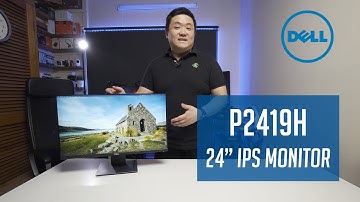
hey guys James here back with a new video it's been a while since I've actually done a video this is a new setup you can see this is my new studio set up like a computer behind me I've got some new lighting so hope this is good hope you guys enjoy it now today we've got a Dell monitor it's the p24 one 9h now if you've been following my channel I actually did a video of the P 24 1 7 H so that's the 2017 model now let me explain what this code actually means there is a meaning behind it Dell have three different series of monitors they have the S series the P series and the youth series S series is like your standard generic baseline model your P series are your Professional Series and then your you series a ultra sharp series now P is kind of like where I find the middle ground where you want a decent decent quality monitor but you don't need the flashy ultra sharp color accuracy 24 is t

Similar products